ROS Controller Experiment
Experimental
MoveIt!
- Jazzy
- Humble
- Noetic
- Arduino
MoveIt 2! is a set of packages for your robot to manipulate for Motion Planning, Manipulation, Inverse Kinematics, Control, 3D Perception and Collision Checking.
Launch MoveIt 2 with Hardware
Terminal 1 - Launch the hardware controller:
$ ros2 launch open_manipulator_bringup open_manipulator_x.launch.py
Terminal 2 - Launch MoveIt configuration:
$ ros2 launch open_manipulator_moveit_config open_manipulator_x_moveit.launch.py
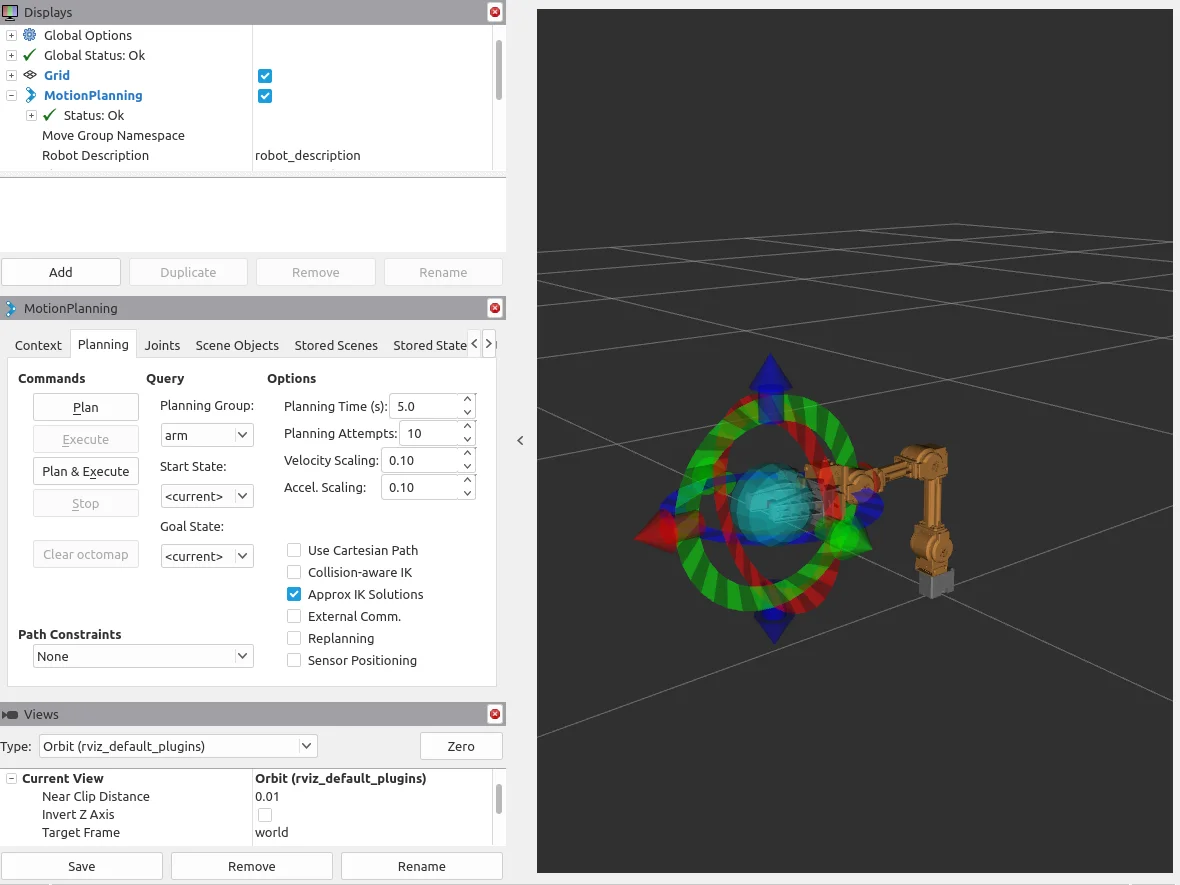
Simple Instructions for Using MOVEIT 2:
- You can move the robot to your desired pose using the Interactive Marker visible in RViz.
- Use the Plan option in the Commands column to simulate the motion of the robotic arm.
- Click Execute to move the robot according to the simulated motion.
- Set the Planning Group to
armand use the Goal State optionsinitorhometo move the robot to predefined poses. - Change the Planning Group to
gripperand use Goal State options such ascloseoropento open and close the gripper.
Using MoveIt! with Gazebo
Gazebo is a tool to simulate and test your robot in a virtual environment, without an actual robot.
Also, you can use MoveIt feature using your virtual robot in the Gazebo environment with the following commands.
For more information on Gazebo, See Simulation
Close all terminals and then launch the Gazebo simulator and RViz visualization tool.
Terminal 1 - Launch Gazebo simulation:
$ ros2 launch open_manipulator_bringup open_manipulator_x_gazebo.launch.py
Terminal 2 - Launch MoveIt configuration for simulation:
$ ros2 launch open_manipulator_moveit_config open_manipulator_x_moveit.launch.py use_sim:=true
MoveIt 2! is a set of packages for your robot to manipulate for Motion Planning, Manipulation, Inverse Kinematics, Control, 3D Perception and Collision Checking.
Launch MoveIt 2 with Hardware
Before launching MoveIt 2, ensure that the hardware.launch.py from Launch Controller is running in a separate terminal.
Then launch MoveIt! with the following command.
$ ros2 launch open_manipulator_x_moveit_config moveit_core.launch.py
Simple Instructions for Using MOVEIT 2:
- You can move the robot to your desired pose using the Interactive Marker visible in RViz.
- Use the Plan option in the Commands column to simulate the motion of the robotic arm.
- Click Execute to move the robot according to the simulated motion.
- Set the Planning Group to
armand use the Goal State optionsinitorhometo move the robot to predefined poses. - Change the Planning Group to
gripperand use Goal State options such ascloseoropento open and close the gripper.
Using MoveIt! with Gazebo
Gazebo is a tool to simulate and test your robot in a virtual environment, without an actual robot.
Also, you can use MoveIt feature using your virtual robot in the Gazebo environment with the following command.
For more information on Gazebo, See Simulation
Close all terminals and then launch the Gazebo simulator and RViz visualization tool.
$ ros2 launch open_manipulator_x_moveit_config moveit_gazebo.launch.py
MoveIt! is a set of packages for your robot to manipulate for Motion Planning, Manipulation, Inverse Kinematics, Control, 3D Perception and Collision Checking.
The following instruction describes how to install packages and to use MoveIt! with OpenMAIPULATOR-X.
Install MoveIt Packages
$ cd ~/catkin_ws/src/
$ git clone https://github.com/ROBOTIS-GIT/open_manipulator_controls.git
$ git clone -b noetic https://github.com/ROBOTIS-GIT/open_manipulator_dependencies.git
$ cd ~/catkin_ws && catkin_make
Launch MoveIt!
Launch MoveIt! with the following command.
$ roslaunch open_manipulator_controllers joint_trajectory_controller.launch sim:=false
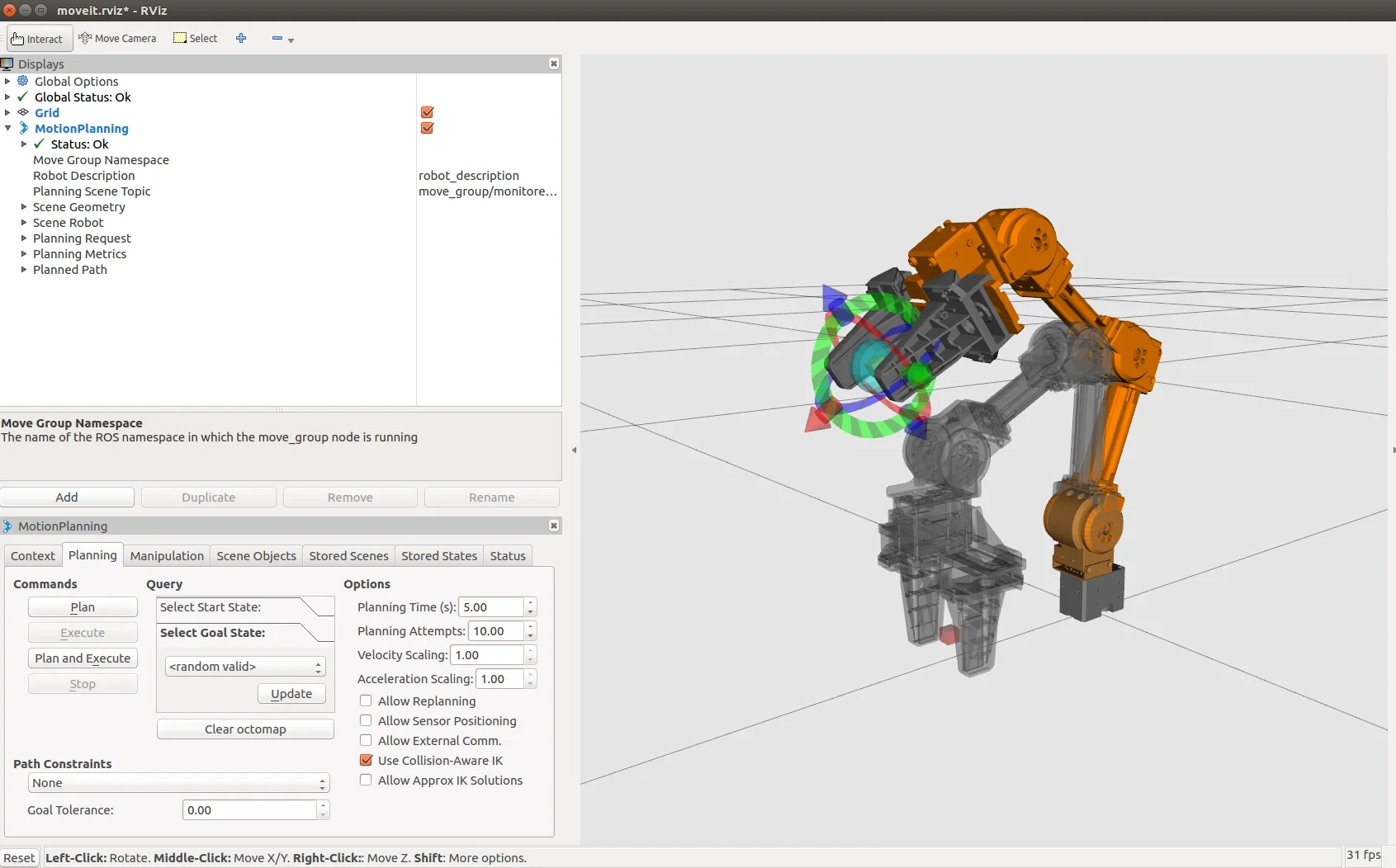
Using MoveIt! with Gazebo
Gazebo is a tool to simulate and test your robot in a virtual environment, without an actual robot.
Also, you can use MoveIt feature using your virtual robot in the Gazebo environment with the following command.
For more information on Gazebo, See Simulation
- Launch Gazebo simulator and RViz visualization tool
$ roslaunch open_manipulator_controllers joint_trajectory_controller.launch
- Click on Play
▶button at the bottom of the Gazebo simulator.
Not supported
Gravity Compensation
- Jazzy
- Humble
- Noetic
- Arduino
The Gravity Compensation is not supported yet.
https://github.com/ROBOTIS-GIT/open_manipulator_controls
The Gravity Compensation is not supported yet.
https://github.com/ROBOTIS-GIT/open_manipulator_controls
Let OpenMANIPULATOR-X compensate gravity forces by using the Gravity Compensation packages
This section describes how to install and use Gravity Compensation feature with OpenMANIPULATOR-X.
Install Gravity Compensation Packages
$ cd ~/catkin_ws/src/
$ git clone https://github.com/ROBOTIS-GIT/open_manipulator_controls.git
$ cd ~/catkin_ws && catkin_make
Set Operating Mode to Current Mode
Set your DYNAMXEL's Operating Mode to Current Mode via DYNAMIXEL Wizard 2.0
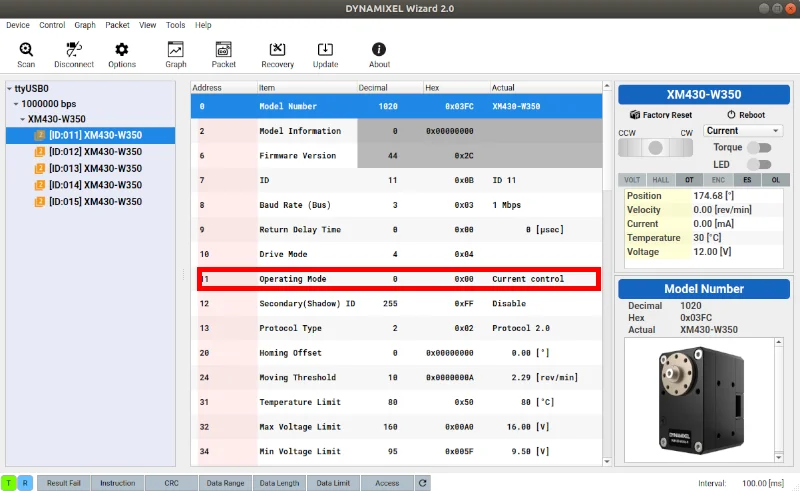
Run Gravity Compensation Package
Run the gravity compensation package with OpenMANIPULATOR-X.
$ roslaunch open_manipulator_controllers gravity_compensation_controller.launch
Not supported