Simulation
- Jazzy
- Humble
- Noetic
- Arduino
Not supported with Arduino
Launch gazebo
- Jazzy
- Humble
- Noetic
- Arduino
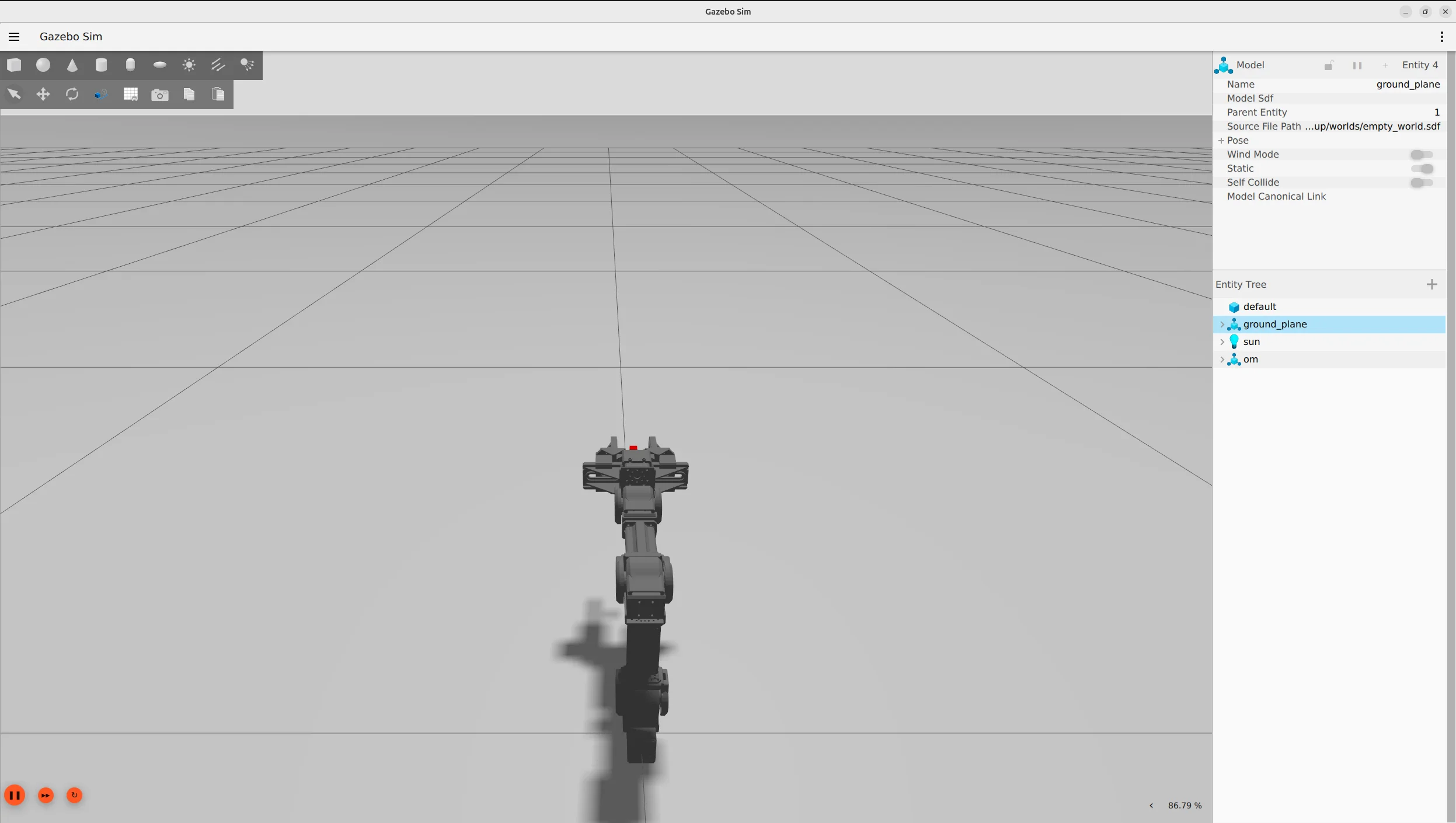
- Close all terminals, then open new terminals and enter the commands below to load OpenMANIPULATOR-X on the Gazebo simulator.
$ ros2 launch open_manipulator_bringup open_manipulator_x_gazebo.launch.py
- The red cube indicates the end-effector link.
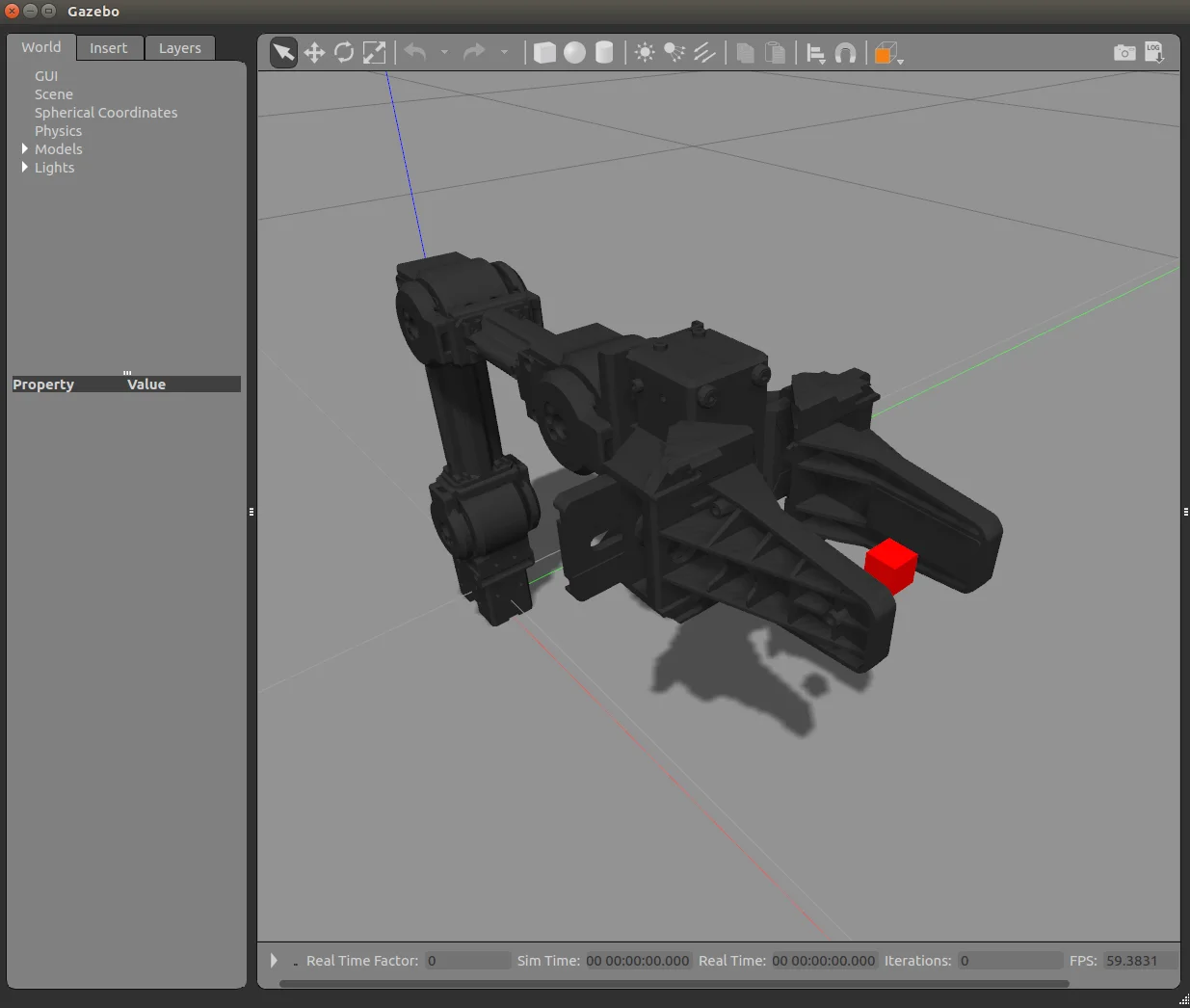
- Close all terminals, then open new terminals and enter the commands below to load OpenManipulator-X on the Gazebo simulator.
$ ros2 launch open_manipulator_x_bringup gazebo.launch.py
- The red cube indicates the end-effector link.
- Load OpenManipulator-X on Gazebo simulator and click on Play
▶button at the bottom of the Gazebo window.
$ roslaunch open_manipulator_gazebo open_manipulator_gazebo.launch
-
The red cube indicates the end-effector link.
-
Below are the active topics when the simulation is running
$ rostopic list
/clock
/gazebo/link_states
/gazebo/model_states
/gazebo/parameter_descriptions
/gazebo/parameter_updates
/gazebo/set_link_state
/gazebo/set_model_state
/gazebo_gui/parameter_descriptions
/gazebo_gui/parameter_updates
/gazebo_ros_control/pid_gains/gripper/parameter_descriptions
/gazebo_ros_control/pid_gains/gripper/parameter_updates
/gazebo_ros_control/pid_gains/gripper/state
/gazebo_ros_control/pid_gains/gripper_sub/parameter_descriptions
/gazebo_ros_control/pid_gains/gripper_sub/parameter_updates
/gazebo_ros_control/pid_gains/gripper_sub/state
/gazebo_ros_control/pid_gains/joint1/parameter_descriptions
/gazebo_ros_control/pid_gains/joint1/parameter_updates
/gazebo_ros_control/pid_gains/joint1/state
/gazebo_ros_control/pid_gains/joint2/parameter_descriptions
/gazebo_ros_control/pid_gains/joint2/parameter_updates
/gazebo_ros_control/pid_gains/joint2/state
/gazebo_ros_control/pid_gains/joint3/parameter_descriptions
/gazebo_ros_control/pid_gains/joint3/parameter_updates
/gazebo_ros_control/pid_gains/joint3/state
/gazebo_ros_control/pid_gains/joint4/parameter_descriptions
/gazebo_ros_control/pid_gains/joint4/parameter_updates
/gazebo_ros_control/pid_gains/joint4/state
/open_manipulator/gripper_position/command
/open_manipulator/gripper_sub_position/command
/open_manipulator/joint1_position/command
/open_manipulator/joint2_position/command
/open_manipulator/joint3_position/command
/open_manipulator/joint4_position/command
/open_manipulator/joint_states
/rosout
/rosout_agg
Not supported with Arduino
Operation in Gazebo
- Jazzy
- Humble
- Noetic
- Arduino
In order to control the simulated OpenMANIPULATOR-X, launch the OpenMANIPULATOR-X control GUI or Keyboard teleoperation
Click to view detailed instructions.
-
GUI Program
Terminal 1 - Launch the Gazebo simulation:
$ ros2 launch open_manipulator_bringup open_manipulator_x_gazebo.launch.pyTerminal 2 - Launch MoveIt configuration:
$ ros2 launch open_manipulator_moveit_config open_manipulator_x_moveit.launch.py use_sim:=trueTerminal 3 - Launch GUI program:
$ ros2 launch open_manipulator_gui open_manipulator_x_gui.launch.py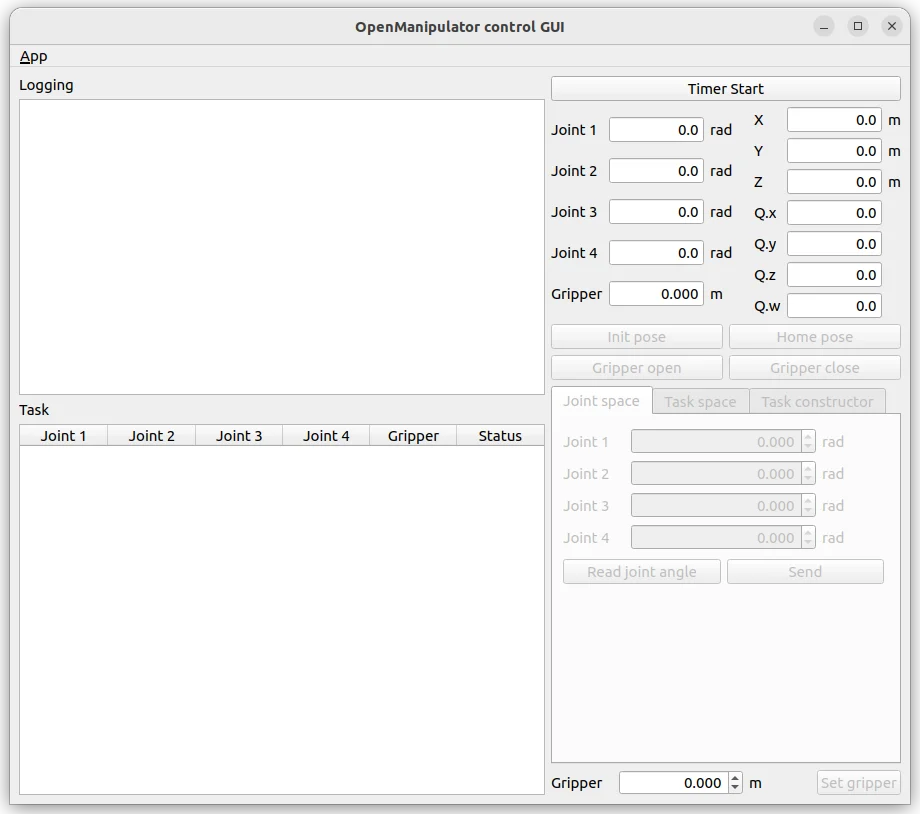
-
Keyboard Teleoperation
Terminal 1 - Launch the Gazebo simulation:
$ ros2 launch open_manipulator_bringup open_manipulator_x_gazebo.launch.pyTerminal 2 - Launch teleoperation:
$ ros2 run open_manipulator_teleop open_manipulator_x_teleop[INFO] [1751512149.624709736] [keyboard_controller]: Waiting for /joint_states...[INFO] [1751512149.625639191] [keyboard_controller]: Waiting for initial joint states...[INFO] [1751512149.626929914] [keyboard_controller]: Received joint states: [-0.05982525065917969, -0.9157865293212891, 0.8517752421836835, 0.0], Gripper: 0.0[INFO] [1751512149.627527555] [keyboard_controller]: Ready to receive keyboard input![INFO] [1751512149.627527555] [keyboard_controller]: Use 1/q, 2/w, 3/e, 4/r for joints 1-4, o/p for gripper. Press ESC to exit.
In order to control the simulated OpenMANIPULATOR-X, launch the OpenManipulator control GUI or Keyboard teleoperation
Click to view detailed instructions.
-
GUI Program
$ ros2 launch open_manipulator_x_gui open_manipulator_x_gui.launch.py -
Keyboard Teleoperation
Open a terminal and execute the servo launch file below; MoveIt Servo provides real-time, smooth, and responsive control for robotic manipulators in joint or Cartesian space.
$ ros2 launch open_manipulator_x_moveit_config servo.launch.pyOpen another terminal
$ ros2 run open_manipulator_x_teleop open_manipulator_x_teleop[INFO] [1732869286.738207239] [servo_keyboard_input]: SUCCESS TO CONNECT SERVO START SERVER[INFO] [1732869286.738351481] [servo_keyboard_input]: SUCCESS TO CONNECT SERVO STOP SERVER[INFO] [1732869286.738367129] [servo_keyboard_input]: call 'moveit_servo' start srv.[INFO] [1732869286.738923809] [servo_keyboard_input]: SUCCESS to start 'moveit_servo'Reading from keyboard---------------------------Joint Control Keys:1/q: Joint1 +/-2/w: Joint2 +/-3/e: Joint3 +/-4/r: Joint4 +/-Use o|p to open/close the gripper.'ESC' to quit.
In order to control the simulated OpenMANIPULATOR-X, launch the OpenManipulator control GUI or Keyboard teleoperation
-
GUI Program
$ roslaunch open_manipulator_control_gui open_manipulator_control_gui.launch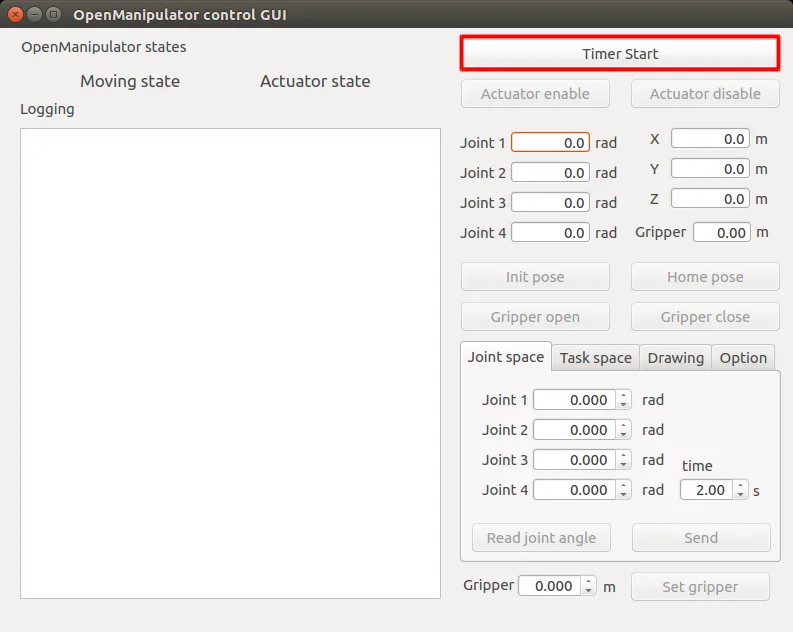
-
Keyboard Teleoperation
$ roslaunch open_manipulator_teleop open_manipulator_teleop_keyboard.launch---------------------------Control Your OpenMANIPULATOR-X!---------------------------w : increase x axis in task spaces : decrease x axis in task spacea : increase y axis in task spaced : decrease y axis in task spacez : increase z axis in task spacex : decrease z axis in task spacey : increase joint 1 angleh : decrease joint 1 angleu : increase joint 2 anglej : decrease joint 2 anglei : increase joint 3 anglek : decrease joint 3 angleo : increase joint 4 anglel : decrease joint 4 angleg : gripper openf : gripper close1 : init pose2 : home poseq to quit---------------------------Present Joint Angle J1: 0.000 J2: 0.000 J3: 0.000 J4: 0.000Present Kinematics Position X: 0.000 Y: 0.000 Z: 0.000---------------------------
Not supported with Arduino