Friends
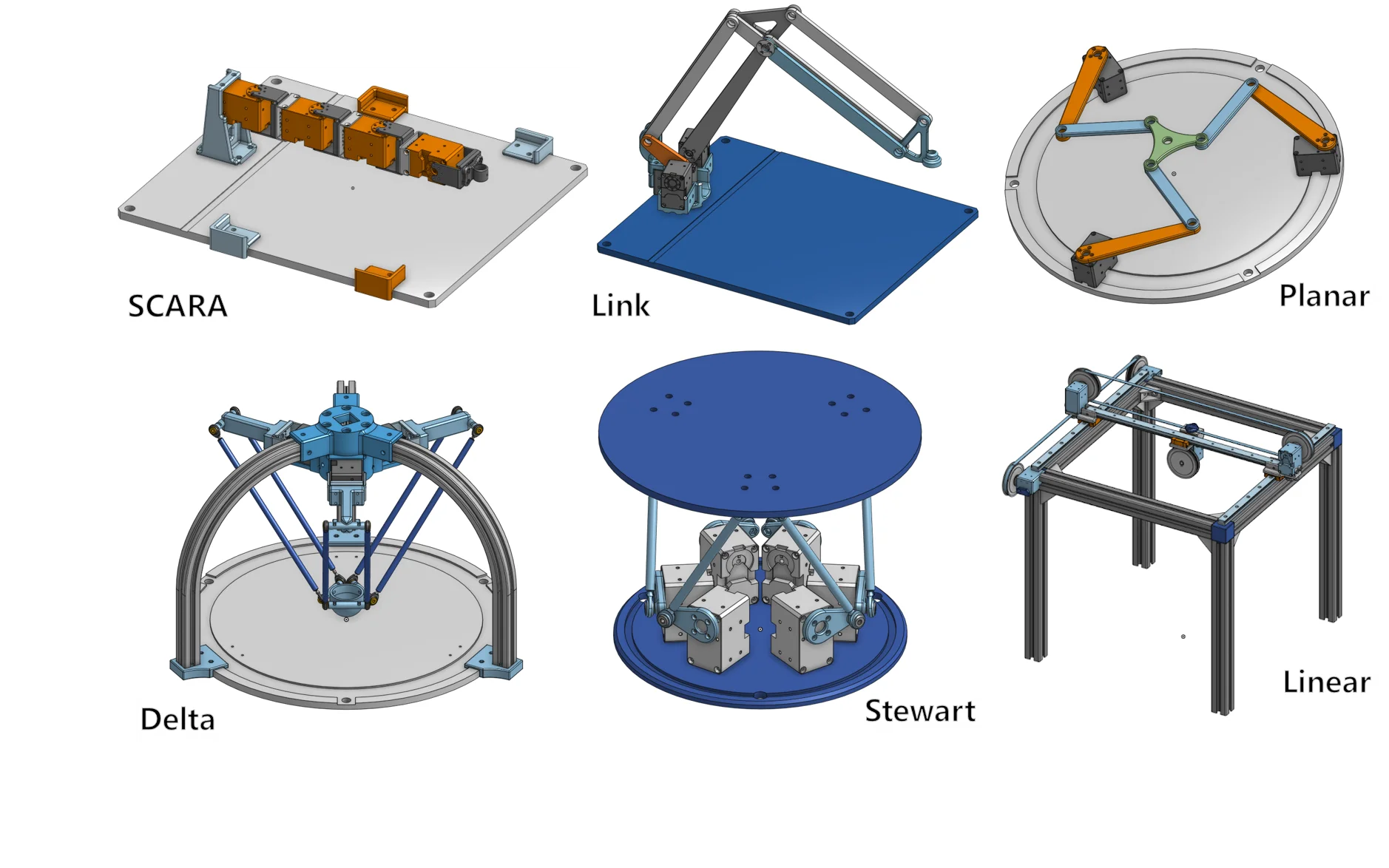
Modify the hardware(DOF, structure) and software(kinematics, trajectory) of OpenMANIPULATOR-X and manipulate your own OpenMANIPULATOR. We provide a variety of the OpenMANIPULATOR-X friends as examples of hardware transformations. Try to control the manipulator with different structure and enjoy it. And try out the kinematics solving algorithm for the different structure.
Notice
Thank you for your continued interests in the OpenMANIPULATOR Friends.
The listed products in BOM, sold by third-party distributors, are subject to change or discontinuation without a prior notice.
In this case, please refer to the 3D modeling file to find compatible products.
Contact Information
If you have questions regarding the TurtleBot3 Friends, contact us via the email below.
Friends List
- OpenMANIPULATOR SCARA
- OpenMANIPULATOR Link
- OpenMANIPULATOR Planar
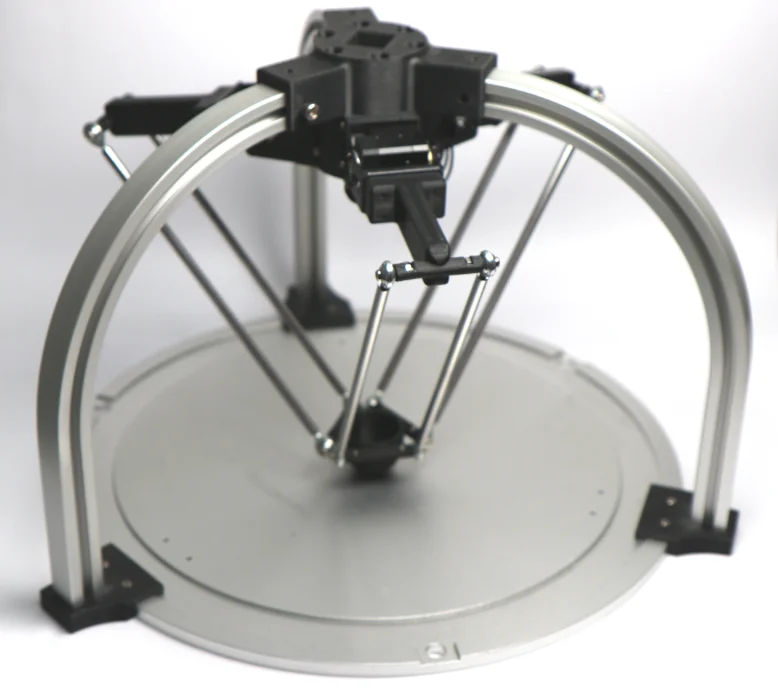
- OpenMANIPULATOR Delta
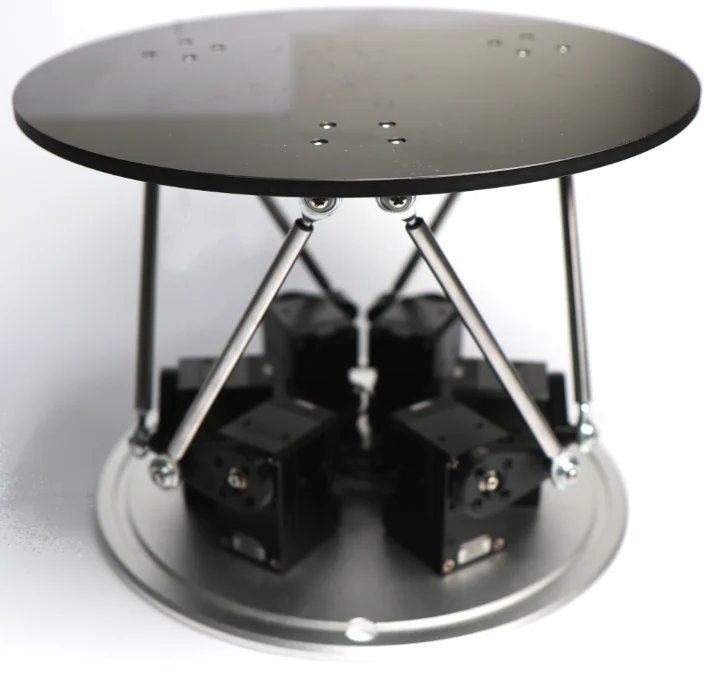
- OpenMANIPULATOR Stewart
- OpenMANIPULATOR Linear
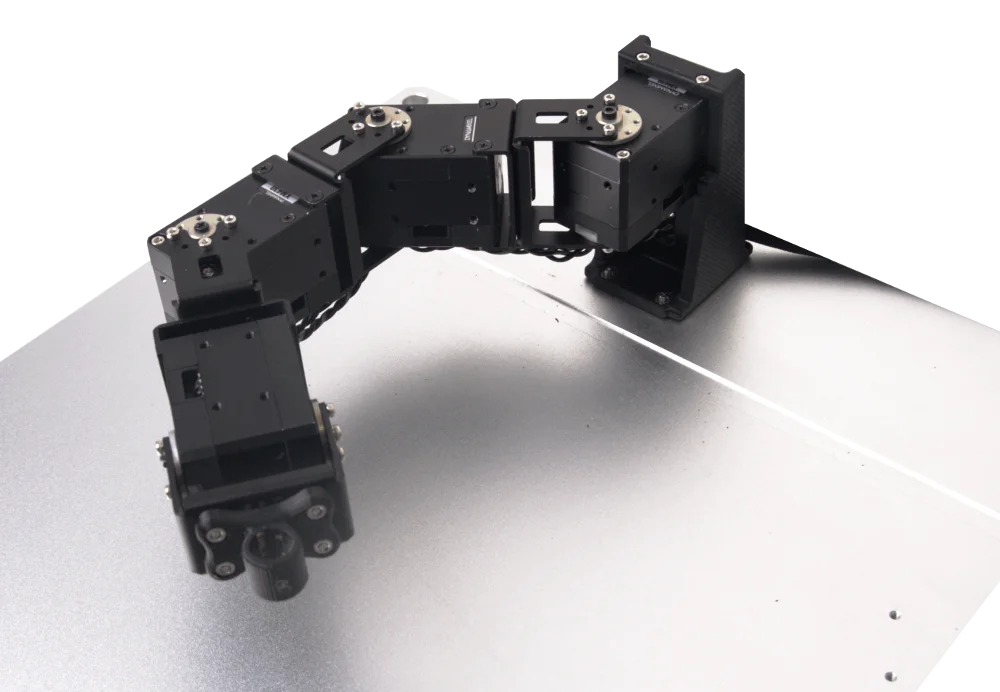
OpenMANIPULATOR SCARA

Specification
| Items | Unit | |
|---|---|---|
| Actuator | XM430-W350-T | |
| Input Voltage | V | 12 |
| DOF | - | 4 (3 DOF + 1 End-Effector) |
| Speed(Joint) | RPM | 46 |
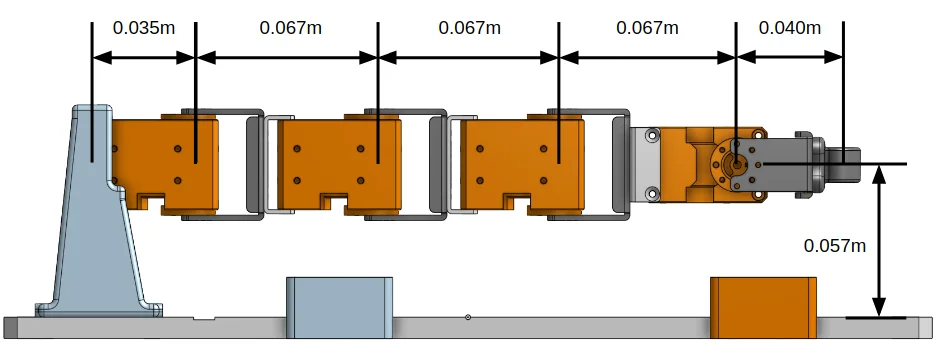
| Reach | mm (in) | 276 (10.87) |
| Communication | - | TTL (Level Multidrop BUS) |
| Software | - | DYNAMIXEL SDK, Arduino, Processing |
| Main Controller | - | PC, OpenCR |
Dimension
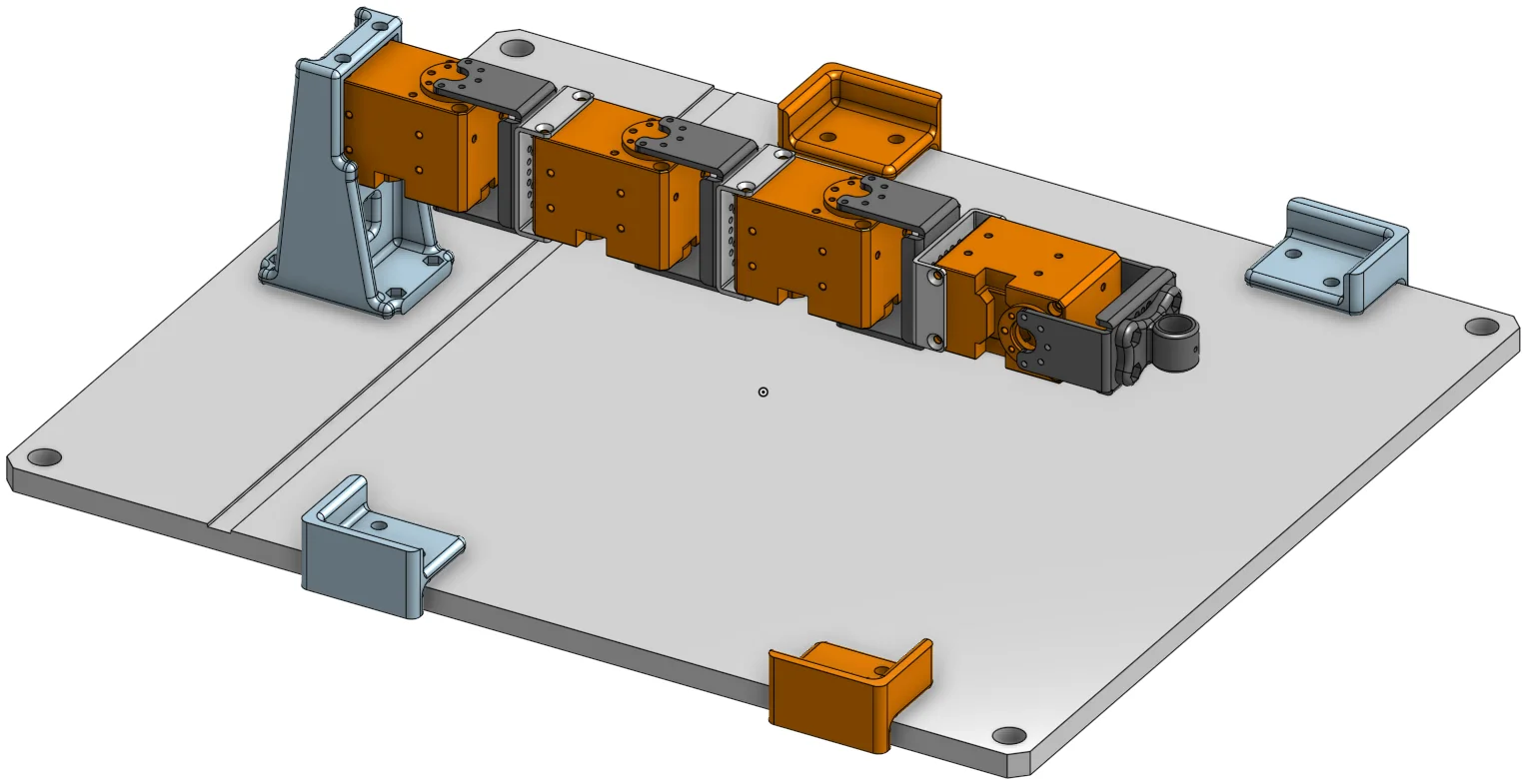
Hardware Setup
Part Lists
| Part Name | Quantity | Link | |
|---|---|---|---|
| Chassis Parts | BASE FRAME | 1 | Download Link |
| . | PEN HOLDER | 1 | Download Link |
| . | FRM BASE | 1 | Download Link |
| . | TAP HOLDER | 1 | Download Link |
| . | FR12_H101_K | 4 | Shop Link |
| . | FR12_S102_K | 3 | Shop Link |
| . | HN12_I101 | 4 | Shop Link |
| Actuators | XM430-W350-T | 4 | Shop Link |
| Cables | CABLE_3P_130MM | 3 | Shop Link |
| . | CABLE_3P_240MM | 1 | Shop Link |
| Miscellaneous | WB_M2X03 | 24 | Shop Link |
| . | WB_M2_5X4 | 14 | Shop Link |
| . | WB_M2_5X06 | 8 | Shop Link |
| . | WB_M2_5X12 | 2 | Shop Link |
| . | FHS_M2_5X14 | 12 | Shop Link |
| . | NUT_M2_5(0.45P) | 8 | Shop Link |
For more information, please refer to BOM.
3D Printed Parts
- CAD Files (Onshape, Thingiverse)
Software Setup
Download the OpenCR and open_manipulator_processing libraries.
OpenCR
Go to Examples → OpenManipulator → example → Arduino → Scara → open_manipulator_scara on Arduino IDE for OpenCR.
Processing
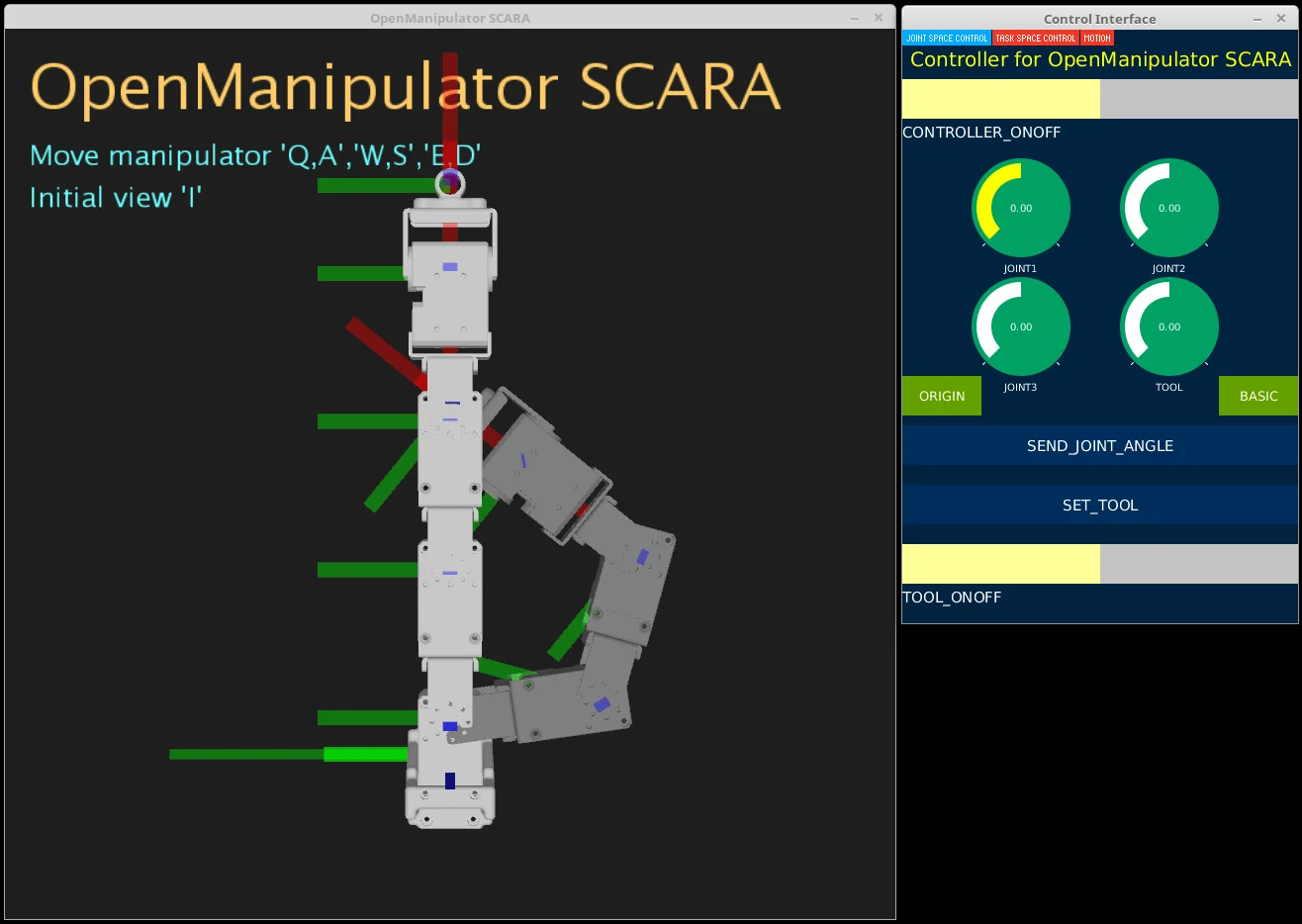
Open processing source code file (open_manipulator_processing → Scara → Scara.pde) on Processing IDE.
NOTE: Upload OpenCR example source code to OpenCR before run processing source code.
Video
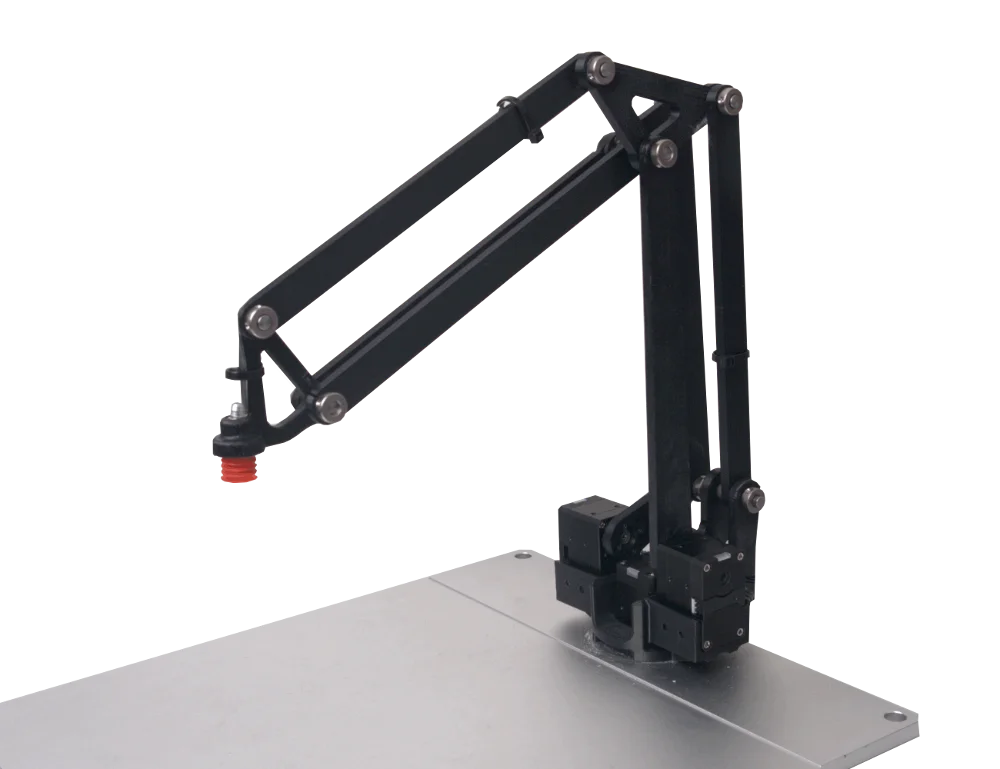
OpenMANIPULATOR Link

Specification
| Items | Unit | |
|---|---|---|
| Actuator | XM430-W350-T | |
| DOF | - | 3 |
| Payload With Suction | g (lb) | 500 (1.10) |
| Speed(Joint) | rad/sec | 4.82 |
| Weight | kg(lb) | 0.55 (1.21) |
| Reach | mm (in) | 350 (13.78) |
| Communication | - | TTL (Level Multidrop BUS) |
| Software | - | DYNAMIXEL SDK, Arduino, Processing |
| Main Controller | - | PC, OpenCR |
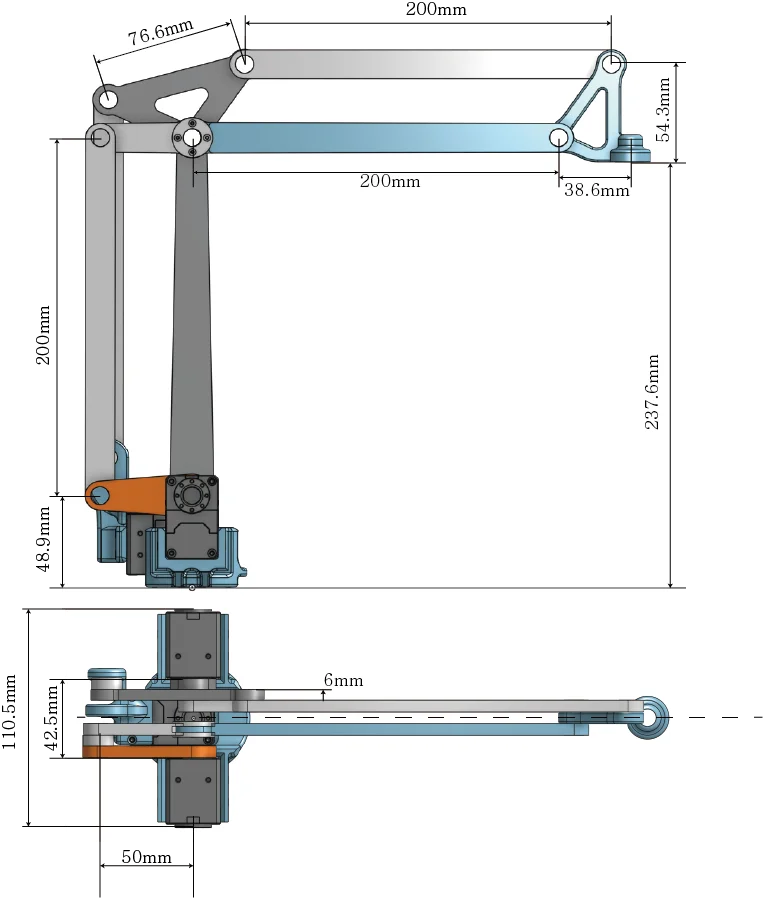
Dimension
Hardware Setup
Part Lists
| Part Name | Quantity | Link | |
|---|---|---|---|
| Plate | Base Plate-02 | 1 | Shop Link |
| Chassis Parts | BASE LINK | 1 | Download Link |
| . | ROTATION BASE | 1 | Download Link |
| . | HOLDER A | 1 | Download Link |
| . | HOLDER B | 1 | Download Link |
| . | LINK 50 | 1 | Download Link |
| . | LINK 200 A | 1 | Download Link |
| . | LINK 50 FOR 250 | 1 | Download Link |
| . | LINK 200 FOR 250 | 1 | Download Link |
| . | LINK 200 B | 4 | Download Link |
| . | TRIANGLE LINK | 1 | Download Link |
| . | TOOL LINK | 1 | Download Link |
| Actuators | XM430-W350-T | 3 | Shop Link |
| Cables | CABLE_3P_180MM | 1 | Shop Link |
| . | CABLE_3P_240MM | 2 | Shop Link |
| Axis Parts | PSCBRJ6-9 | 18 | Shop Link |
| . | MSRB6-1.0 | 36 | Shop Link |
| . | NSFMR6-42 | 1 | Shop Link |
| . | NSFMR6-38 | 1 | Shop Link |
| . | NSFMR6-28 | 1 | Shop Link |
| . | NSFMR6-24 | 5 | Shop Link |
| . | Ball Bearing (O.D 10mm / I.D 6mm / Width 3mm) | 24 | Shop Link |
| Miscellaneous | WB_M2X03 | 8 | Shop Link |
| . | WB_M2X04 | 4 | Shop Link |
| . | WB_M2X06 | 4 | Shop Link |
| . | WB_M2.5X04 | 4 | Shop Link |
| . | WB_M2.5X06 | 4 | Shop Link |
| . | WB_M2.5X08 | 4 | Shop Link |
| . | WB_M2.5X20 | 4 | Shop Link |
| . | NUT_M2 | 4 | Shop Link |
| . | NUT_M2.5 | 4 | Shop Link |
| Controller | OpenCR | 1 | Shop Link |
| . | SMPS 12V5A | 1 | Shop Link |
| Vacuum System | ARDUINO 4 RELAYS SHIELD | 1 | shop Link |
| . | 12V Air Pump Motor | 1 | shop Link |
| . | UD0640-20-C (Air Tube 6Ø) | 1 | shop Link |
| . | UD0860-20-C (Air Tube 8Ø) | 1 | shop Link |
| . | MSCNL6-1 (Coupling 6Ø) | 1 | shop Link |
| . | MSCNL8-1 (Coupling 8Ø) | 2 | shop Link |
| . | MVPKE8 (Suction Cup) | 1 | shop Link |
| . | MHE3-M1H-3/2G-1/8 (Control Valve) | 1 | shop Link |
| . | NEBV-Z4WA2L-P-E-2.5-N-LE2-S1 | 1 | shop Link |
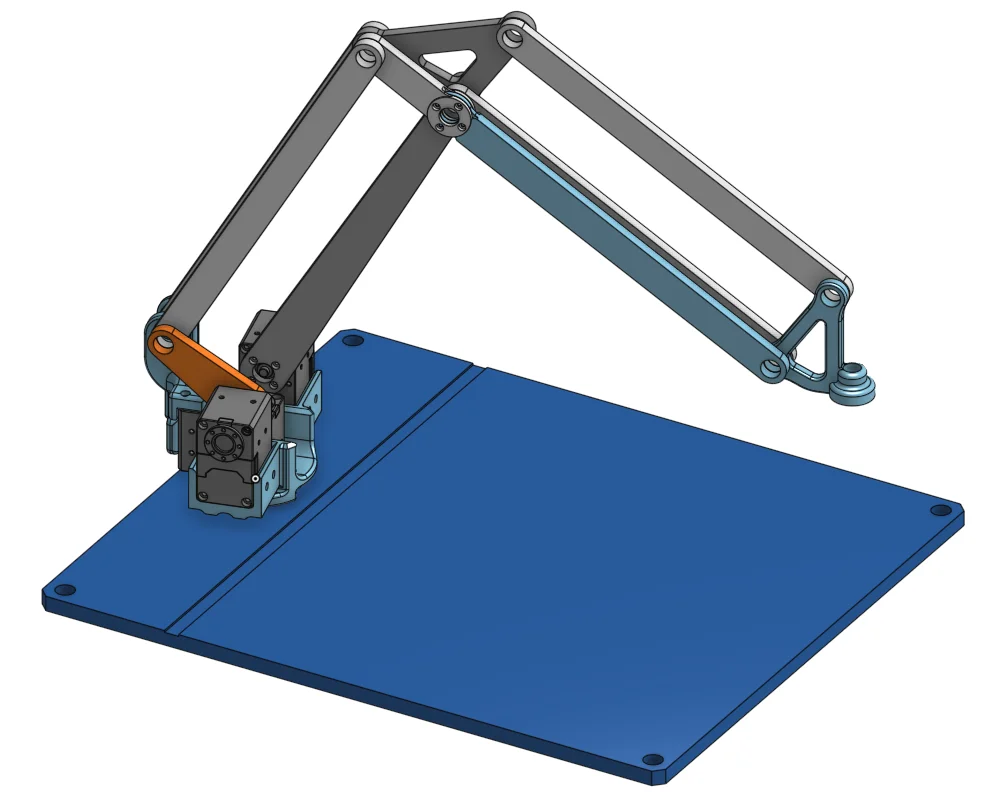
3D Printed Parts
CAD Files (Onshape, Thingiverse)
Assembly
Assemble the OpenMANIPULATOR-X Link by referring to the manual uploaded on Instructables page.
Software Setup
NOTE: This example controller source code for OpenMANIPULATOR-X Link does not use ROS.
OpenCR
First of all, set the OpenCR board referring to [OpenCR setup](/docs/systems/openmanipulator_x/quick_start_guide#communication-interface).
Open example source code Examples → OpenManipulator → example → Link → open_manipulator_link on Arduino IDE for OpenCR.
Upload the example source to OpenCR.
Tip: If an error of cmd_read_board_name fail: 0xF020 occurs constantly during upload, please refer to OpenCR e-manual to enter the firmware recovery mode and upload the source code again after entering mode.
Processing
Set the Processing IDE referring to Processing Setup.
Download processing source code for OpenMANIPULATOR-X Link.
$ git clone https://github.com/ROBOTIS-GIT/open_manipulator_processing.git
Open downloaded processing source code file (Folder where you downloaded the source code → open_manipulator_processing → Link → Link.pde) on Processing IDE, and Run it.
NOTE: Upload OpenCR example source code to OpenCR before run processing source code.
When the processing source code is successfully executed, the following graphical GUI is displayed.
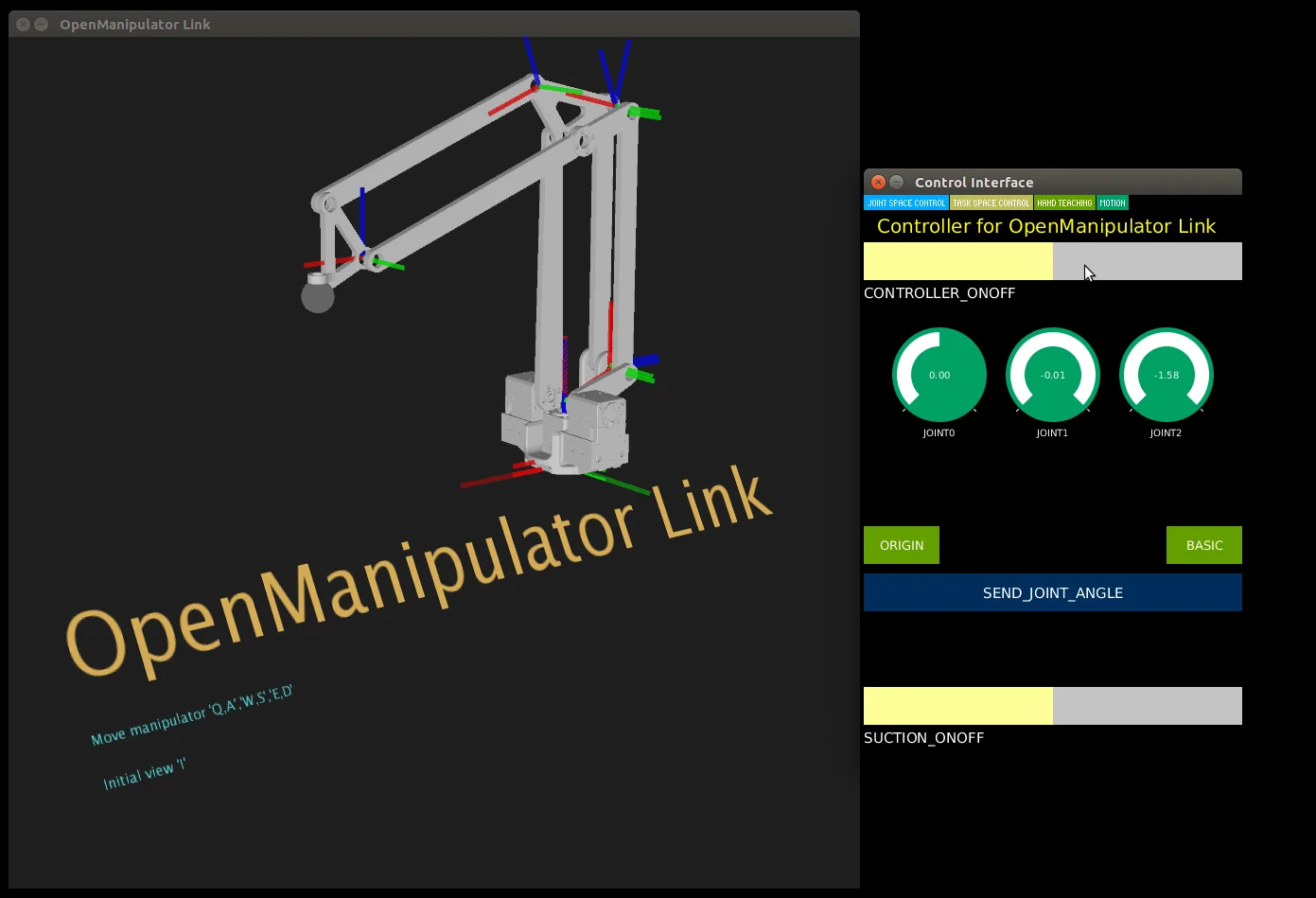
Tip: If the processing console displays an error message and the GUI does not run normally, check the following:
- Check if ControlP5 is properly installed.
- Check if the graphics driver is installed properly.
- Check if the Java library is properly installed.
If you have checked the above and it does not work normally, I recommend running it in a different OS environment (Windows, mac, linux).
Video
OpenMANIPULATOR Planar

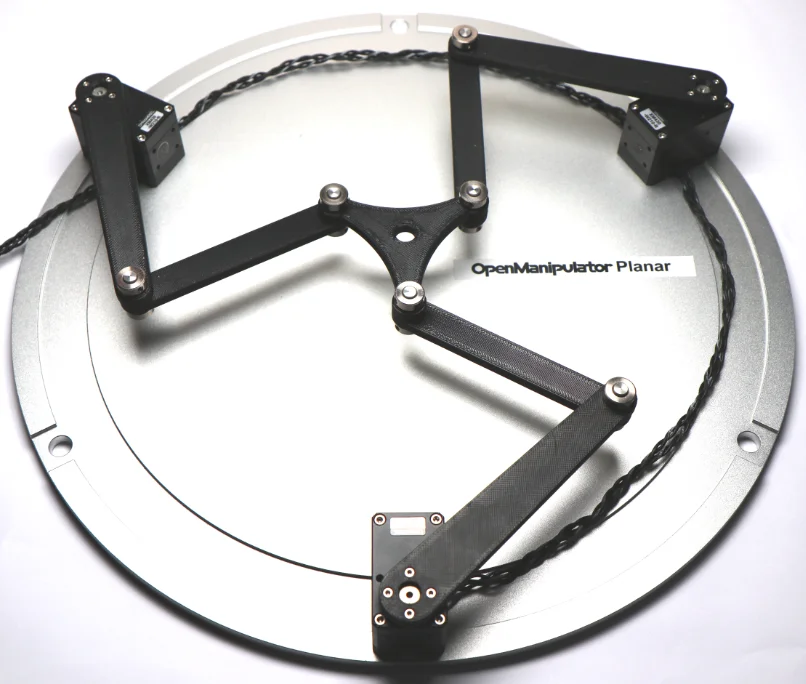
Specification
| Items | Unit | |
|---|---|---|
| Actuator | XM430-W350-T | |
| Input Voltage | V | 12 |
| DOF | - | 3 |
| Speed(Joint) | RPM | 46 |
| Communication | - | TTL (Level Multidrop BUS) |
| Software | - | DYNAMIXEL SDK, Arduino, Processing |
| Main Controller | - | PC, OpenCR |
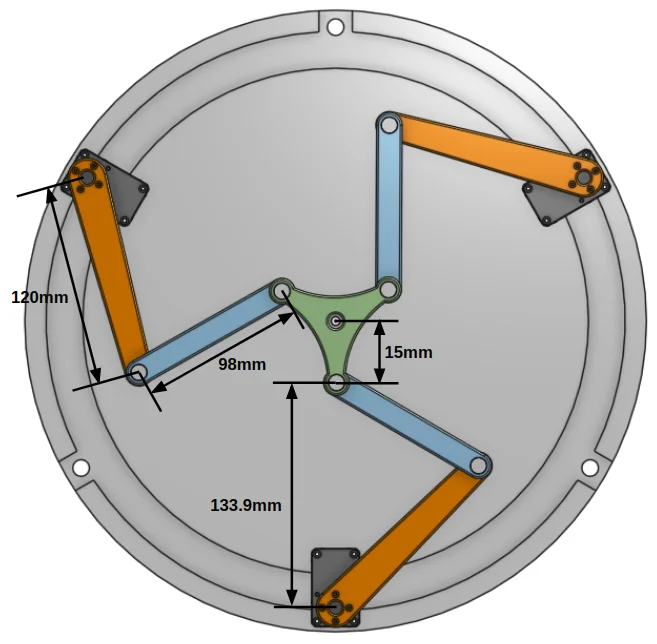
Dimension
Hardware Setup
Part Lists
| | Part Name | Quantity | Link | |:------------------|:---------------------------------|:---------------------------------------------------------------------------------------------------------------------------------------------------------------------------------------| | Chassis Parts | BASE FRAME | 1|Download Link | | . | laser_gripper | 1|Download Link | | . | link_100 | 3|Download Link | | . | link_120 | 3|Download Link | | . | HN12_I101 | 3|Shop Link | | Actuators | XM430-W350-T | 3|Shop Link | | Cables | CABLE_3P_240MM | 3|Shop Link | | Miscellaneous | WB_M2_5X12 | 24|Shop Link | | . | FHS_M2_5X14 | 12|Shop Link | | . | NSFMR6-24 | 6 | Shop Link | | . | Ball Bearing(O.D 10mm / I.D 6mm) | 24 | Shop Link |
For more information, please refer to BOM.
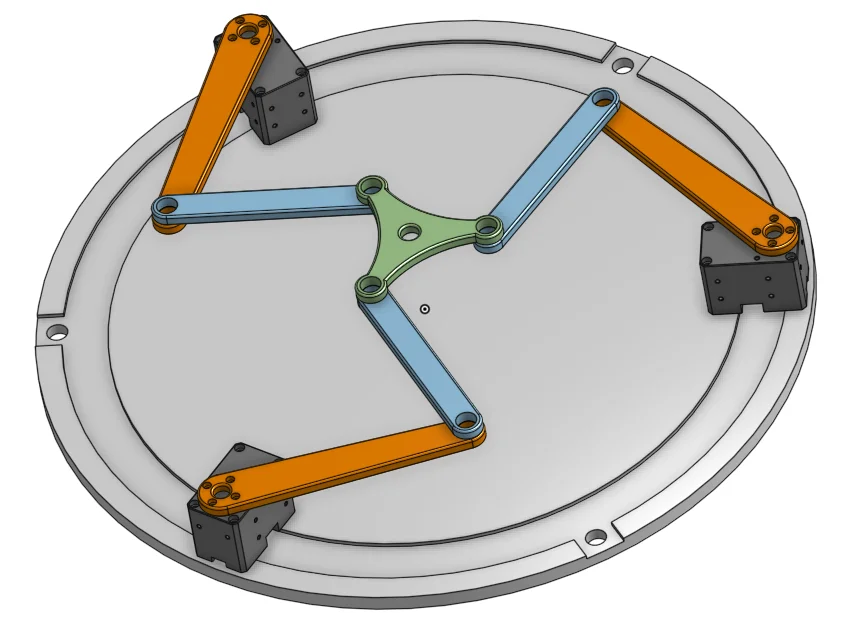
3D Printed Parts
CAD Files (Onshape, Thingiverse)
Software Setup
Download the OpenCR and open_manipulator_processing libraries.
OpenCR
Go to Examples → OpenManipulator → example → Arduino → Planar → open_manipulator_planar on Arduino IDE for OpenCR.
Processing
Open processing source code file (open_manipulator_processing → Planar → Planar.pde) on Processing IDE.
NOTE: Upload OpenCR example source code to OpenCR before run processing source code.
Video
OpenMANIPULATOR Delta

Specification
| Items | Unit | |
|---|---|---|
| Actuator | XM430-W350-T | |
| Input Voltage | V | 12 |
| DOF | - | 3 |
| Speed(Joint) | RPM | 46 |
| Communication | - | TTL (Level Multidrop BUS) |
| Software | - | DYNAMIXEL SDK, Arduino, Processing |
| Main Controller | - | PC, OpenCR |
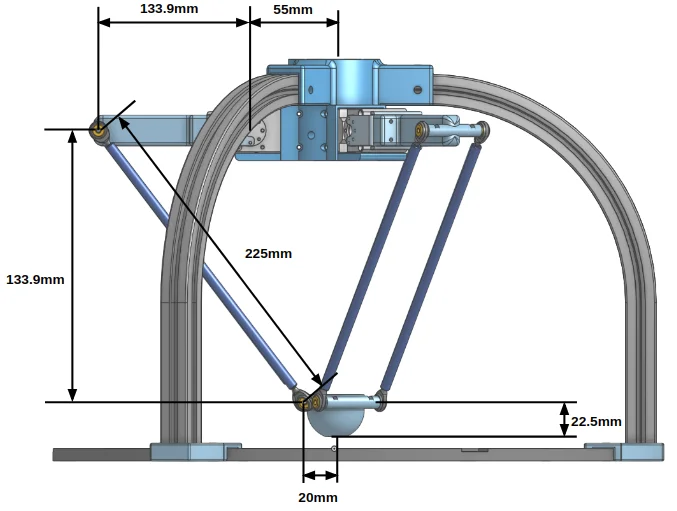
Dimension
Hardware Setup
Part Lists
| | Part Name | Quantity | Link | |:------------------|:-----------------------|:---------------------------------------------------------------------------------------------------------------------------------------------------------------------| | Chassis Parts | BASE FRAME | 1|Download Link | | . | Delta_centre | 1|Download Link | | . | Delta_gripper | 1|Download Link | | . | link | 3|Download Link | | . | HN12_I101 | 3|Shop Link | | Actuators | XM430-W350-T | 3|Shop Link | | Cables | CABLE_3P_240MM | 3|Shop Link | | Miscellaneous | WB_M2_5X12 | 24|Shop Link | | . | FHS_M2_5X14 | 12|Shop Link | | . | NSFMR6-24 | 6|Shop Link | | . | Rod End Bearing(D 3mm) | 12|Shop Link |
For more information, please refer to BOM.
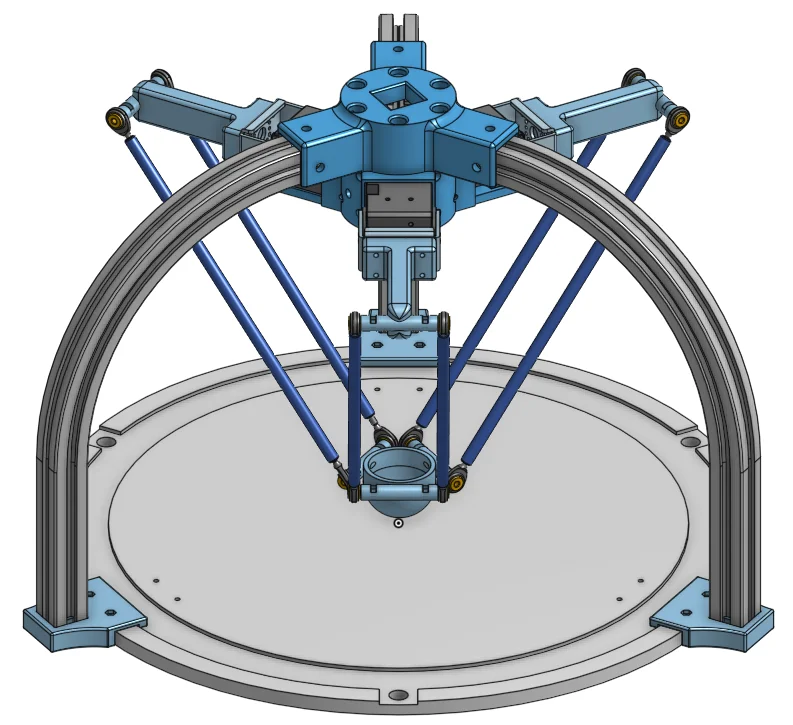
3D Printed Parts
CAD Files (Onshape, Thingiverse)
Software Setup
Download the OpenCR and open_manipulator_processing libraries.
OpenCR
Go to Examples → OpenManipulator → example → Arduino → Delta → open_manipulator_delta on Arduino IDE for OpenCR.
Processing
Open processing source code file (open_manipulator_processing → Delta → Delta.pde) on Processing IDE.
NOTE: Upload OpenCR example source code to OpenCR before run processing source code.
Video
OpenMANIPULATOR Stewart

Specification
| Items | Unit | |
|---|---|---|
| Actuator | XM430-W350-T | |
| Input Voltage | V | 12 |
| DOF | - | 6 |
| Speed(Joint) | RPM | 46 |
| Communication | - | TTL (Level Multidrop BUS) |
| Software | - | DYNAMIXEL SDK, Arduino, Processing |
| Main Controller | - | PC, OpenCR |
Dimension
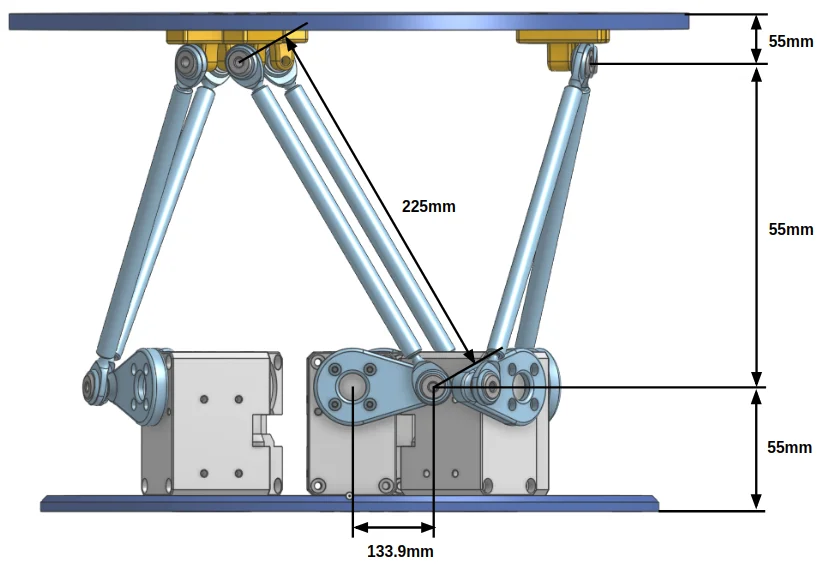
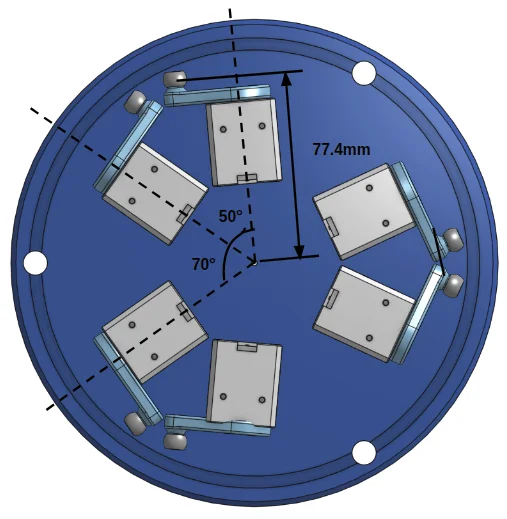
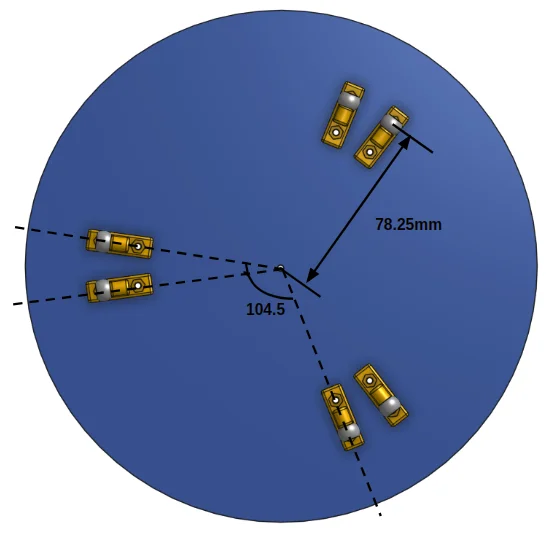
Hardware Setup
Part Lists
| | Part Name | Quantity | Link | |:------------------|:----------------|:-----------------------------------------------------------------------------------------------------------------------------------------------------------------------| | Chassis Parts | BASE FRAME | 1|Download Link | | . | stewart_conv | 6|Download Link | | . | st_link_new | 6|Download Link | | . | PHSOM3 | 12|Shop Link | | . | SPJW6-100-M3-N3 | 6|Shop Link | | . | HN12_I101 | 6|Shop Link | | Actuators | XM430-W350-T | 6|Shop Link | | Cables | CABLE_3P_130MM | 6|Shop Link | | Miscellaneous | WB_M3X08 | 24|Shop Link | | . | NUT_M3 | 24|Shop Link |
For more information, please refer to BOM.
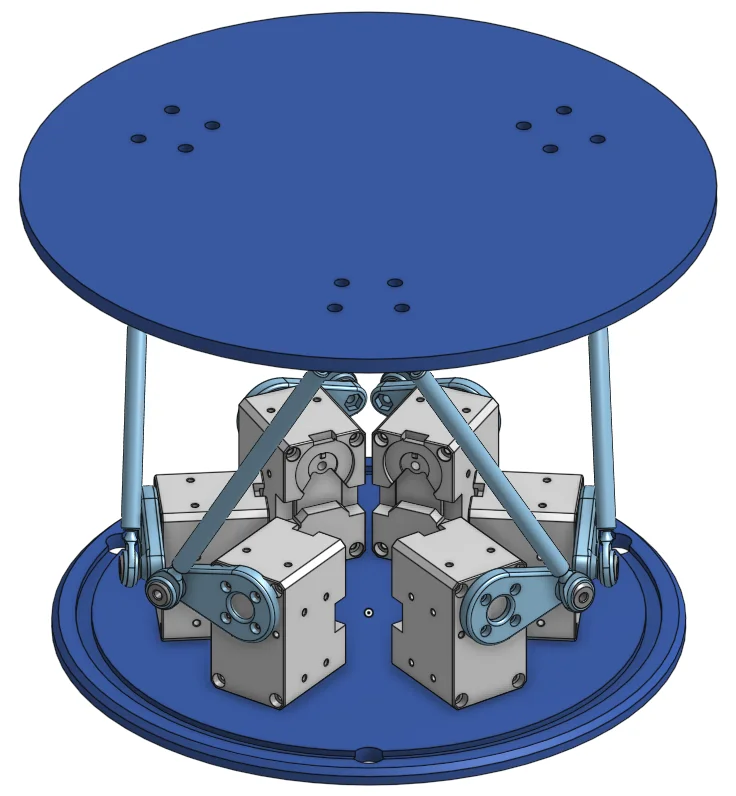
3D Printed Parts
CAD Files (Onshape, Thingiverse)
Software Setup
Download the OpenCR and open_manipulator_processing libraries.
OpenCR
Go to Examples → OpenManipulator → example → Arduino → Stewart → open_manipulator_stewart on Arduino IDE for OpenCR.
Processing
Open processing source code file (open_manipulator_processing → Stewart → Stewart.pde) on Processing IDE.
NOTE: Upload OpenCR example source code to OpenCR before run processing source code.
Video
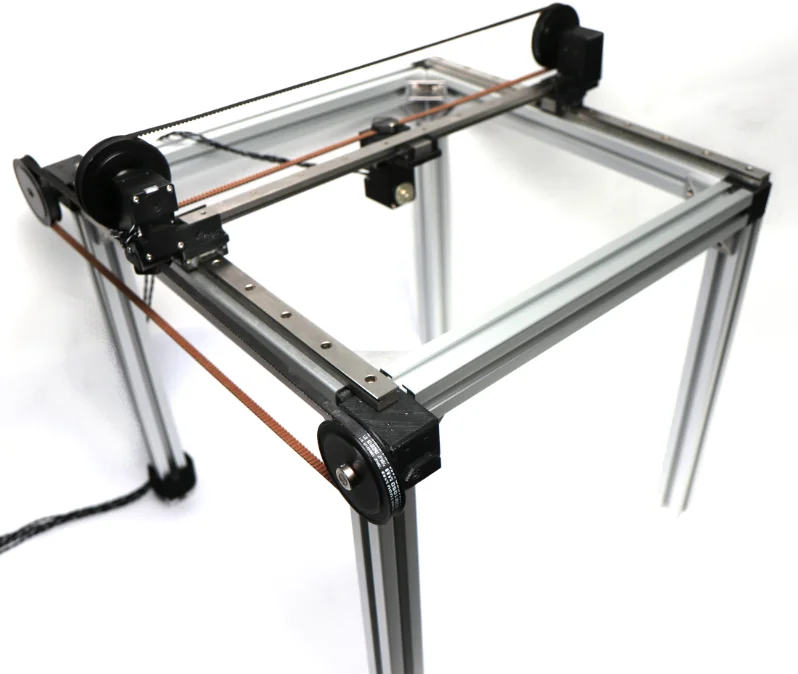
OpenMANIPULATOR Linear

Specification
| Items | Unit | |
|---|---|---|
| Actuator | XM430-W350-T | |
| Input Voltage | V | 12 |
| DOF | - | 3 |
| Speed(Joint) | RPM | 46 |
| Communication | - | TTL (Level Multidrop BUS) |
| Software | - | DYNAMIXEL SDK, Arduino, Processing |
| Main Controller | - | PC, OpenCR |
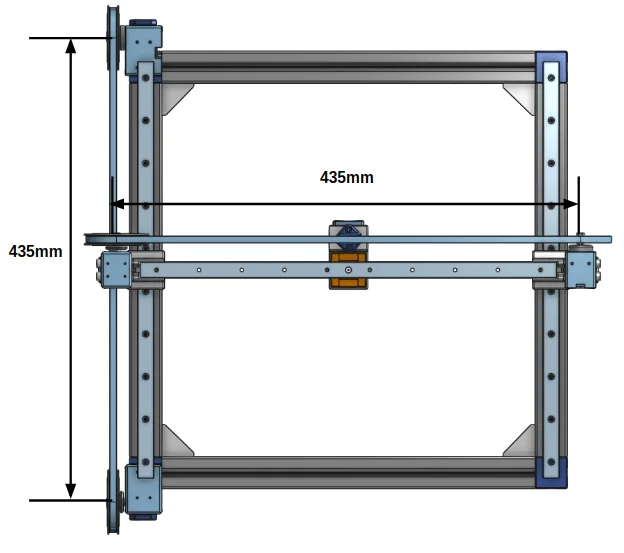
Dimension
Hardware Setup
Part Lists
| | Part Name | Quantity | Link | |:------------------|:---------------------------------------|:------------------------------------------------------------------------------------------------------------------------------------------| | Chassis Parts | BASE FRAME | 1|Download Link | | . | linear_x_holder | 1|Download Link | | . | linear_z_holder | 1|Download Link | | . | linear_griper_bt | 1|Download Link | | . | linear_y_holder | 1|Download Link | | . | linear_y_holder_mr | 1|Download Link | | . | LINEAR_Y_HOLDER | 1|Download Link | | . | linear_y_guide_holder | 1|Download Link | | . | linear_pully_conv | 1|Download Link | | . | linear_pully_conv_dummy | 1|Download Link | | . | Aluminum Extrusion - 6 series, Base 30 | 8|Shop Link | | Actuators | XM430-W350-T | 3|Shop Link | | Cables | CABLE_3P_240MM | 1|Shop Link |
For more information, please refer to BOM.
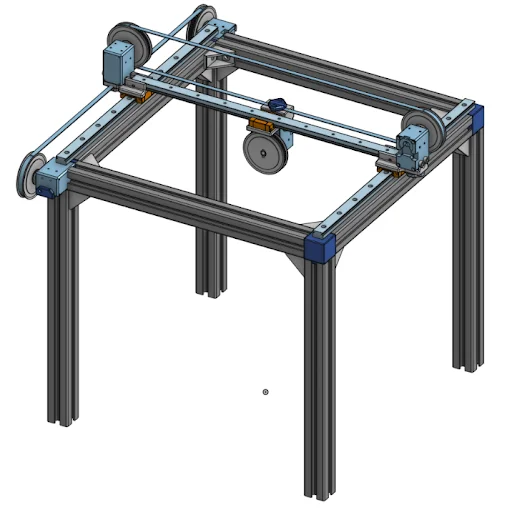
3D Printed Parts
CAD Files (Onshape, Thingiverse)
Software Setup
Download the OpenCR and open_manipulator_processing libraries.
OpenCR
Go to Examples → OpenManipulator → example → Arduino → Linear → open_manipulator_linear on Arduino IDE for OpenCR.
Processing
Open processing source code file (open_manipulator_processing → Linear → Linear.pde) on Processing IDE.
NOTE: Upload OpenCR example source code to OpenCR before run processing source code.