Teleoperation
Use this page to run OMY leader-follower teleoperation. This is the bringup normally used before collecting demonstrations with Cyclo Intelligence.
At least one Zenoh daemon must be running in the communication network. If no Zenoh daemon is running, ROS 2 nodes cannot discover or communicate with each other.
For the recommended setup, run zenohd in a terminal inside the robot-side OpenMANIPULATOR Docker container.
Leader-Follower Teleoperation
After entering the OpenMANIPULATOR Docker container on the robot-side machine, run:
ros2 launch open_manipulator_bringup omy_ai.launch.py
Running this command can move OMY immediately. Keep the robot workspace clear before launching teleoperation.
This command performs the following sequence:
- Moves the follower to its initial position.
- Starts leader gravity compensation.
- Synchronizes the leader and follower.
After these steps, the leader-follower system is ready. AI Teleoperation is supported between OMY_F3M and OMY_L100.
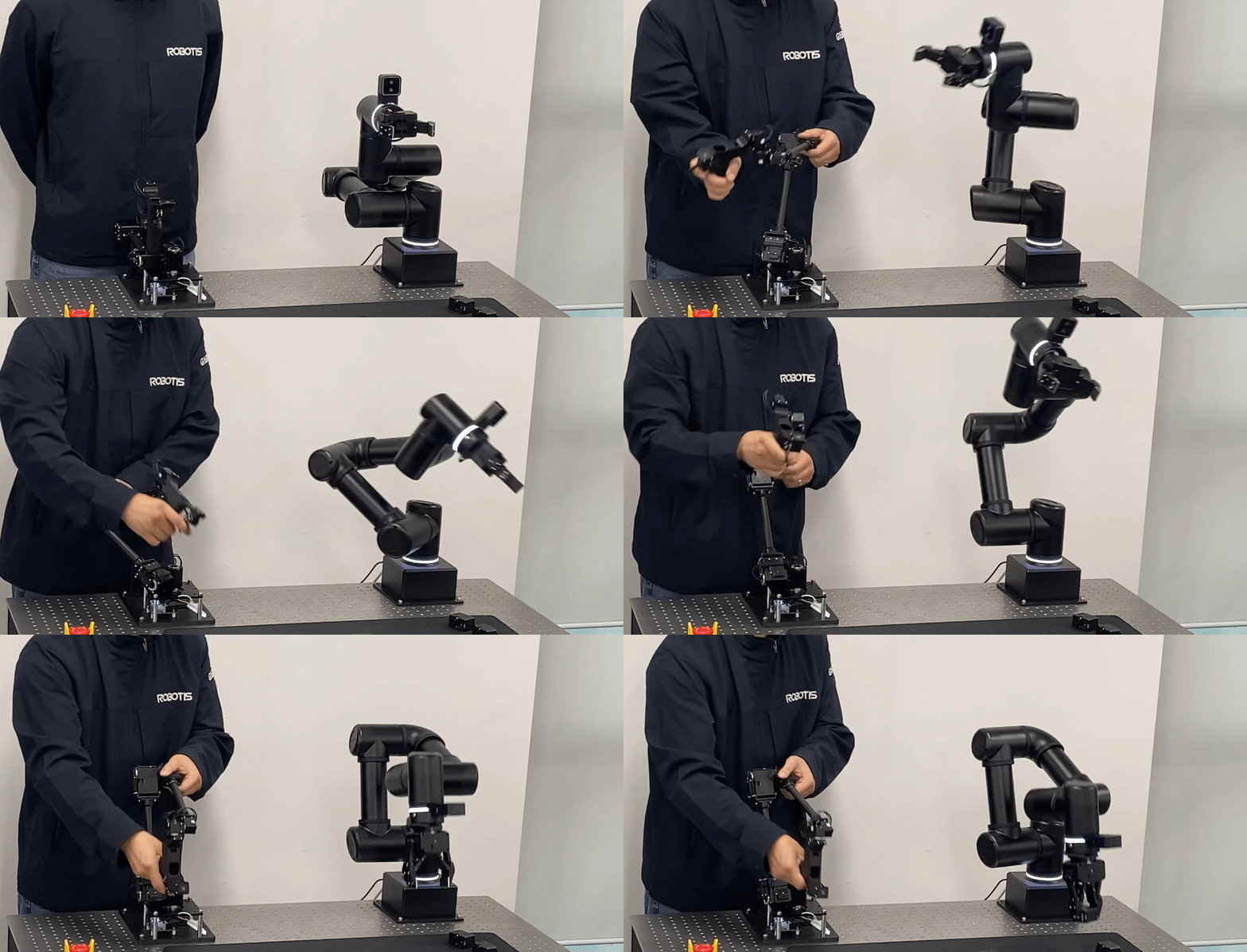
Real-time synchronized motion between Leader and Follower.
Leader-follower mode also enables gravity compensation on the leader. Thanks to friction and static compensation, the leader arm can be moved smoothly. Since inverse kinematics is applied to the leader during operation, gravity compensation is maintained regardless of its position.
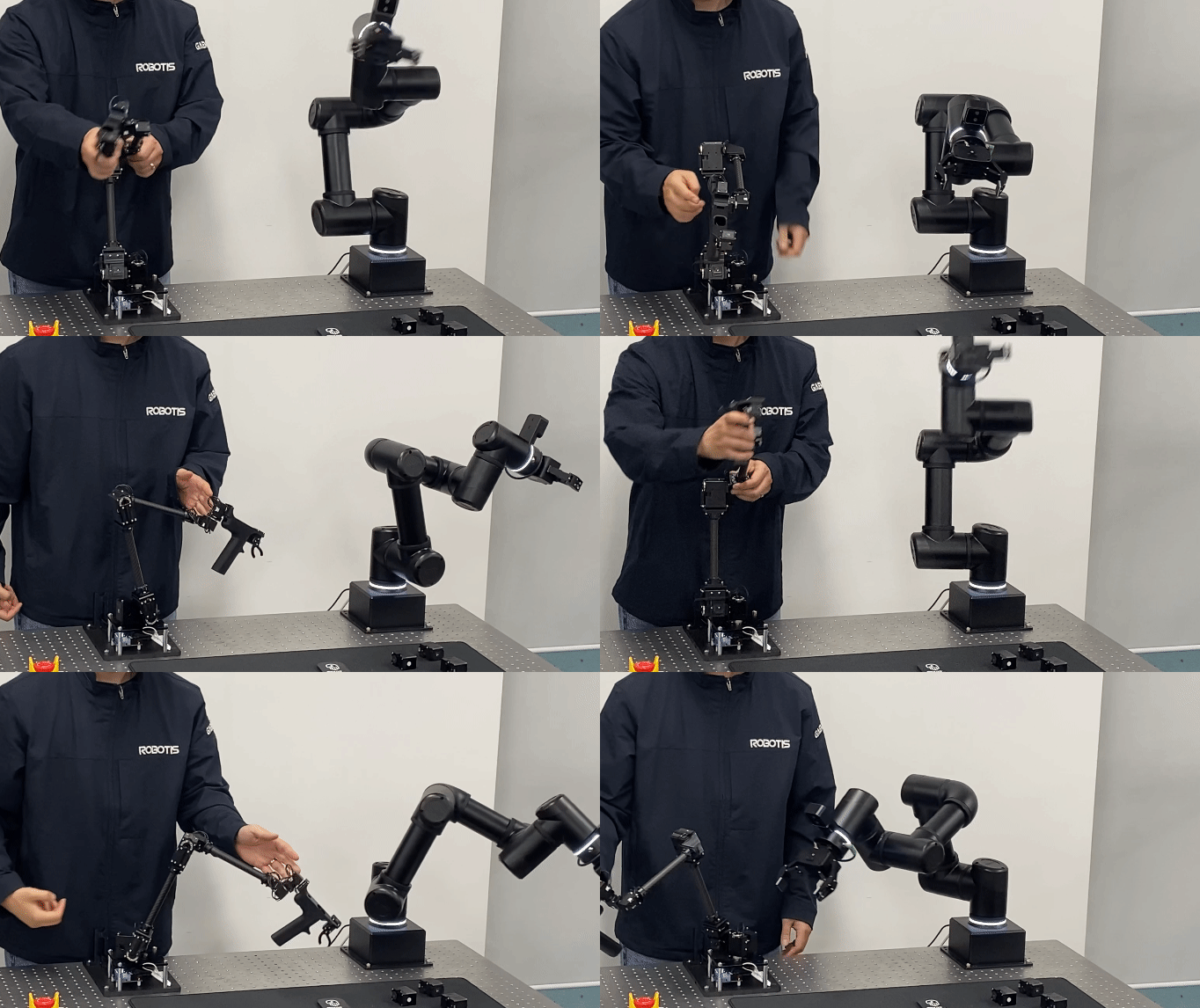
Smooth, gravity-compensated motion of the Leader arm
Camera Node
For demonstration recording, launch the camera node from the machine where the camera is connected. In the standard OMY setup, the camera is connected to the USER PC, so run the camera node inside the OpenMANIPULATOR Docker container on the USER PC.
Connect the OMY camera port to the USER PC that runs Cyclo Intelligence through the included USB 3.0 hub shown in Camera Connection. Without a USB hub, the camera may not be detected depending on your setup.
Enter the open_manipulator container in the USER PC and run the following command:
ros2 launch realsense2_camera rs_launch.py camera_name:='cam_wrist'
If zenohd is running on the robot-side machine, configure the USER PC container to connect to that Zenoh daemon before launching the camera node. See Zenoh Communication.
You can also use other camera models such as ZED2 or USB cameras. After launching the camera node, check that the camera image topics are visible from the robot network.
Follower Bringup for Inference
Use follower bringup when another runtime sends commands to the follower robot, such as Cyclo Control or model inference.
Stop leader-follower teleoperation before running follower bringup. The robot can move as soon as bringup starts.
ros2 launch open_manipulator_bringup omy_f3m_follower_ai.launch.py ros2_control_type:=omy_f3m_smooth