ROS 2 Setup
Use this page when you want to use OMX with ROBOTIS ROS 2 packages, OpenMANIPULATOR, Cyclo Intelligence, Cyclo Control, or Physical AI Tools.
This setup is not required when using OMX only through the LeRobot workflow.
Prerequisites
| Requirement | Note |
|---|---|
| Docker Engine | Install Docker Engine before starting the OpenMANIPULATOR container. |
| Git | Used to clone the OpenMANIPULATOR repository. |
| USB access | The leader and follower OpenRB boards must be visible from the host PC. |
OpenMANIPULATOR Docker Container
Clone the OpenMANIPULATOR repository:
cd $HOME
git clone https://github.com/ROBOTIS-GIT/open_manipulator
Start the OpenMANIPULATOR Docker container:
cd $HOME/open_manipulator/docker
./container.sh start
Leader and Follower Port Setup
Set stable serial paths for the leader and follower OpenRB boards. This keeps the launch files pointed at the correct USB device even when the /dev/ttyUSB* number changes.
Enter the OpenMANIPULATOR Docker container:
cd $HOME/open_manipulator/docker
./container.sh enter
Leader Port
Connect only the leader USB cable, then check the OpenRB serial ID:
ls -al /dev/serial/by-id/

Open the leader launch file:
sudo nano ~/ros2_ws/src/open_manipulator/open_manipulator_bringup/launch/omx_l_leader_ai.launch.py
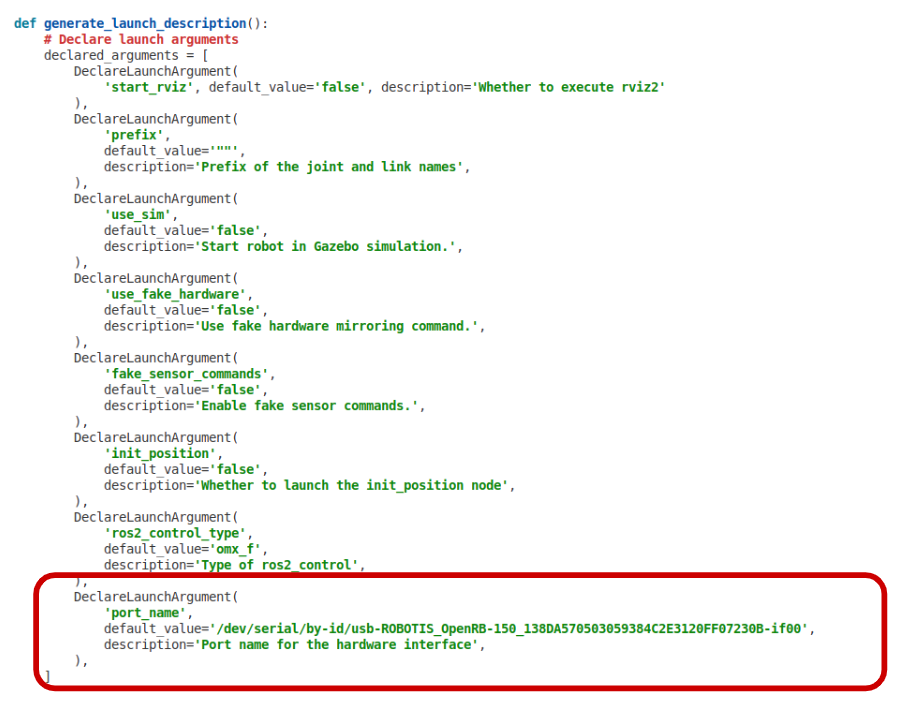
Set port_name to the leader serial path:
# omx_l_leader_ai.launch.py
DeclareLaunchArgument(
    'port_name',
    default_value='/dev/serial/by-id/{your_leader_serial_id}',
    description='Port name for hardware connection.',
)
Follower Port
Disconnect the leader USB cable, connect only the follower USB cable, then check the OpenRB serial ID:
ls -al /dev/serial/by-id/

Open the follower launch file:
sudo nano ~/ros2_ws/src/open_manipulator/open_manipulator_bringup/launch/omx_f_follower_ai.launch.py
Set port_name to the follower serial path:
# omx_f_follower_ai.launch.py
DeclareLaunchArgument(
    'port_name',
    default_value='/dev/serial/by-id/{your_follower_serial_id}',
    description='Port name for hardware connection.',
)
When both launch files are updated, the port settings should look like this:
Next Step
After completing ROS 2 setup, continue to the Operation Guide - ROS 2 for teleoperation, follower bringup, camera launch, MoveIt 2, GUI, or keyboard teleop.
If you are using Cyclo Intelligence or Physical AI Tools, complete this page first and then continue to the corresponding imitation learning guide.