Image Reflashing
This guide covers building and flashing the Jetson Orin OS image on AI Worker (FFW-SG2), then configuring the robot OS after flashing.
Prerequisites
| Item | Role | Description |
|---|---|---|
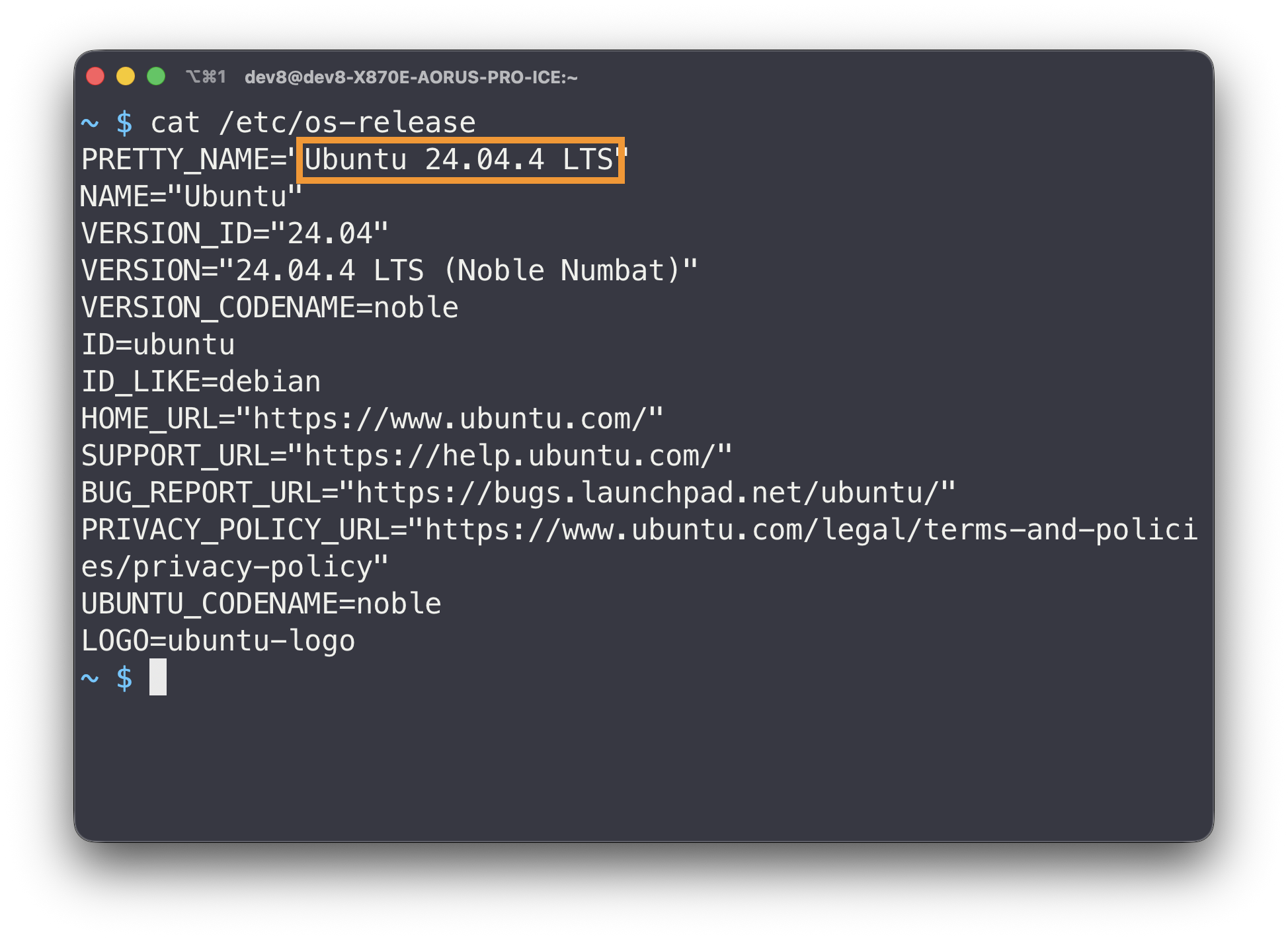
| Ubuntu 24.04 | Host | Host PC to run the SDK/flashing tool and send the OS image |
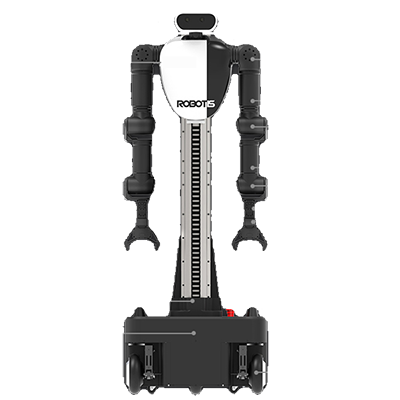
| AI Worker (SG2) | Target | Target device to flash the Orin OS image onto |
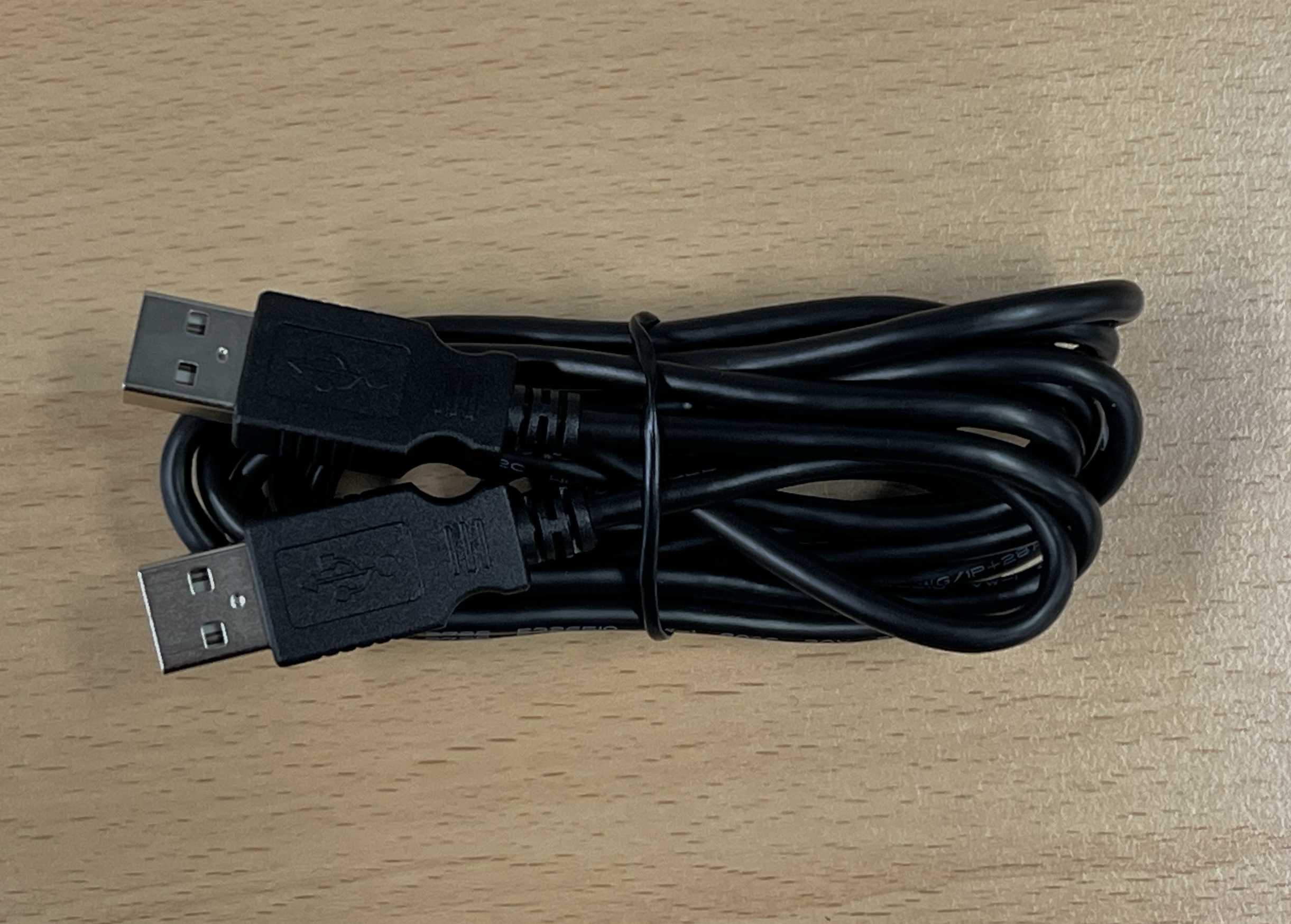
| USB A-to-A Cable | Interconnect | Cable to connect the Host PC and AI Worker in Recovery mode |
1. Host Environment Setup
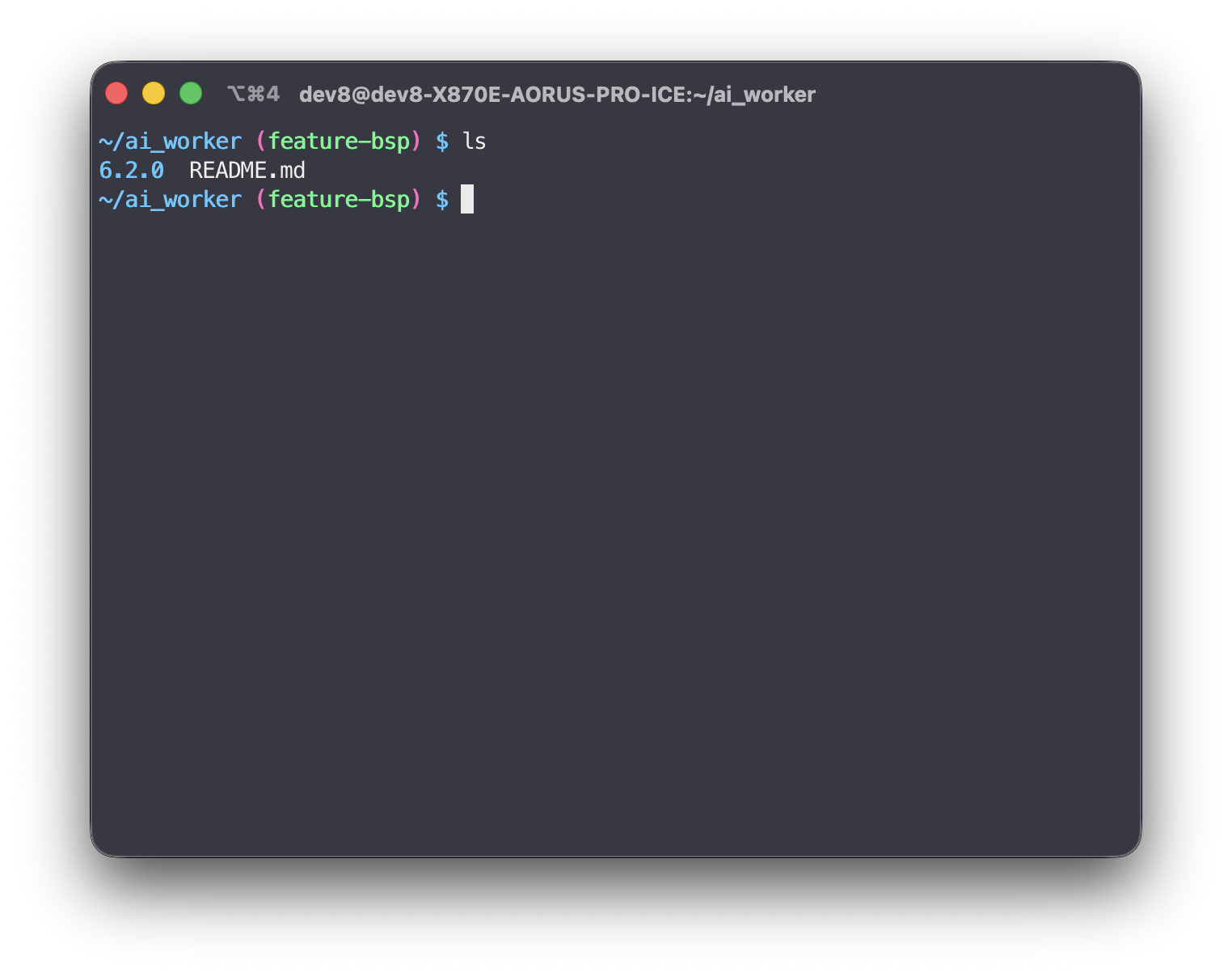
1.1. Clone ai_worker repository
# Run on Host PC
git clone https://github.com/ROBOTIS-GIT/ai_worker.git ~/ai_worker
cd ~/ai_worker
git checkout feature-bsp
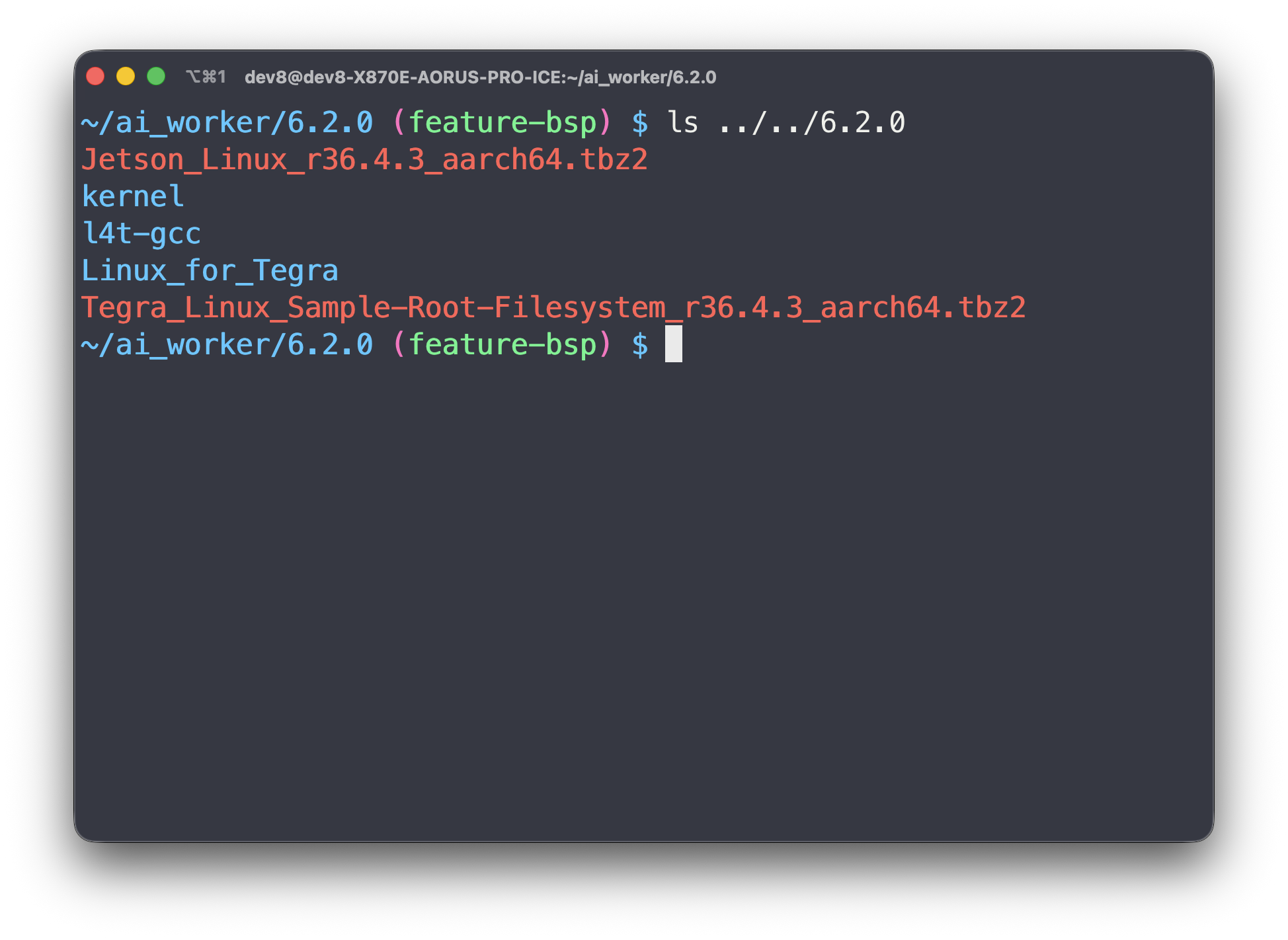
1.2. Full SDK Setup & Initial Build (~10 mins)
# Run on Host PC
cd ~/ai_worker/6.2.0
./docker_build.sh
1.3. Rebuilding Kernel & DTB (~5 mins)
# Run on Host PC
cd ~/6.2.0/Linux_for_Tegra
./docker_kernel_build.sh
2. Connect Device and Enter Recovery Mode
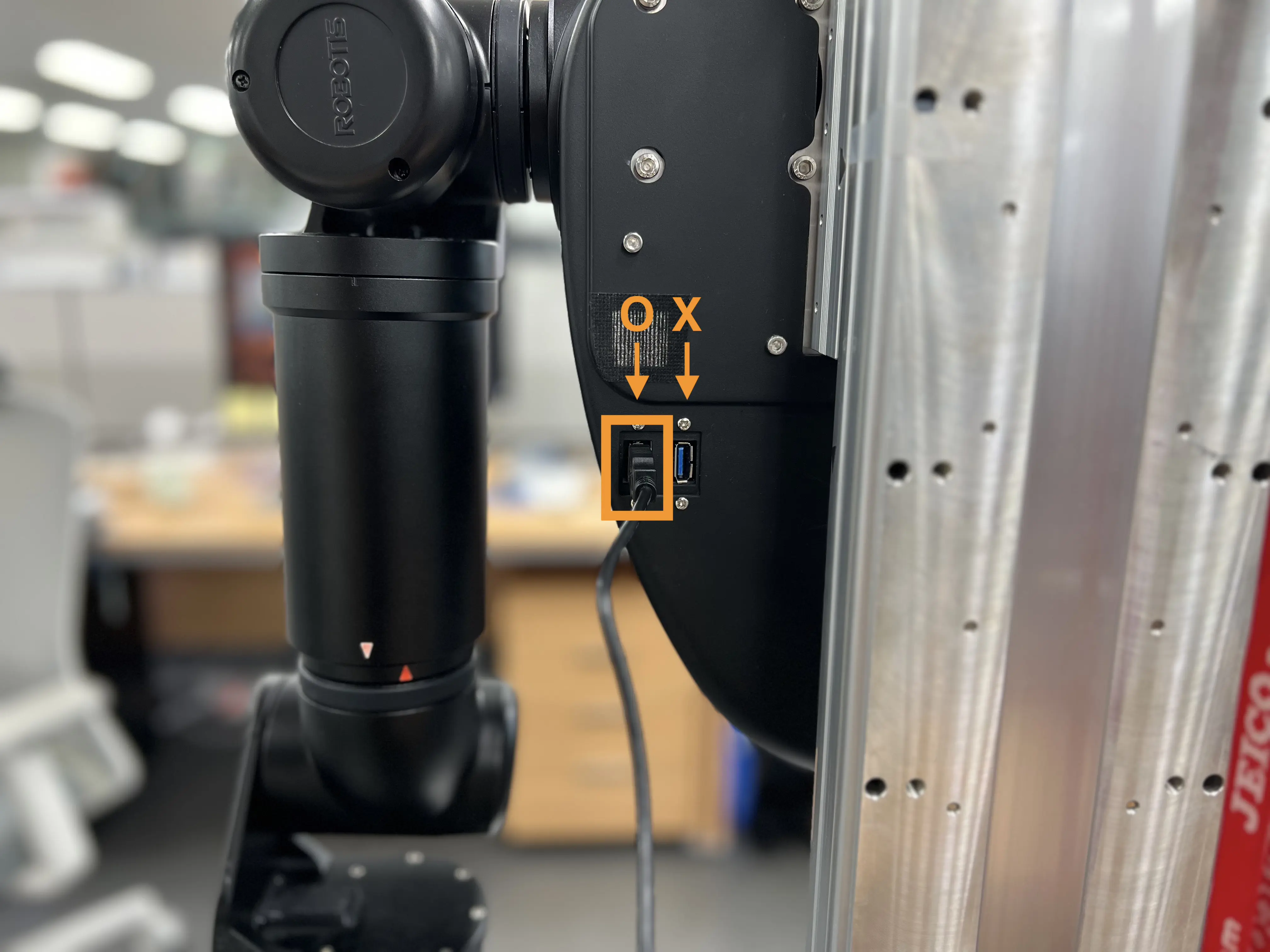
2.1. Connect AI Worker and Host
Ensure the AI Worker is powered off before connecting the cable.
2.2. Remove the Front Cover and Enter Recovery Mode
-
Remove the Front Cover.
-
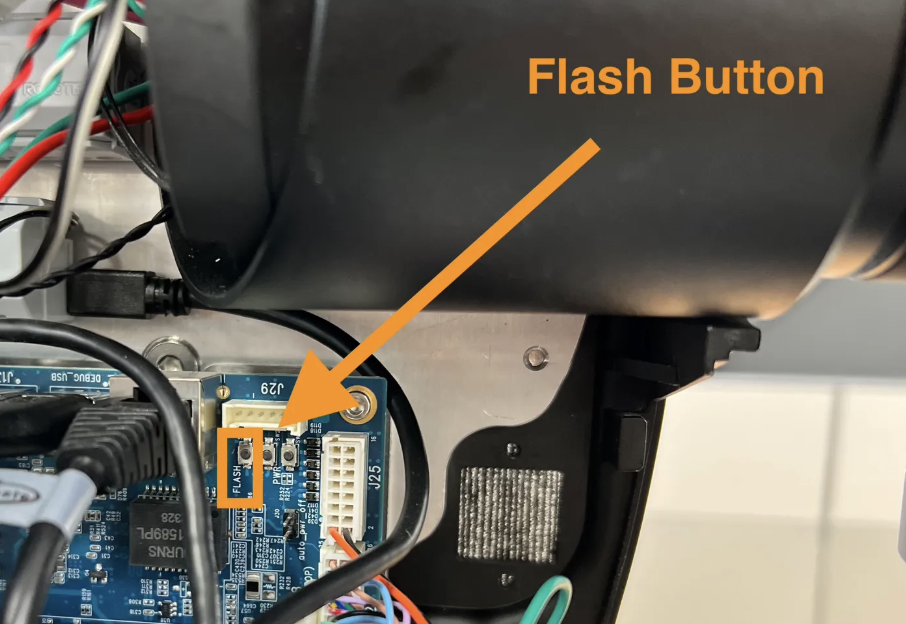
Press and hold the Flash button located on the top right of the motherboard first.
-
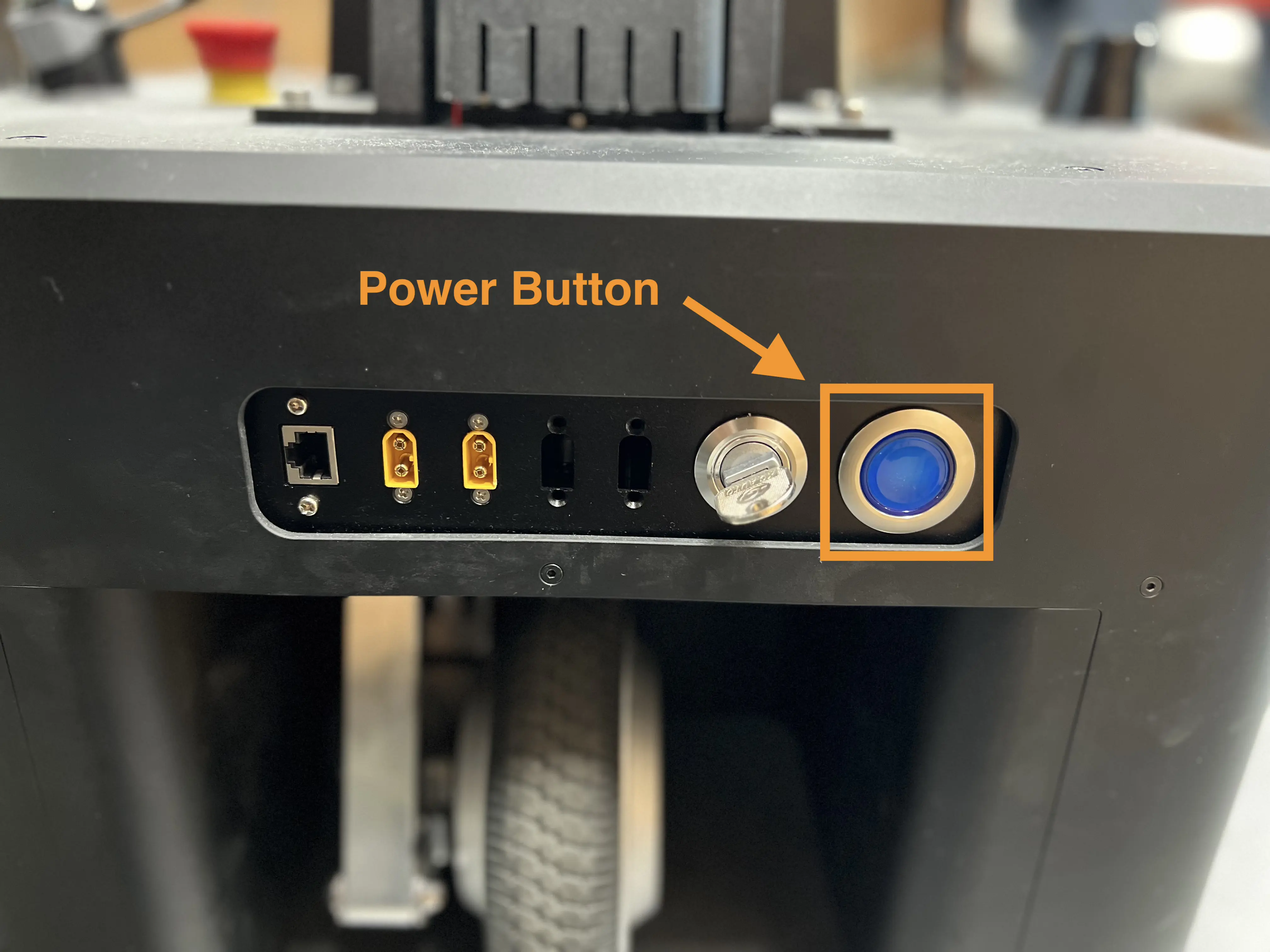
Press and hold the Power button for 3 seconds until you hear a beep sound, then release both the Power button and Flash button.
-
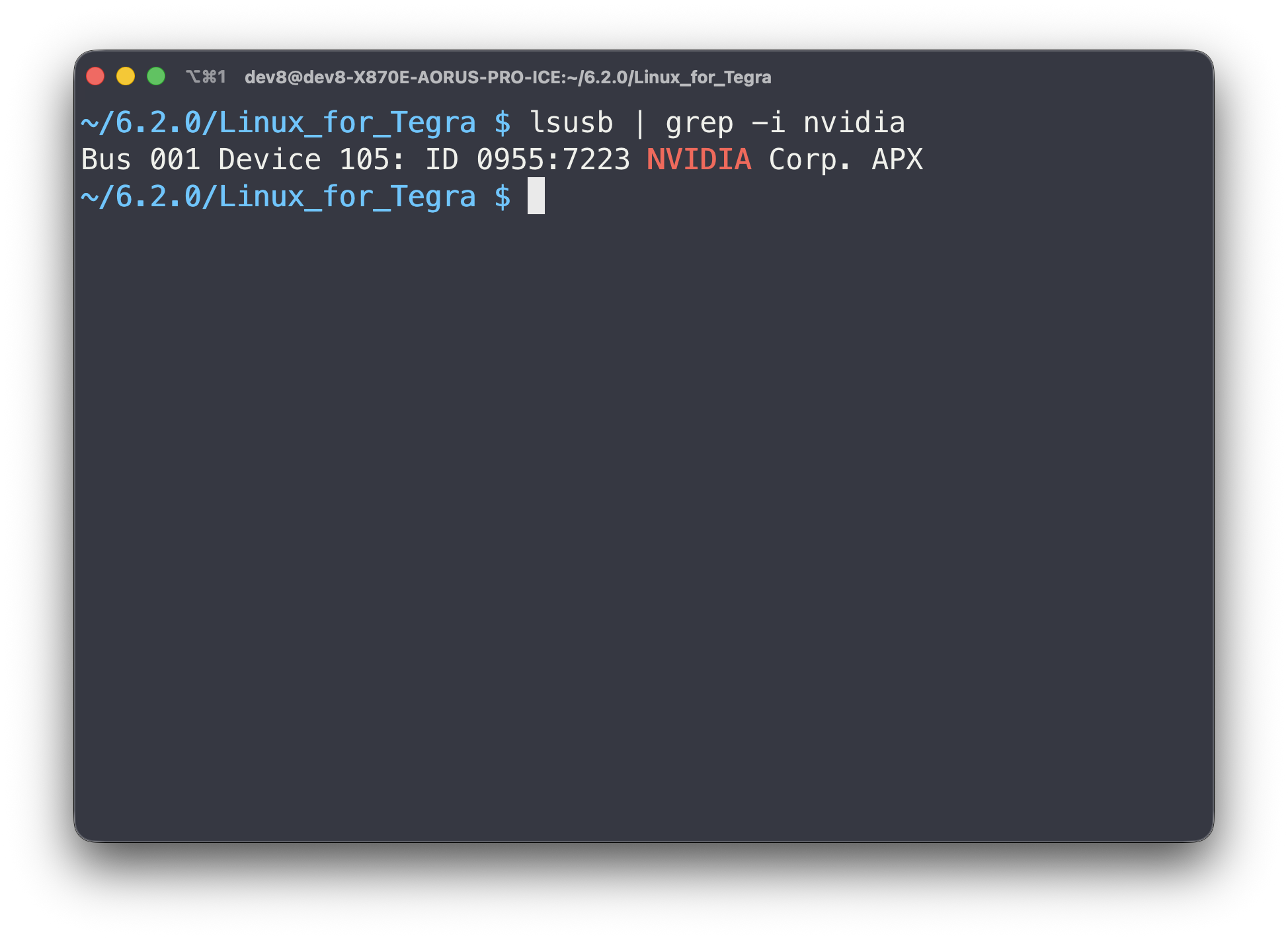
If the AI Worker has successfully entered Recovery Mode, the NVIDIA device will be detected on the Host PC.
3. Flash (~15 mins)
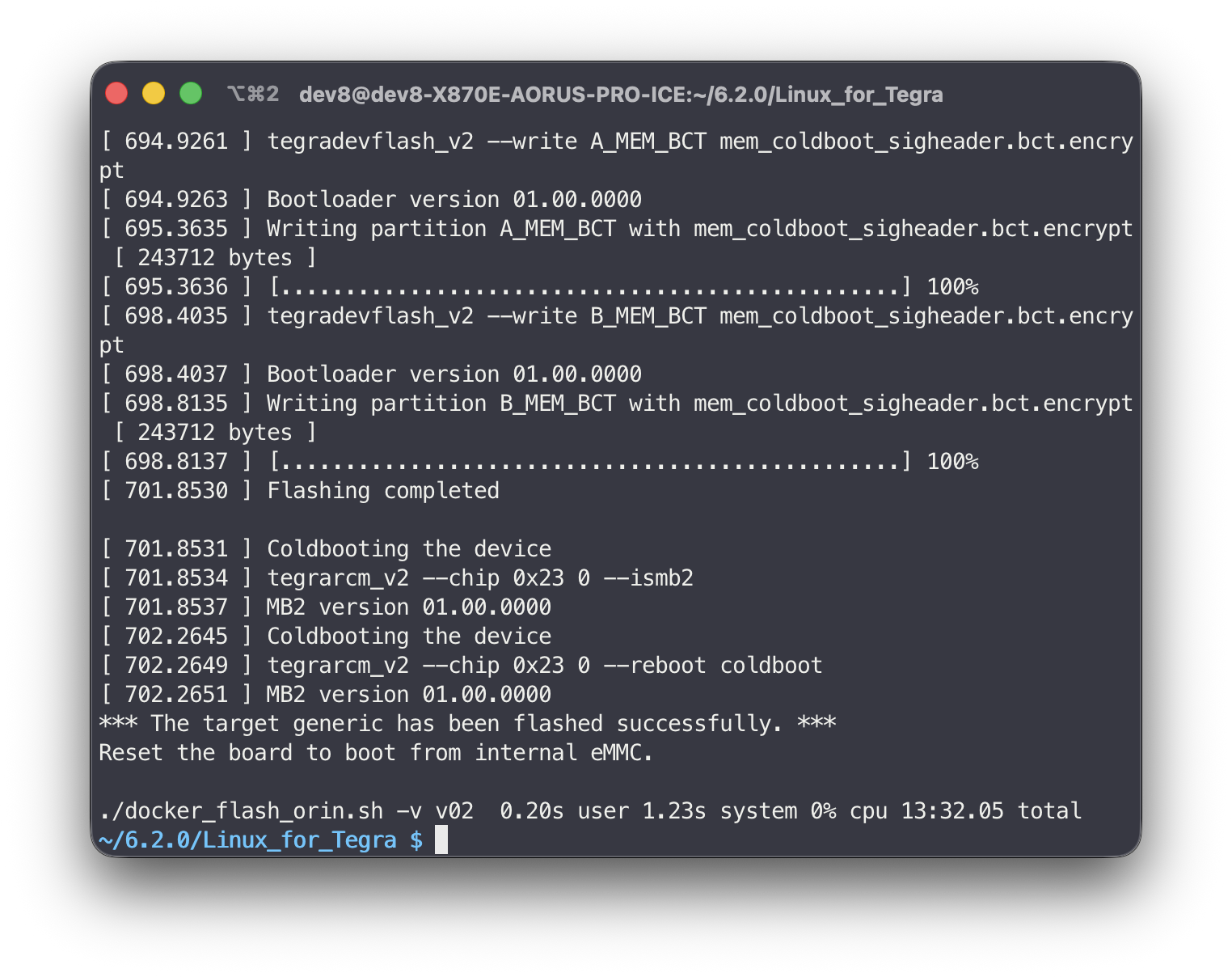
# Run on Host PC
cd ~/6.2.0/Linux_for_Tegra
./docker_flash_orin.sh -v v02
4. Power Off and Reattach the Front Cover
4.1. Power Off
Press and hold the Power button for 3 seconds to power off.
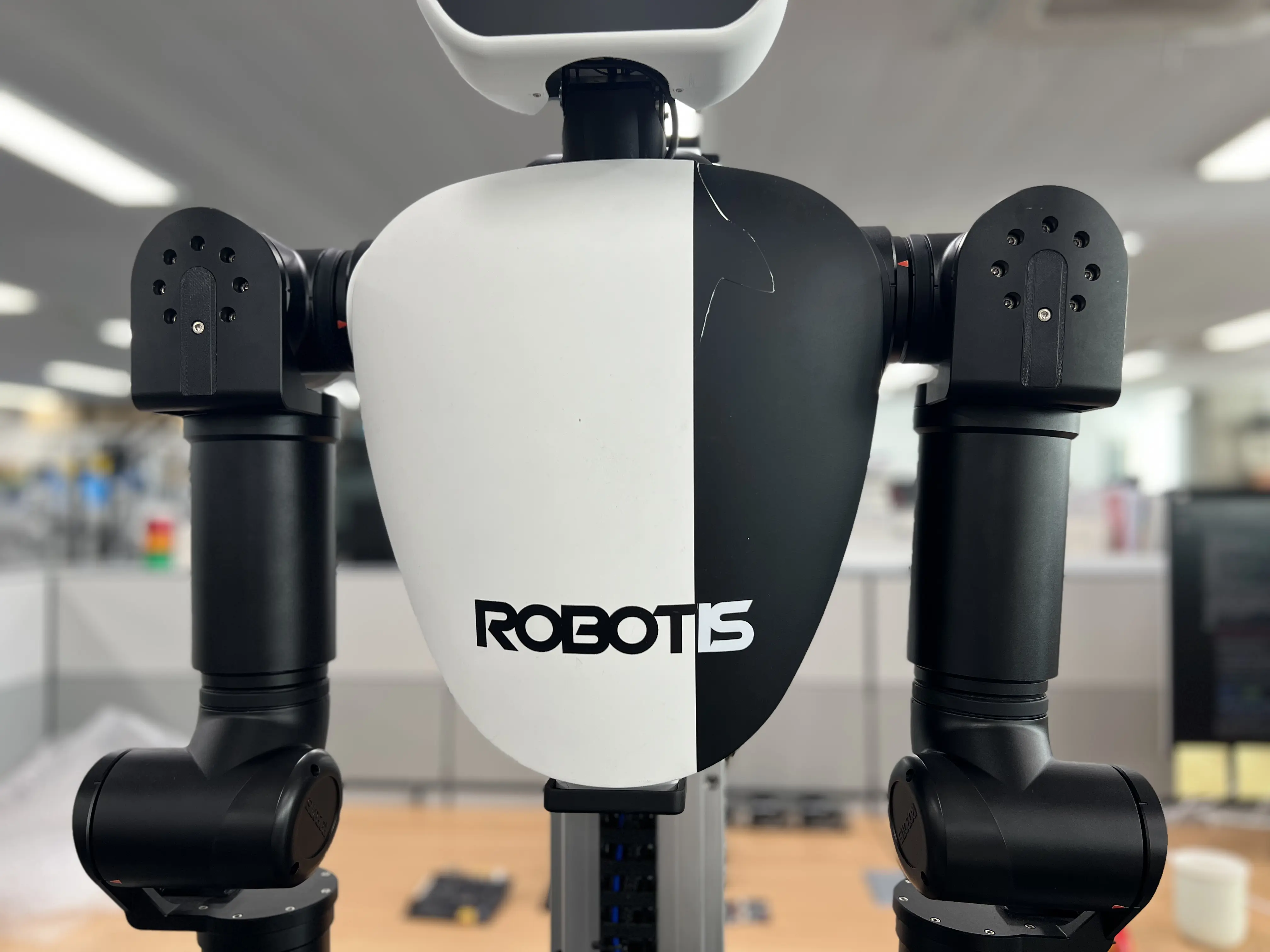
4.2. Reattach the Front Cover
5. Connect SSH
5.1. Connect WAN
Connect the WAN cable for internet access.
For the WAN port location, see Power on and Check Ports.
5.2. Power on & Connect SSH
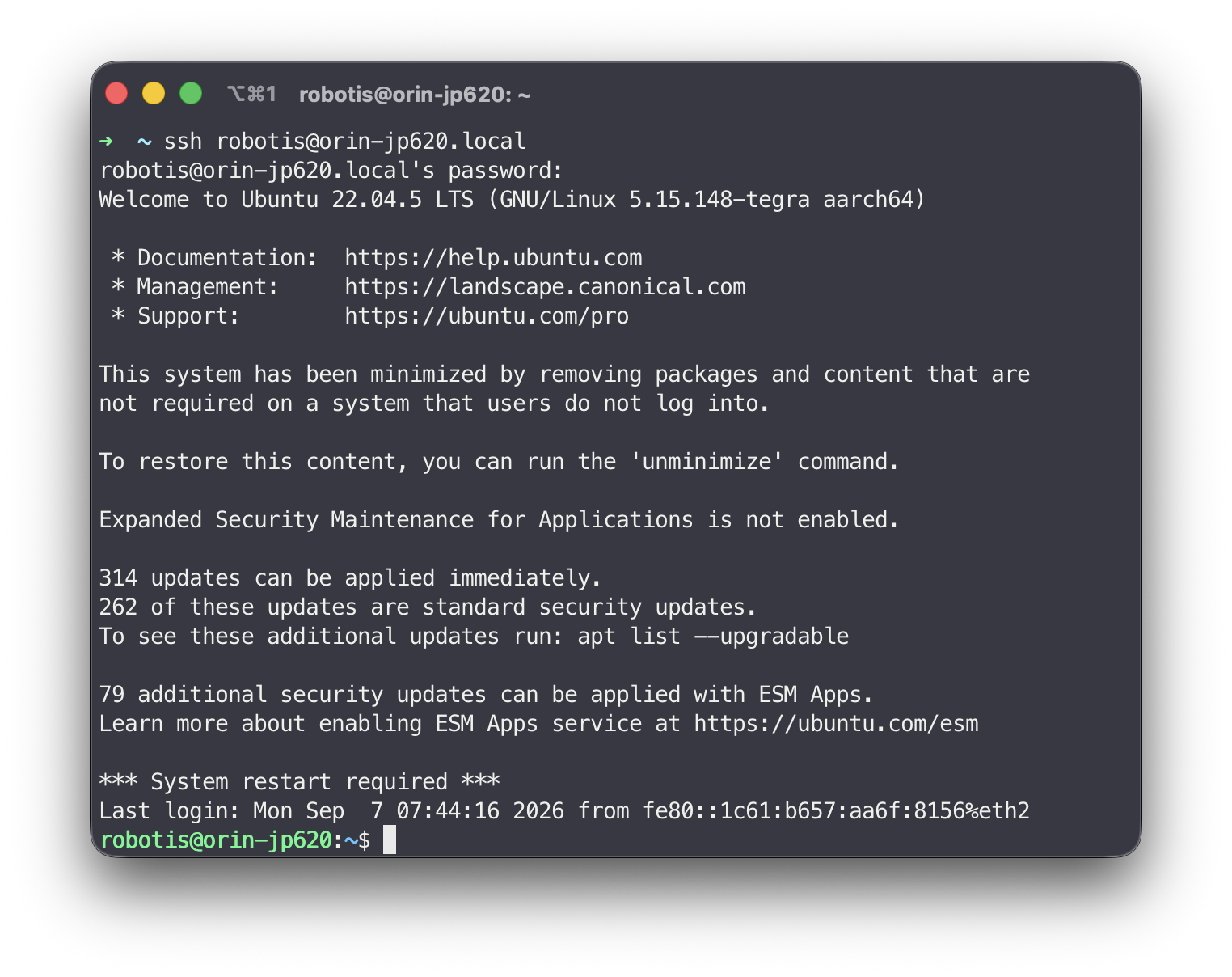
# Run on Host PC
ssh robotis@orin-jp620.local
# password: root
6. Setup OS
6.1. Update Ubuntu
# Run on Target
dpkg-query -W -f='${db:Status-Status} ${binary:Package}\n' 'nvidia-l4t-*' \
  | awk '$1 == "installed" {print $2}' \
  | xargs -r sudo apt-mark hold

sudo apt update
sudo apt upgrade -y

sudo apt install python3-pip python3-venv
6.2. Install Docker
# Run on Target
cd ~/Desktop
git clone https://github.com/jetsonhacks/install-docker.git
cd install-docker
bash ./install_nvidia_docker.sh
sudo usermod -aG docker $USER
6.3. Setup SSD Mount
# Run on Target
SSD_DEV="/dev/nvme0n1"
SSD_MNT="/mnt/ssd"
UUID=$(sudo blkid -s UUID -o value $SSD_DEV)

# Mount ssd
sudo mkdir -p $SSD_MNT
sudo mount $SSD_DEV $SSD_MNT

# Add ssd to /etc/fstab
FSTAB_LINE="UUID=$UUID $SSD_MNT ext4 defaults,nofail 0 2"
if ! grep -q "$UUID" /etc/fstab; then
  echo "$FSTAB_LINE" | sudo tee -a /etc/fstab
fi
6.4. Configure Docker Daemon to Use SSD
# Run on Target
DOCKER_JSON=/etc/docker/daemon.json
sudo tee $DOCKER_JSON >/dev/null <<EOF
{
  "runtimes": {
    "nvidia": {
      "args": [],
      "path": "nvidia-container-runtime"
    }
  },
  "default-runtime": "nvidia",
  "data-root": "$SSD_MNT/docker"
}
EOF
6.5. Apply Docker Settings
# Run on Target
sudo systemctl restart docker

# Check Applied Settings
sudo docker info | grep "Docker Root Dir"
6.6. Set Hostname
# Run on Target
# Replace ffw-SNPR48A9999 with your serial number
sudo hostnamectl set-hostname ffw-SNPR48A9999
6.7. Set udev Rules
# Run on Target
# Check your follower's ID_SERIAL
for dev in /dev/ttyUSB*; do
  [ -e "$dev" ] || continue
  udevadm info --query=property --name="$dev" \
    | grep -E '^ID_SERIAL=FTDI'
done
# Example output:
# ID_SERIAL=FTDI_USB__-__Serial_Converter_FOLLOWER

sudo tee /etc/udev/rules.d/99-ai-worker.rules > /dev/null <<'EOF'
# udev rules
KERNEL=="ttyUSB*", DRIVERS=="ftdi_sio", MODE="0666", ATTR{device/latency_timer}="1"
# follower (Replace ID_SERIAL with your ID_SERIAL)
SUBSYSTEM=="tty", ENV{ID_SERIAL}=="FTDI_USB__-__Serial_Converter_FOLLOWER", SYMLINK+="follower", MODE="0666", ATTR{device/latency_timer}="1"
# leader (Replace ID_SERIAL with your ID_SERIAL)
SUBSYSTEM=="tty", ENV{ID_SERIAL}=="FTDI_USB__-__Serial_Converter_LEADER_LEFT", SYMLINK+="left_leader", MODE="0666", ATTR{device/latency_timer}="1"
SUBSYSTEM=="tty", ENV{ID_SERIAL}=="FTDI_USB__-__Serial_Converter_LEADER_RIGHT", SYMLINK+="right_leader", MODE="0666", ATTR{device/latency_timer}="1"
EOF

sudo udevadm control --reload-rules
sudo udevadm trigger
6.8. Set Fan Speed
# Run on Target
# Create script
sudo tee /usr/bin/run_jetson_fan.sh > /dev/null <<EOF
#!/bin/bash
sudo /usr/bin/jetson_clocks --fan
exit 0
EOF

# Make the script executable
sudo chmod u+x /usr/bin/run_jetson_fan.sh

# Create systemd Service
sudo tee /etc/systemd/system/run_jetson_fan.service > /dev/null <<EOF
[Unit]
Description=Run Jetson Fan
Requires=multi-user.target
After=multi-user.target

[Service]
Type=forking
Restart=on-failure
RestartSec=1s
ExecStart=/usr/bin/run_jetson_fan.sh

[Install]
WantedBy=multi-user.target
EOF

# Enable the Service
sudo systemctl daemon-reload
sudo systemctl enable run_jetson_fan.service
sudo systemctl start run_jetson_fan.service

# Install jetson-stats
sudo apt update
sudo pip3 install -U jetson-stats

# Set nvpmodel to mode 0
sudo nvpmodel -m 0
7. Reboot
# Run on Target
sudo reboot
After rebooting, you can SSH into the device using new mDNS address:
# Run on Host PC
ssh robotis@ffw-SNPR48A9999.local
Troubleshooting
ZED Camera Connection
# Run on Target
# Install netplan.io
sudo apt install -y netplan.io

# Create Directories
sudo mkdir -p /home/robotis/.config/gpio
sudo mkdir -p /home/robotis/.config/systemd/user/

# Create gpio_control.py
sudo tee /home/robotis/.config/gpio/gpio_control.py > /dev/null << 'EOF'
import usb.core
import usb.util
import time
import subprocess
import os

# from src.define import *

HUB_VID = 0x0424
HUB_PID = 0x724A

POWER_CONTROL_TABLE = {
  "LED Status":{
    "gpio":{"chip":1, "num":0},
    "info":"Control Type : GPIO\n" \
           "GPIO Pin     : D59 (PAA.00)\n" \
           "GPIO Chip    : 1\n" \
           "GPIO Number  : 0\n" \
  },
  "Lidar Power":{
    "gpio":{"chip":1, "num":2},
    "info":"Control Type : GPIO\n" \
           "GPIO Pin     : H61 (PAA.02)\n" \
           "GPIO Chip    : 1\n" \
           "GPIO Number  : 2\n" \
           "Part Name    : J22\n" \
  },
  "Router Power":{
    "gpio":{"chip":1, "num":3},
    "info":"Control Type : GPIO\n" \
           "GPIO Pin     : B61 (PAA.03)\n" \
           "GPIO Chip    : 1\n" \
           "GPIO Number  : 3\n" \
           "Part Name    : J27\n" \
  },
  "FTDI Power":{
    "gpio":{"chip":1, "num":8},
    "info":"Control Type : GPIO\n" \
           "GPIO Pin     : C61 (PBB.00)\n" \
           "GPIO Chip    : 1\n" \
           "GPIO Number  : 8\n" \
  },
  "FTDI Reset":{
    "gpio":{"chip":0, "num":1},
    "info":"Control Type : GPIO\n" \
           "GPIO Pin     : A59 (PA.01)\n" \
           "GPIO Chip    : 1\n" \
           "GPIO Number  : 8\n" \
  },
  "USB 3.0 #1 (Direct)":{
    "gpio":{"chip":0, "num":131},
    "info":"Control Type : GPIO\n" \
           "GPIO Pin     : F54 (PZ.01)\n" \
           "GPIO Chip    : 0\n" \
           "GPIO Number  : 131\n" \
           "Part Name    : J12\n" \
  },
  "USB 3.0 #2 (Direct)":{
    "gpio":{"chip":0, "num":132},
    "info":"Control Type : GPIO\n" \
           "GPIO Pin     : G55 (PZ.02)\n" \
           "GPIO Chip    : 0\n" \
           "GPIO Number  : 132\n" \
           "Part Name    : J13\n" \
  },
  "USB 3.0 #3 (Hub)":{
    "hub":1,
    "info":"Control Type : USB Hub\n" \
           "USB Hub Num  : 1\n" \
           "Pin Name     : PRT_CTL1\n" \
           "Part Name    : J14\n" \
  },
  "USB 3.0 #4 (Hub)":{
    "hub":2,
    "info":"Control Type : USB Hub\n" \
           "USB Hub Num  : 2\n" \
           "Pin Name     : PRT_CTL2\n" \
           "Part Name    : J15\n" \
  },
  "USB 3.0 #5 (Hub)":{
    "hub":3,
    "info":"Control Type : USB Hub\n" \
           "USB Hub Num  : 3\n" \
           "Pin Name     : PRT_CTL3\n" \
           "Part Name    : J16\n" \
  },
  "USB 3.0 #6 (Hub)":{
    "hub":4,
    "info":"Control Type : USB Hub\n" \
           "USB Hub Num  : 4\n" \
           "Pin Name     : PRT_CTL4\n" \
           "Part Name    : J61\n" \
  },
  "USB 2.0 #1 (Hub)":{
    "hub":5,
    "info":"Control Type : USB Hub\n" \
           "USB Hub Num  : 5\n" \
           "Pin Name     : PRT_CTL5\n" \
           "Part Name    : J35\n" \
  },
  "USB 2.0 #2 (Hub)":{
    "hub":6,
    "info":"Control Type : USB Hub\n" \
           "USB Hub Num  : 6\n" \
           "Pin Name     : PRT_CTL6\n" \
           "Part Name    : J36\n" \
  },
}

class Power:
  def __init__(self):
    self.ps_gpio = {}

  def __del__(self):
    for pid in self.ps_gpio.values():
      os.system(f"kill {pid}")

  def usbHubReadReg(self, device:usb.core.Device, addr, length):
    ret, data = True, []

    addr_lo = (addr >> 0 ) & 0xFFFF
    addr_hi = (addr >> 16) & 0xFFFF

    try:
      data = device.ctrl_transfer(0xC0, 0x04, addr_lo, addr_hi, length)
    except Exception as e:
      print("ERROR: ", e)
      ret = False

    return ret, data

  def usbHubWriteReg(self, device:usb.core.Device, addr, data):
    ret = True

    addr_lo = (addr >> 0 ) & 0xFFFF
    addr_hi = (addr >> 16) & 0xFFFF

    try:
      device.ctrl_transfer(0x40, 0x03, addr_lo, addr_hi, data)
    except:
      ret = False

    return ret

  def setUsbHubPower(self, port_num:int, status:bool):
    ret = False

    while True:
      device = usb.core.find(idVendor=HUB_VID, idProduct=HUB_PID)
      if device == None:
        break
      ret, data = self.usbHubReadReg(device, 0xBF803C00 + (4 * port_num), 4)
      if ret == False:
        break
      if status:
        data[0] |= 0x3
      else:
        data[0] &= ~0xF
      ret = self.usbHubWriteReg(device, 0xBF803C00 + (4 * port_num), data)
      break

    return ret

  def setGpioPower(self, chip:int, num:int, status:bool):
    ret = True

    gpio = f"{chip}-{num}"

    if gpio in self.ps_gpio.keys():
      os.system(f"kill {self.ps_gpio[gpio]}")

    command = f"gpioset --mode=signal {chip} {num}={int(status)}"

    self.ps_gpio[gpio] = subprocess.Popen(command.split(" "), text=True, stdin=subprocess.PIPE, stdout=subprocess.PIPE).pid

    return ret

  def setPower(self, item_name:str, status:bool):
    ret = False

    while True:
      if item_name not in POWER_CONTROL_TABLE.keys():
        break

      item = POWER_CONTROL_TABLE[item_name]

      if "gpio" in item.keys():
        ret = self.setGpioPower(item["gpio"]["chip"], item["gpio"]["num"], status)
      elif "hub" in item.keys():
        ret = self.setUsbHubPower(item["hub"], status)
      break

    return ret

power = Power()

power.setUsbHubPower(1, False)

time.sleep(5)

power.setUsbHubPower(1, True)
EOF

# Install pyusb
sudo apt update
sudo apt install -y python3-pip
sudo pip3 install pyusb

# Create a Service
sudo tee /home/robotis/.config/systemd/user/camera_power_control.service > /dev/null << 'EOF'
[Unit]
Description=gaemi_controller
After=network.target

[Service]
Type=simple
WorkingDirectory=/home/robotis
ExecStart=/usr/bin/python3 /home/robotis/.config/gpio/gpio_control.py
Restart=on-failure

[Install]
WantedBy=multi-user.target
EOF

# Enable the Service
sudo cp /home/robotis/.config/systemd/user/camera_power_control.service /etc/systemd/system/
sudo systemctl daemon-reload
sudo systemctl enable camera_power_control.service
sudo systemctl start camera_power_control.service