Version Update
Use Version Update to update robot software packages and container images from Cyclo Manager.
The Version Management section shows three update targets:
- Package Update: Updates the software repository and recreates the related container. Use this when the robot package has a newer release
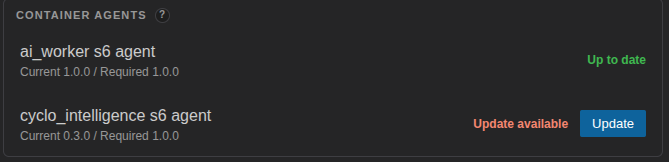
- Agent Update: Updates the Cyclo Manager agent inside a managed container. The agent receives service control requests, streams logs, and reports service status to Cyclo Manager. Cyclo Manager can control a container only when the manager and the container agent are compatible.
- Cyclo Manager Update: Updates the Cyclo Manager CLI, API server, and web UI stack. Use this when a new Cyclo Manager release is available.
Package Update
Use Package Update when the robot software repository has a newer supported version. This updates the robot package source code and recreates the related robot container so the updated software can run with the configured Docker environment.
During the update, Cyclo Manager performs the following tasks:
- Stops the running container and remove it.
- Checks the local Git repository state. Only main and jazzy branches are available for update.
- Lets you choose how to handle local changes.
- Lets you choose files to preserve before the update.
- Pulls the selected package version.
- Recreates the container.
If there is a new version of the package, you can update the version by clicking the Update button.
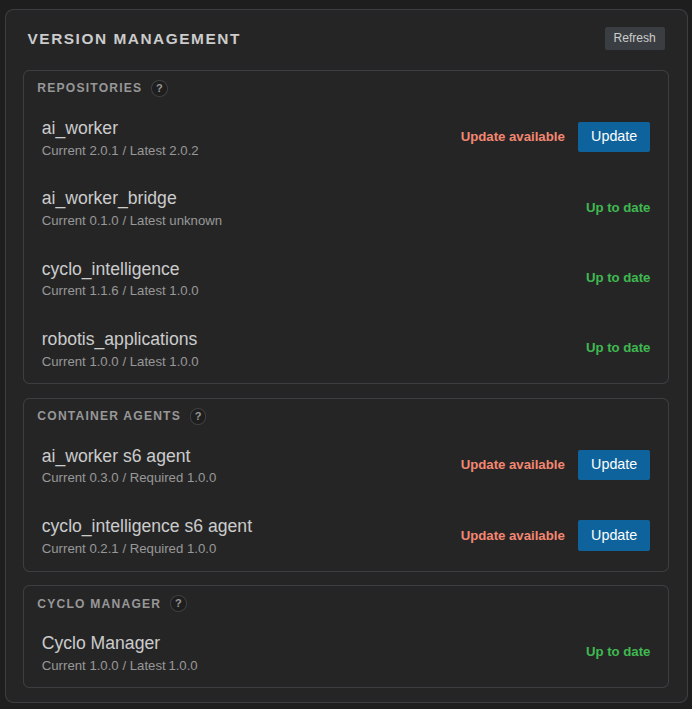
When you click the Update button, Cyclo Manager runs the update workflow:
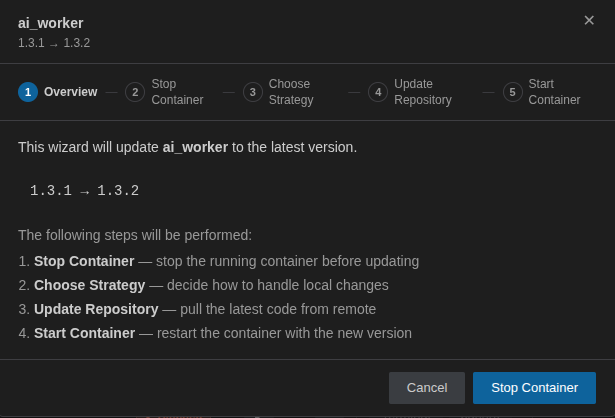
- Stop the running containers.
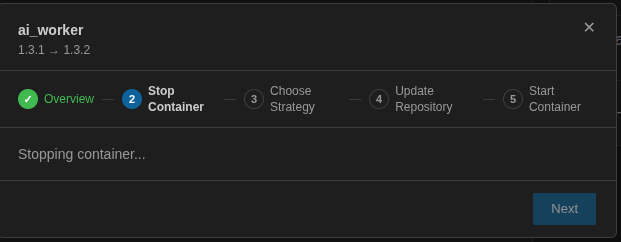
- Choose a strategy for local changes.
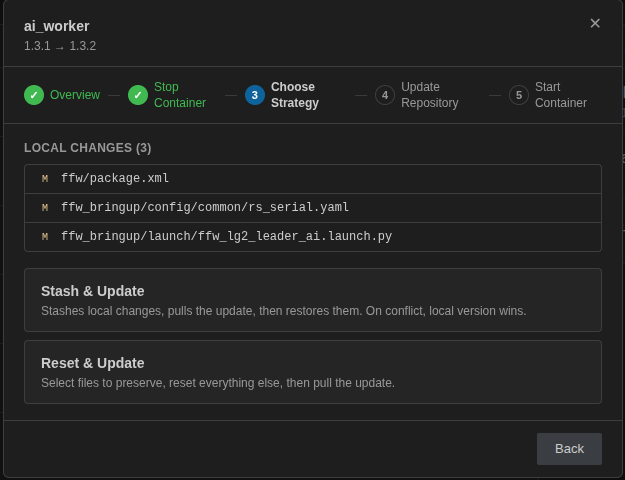
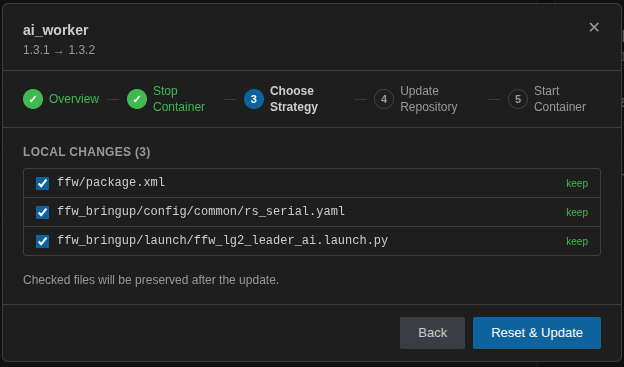
- Choose the files you want to preserve. (
ffw_bringup/config/common/rs_serial.yamlshould be preserved.)
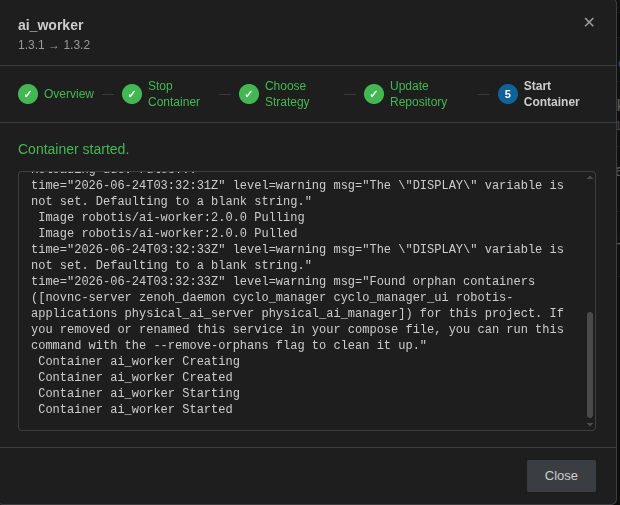
- The Git repository is pulled and the container is created.
When Cyclo Manager starts the updated container, it may need to download the required Docker image first. Depending on the network connection, this step can take about 5 minutes.
Cyclo Manager Update
Use Cyclo Manager Update when a new Cyclo Manager version is available.
If there is a new version of the package, you can update the version by clicking the Update button.

This updates the cyclo-manager CLI package on the robot host and restarts the Cyclo Manager stack with the matching API server and web UI images.
- Updates the
cyclo-managerpackage. - Stops the running Cyclo Manager containers.
- Pulls or starts the configured Cyclo Manager API and web UI images.
- Restarts the host agent service.
- Starts Cyclo Manager again with the updated stack.
After the update finishes, reopen the Cyclo Manager web UI in your browser.
If the update fails from the web UI, connect to the robot over SSH and run the update manually:
cyclo-manager update
Agent Update
Use Agent Update when the s6 agent inside a managed container is older than, or not compatible with, the installed Cyclo Manager version. The s6 agent handles service control, log streaming, and status reporting from inside the container, so a version mismatch can cause Cyclo Manager operations to fail or behave unexpectedly.
When Cyclo Manager detects an incompatible container agent, the Container Agents section shows an Update button. Click Update to update the in-container agent to a version compatible with the current Cyclo Manager. The container may restart during the update.