Install Cyclo Manager
After Cyclo Manager is installed and set up once, it starts automatically when the robot boots. When you power on the robot later, you only need to open Cyclo Manager from your browser.
Cyclo Manager runs inside Docker containers. The Python package cyclo-manager on PyPI provides the cyclo_manager CLI, which uses Docker images and Compose to bring up and configure the container stack.
How to Install
Cyclo Manager runs on the AI Worker Orin. Install it on the AI Worker Orin.
- Connect to the AI Worker Orin via SSH.
Replace SNPR48A0000 with the serial number printed on the back of the robot body.
ssh robotis@ffw-SNPR48A0000.local
- Install the Python package
cyclo-manageron the AI Worker Orin.
pip install cyclo-manager
- Add the CLI to your
PATHand set up the Cyclo Manager environment.
export PATH="$HOME/.local/bin:$PATH"
cyclo_manager up
After you run cyclo_manager up once to set up the environment, Cyclo Manager keeps running unless you run cyclo_manager down. You do not need to run cyclo_manager up again after powering the robot off and on.
Use the cyclo_manager CLI from your terminal:
cyclo_manager up   # optional: --pull to fetch the latest images from the registry
cyclo_manager down
cyclo_manager update
-
cyclo_manager up:- Registers a host-agent systemd service so it always runs.
- Creates and starts the cyclo_manager (API) and cyclo_manager_ui containers.
- Creates the docker daemon and novnc-server containers but does not start them yet (start them later when needed).
-
cyclo_manager down:- Stops and removes the containers created by
cyclo_manager up. - Removes the host-agent service from systemd.
- Stops and removes the containers created by
-
cyclo_manager update:- Upgrades the
cyclo-managerpackage with pip. - Stops the running containers and starts new ones with the updated stack.
- Restarts the host-agent service.
- Upgrades the
Open the Cyclo Manager Web UI
Open the Cyclo Manager web UI on port 3000 in your browser.
Connect using the robot IP address or the mDNS hostname. Replace SNPR48A0000 with your robot's serial number.
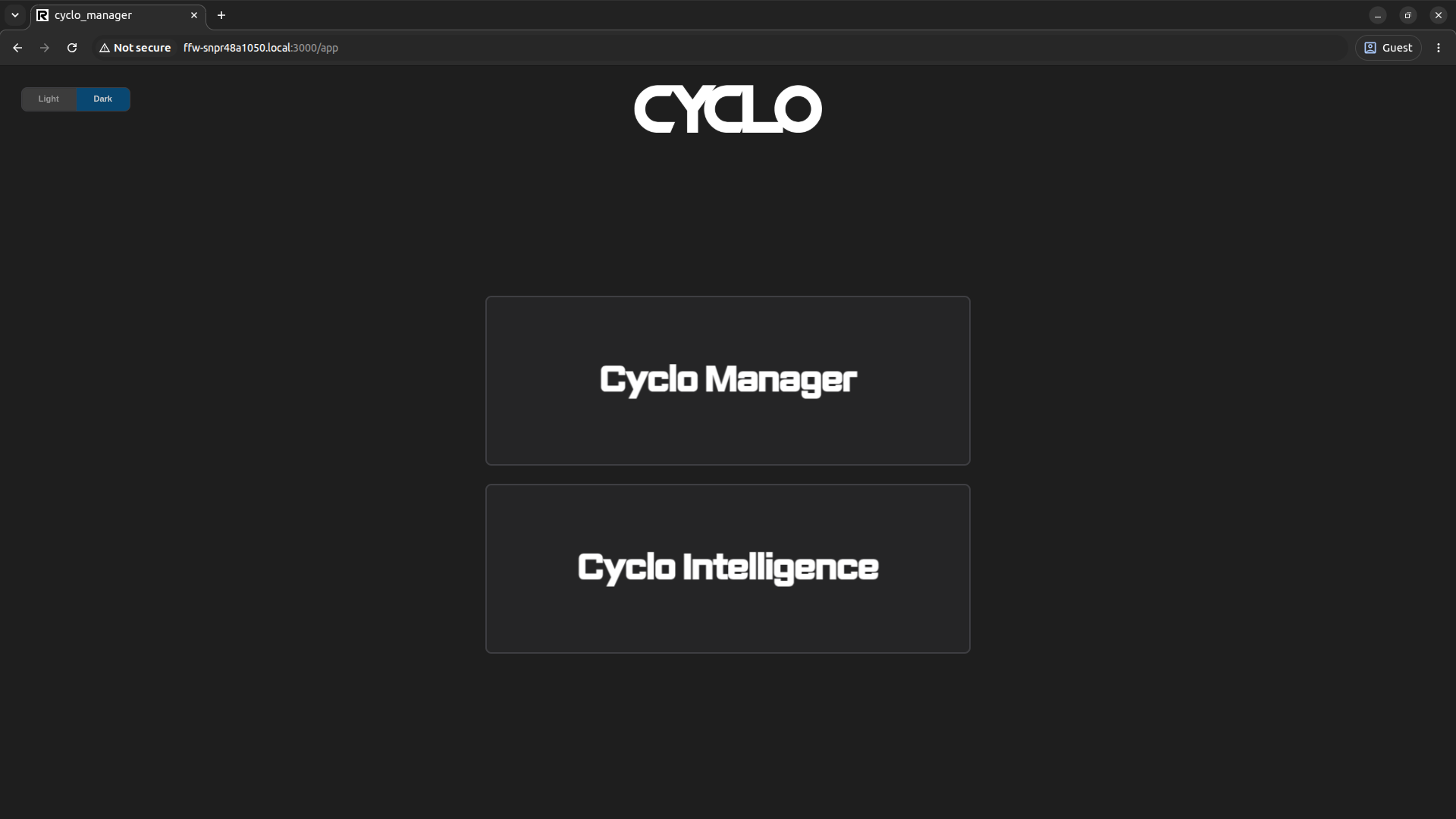
This is the main page of the Cyclo Manager web UI. From here, you can open the Cyclo Manager or Cyclo Intelligence pages.
Enter the Cyclo Manager.
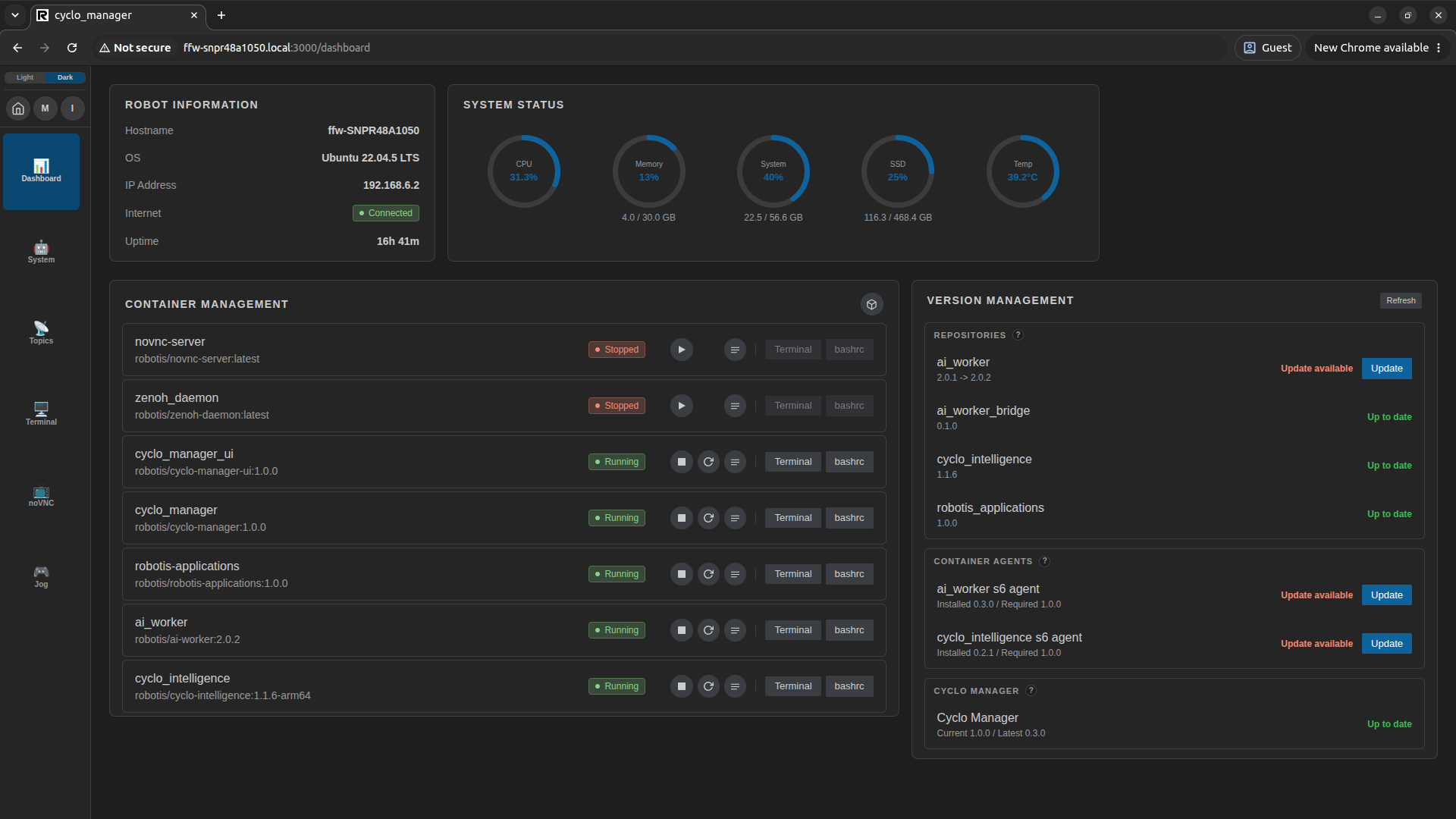
Click the Cyclo Manager button to open the Cyclo Manager dashboard page.
Update the s6 Agent
After the first installation, the s6 agent inside a managed container may not match the installed Cyclo Manager version. If the container agent and Cyclo Manager are not compatible, some Cyclo Manager operations may not work as expected.
Check the Container Agents section in Version Management after opening the dashboard. If an agent update is available, update the s6 agent before using Cyclo Manager for regular operation. For details, see Agent Update.