Model Inference
Use Model Inference to load a trained policy and test it in simulation mode before moving the real robot. It also supports TensorRT conversion for faster inference and provides both Async and Sync action request modes.
Cyclo Brain System Architecture
Cyclo Brain runs policy backends as separate Docker containers. The UI sends inference commands to the selected backend, the backend loads the model and computes action chunks, and Cyclo Brain publishes robot commands only when Real Robot Deploy is selected.
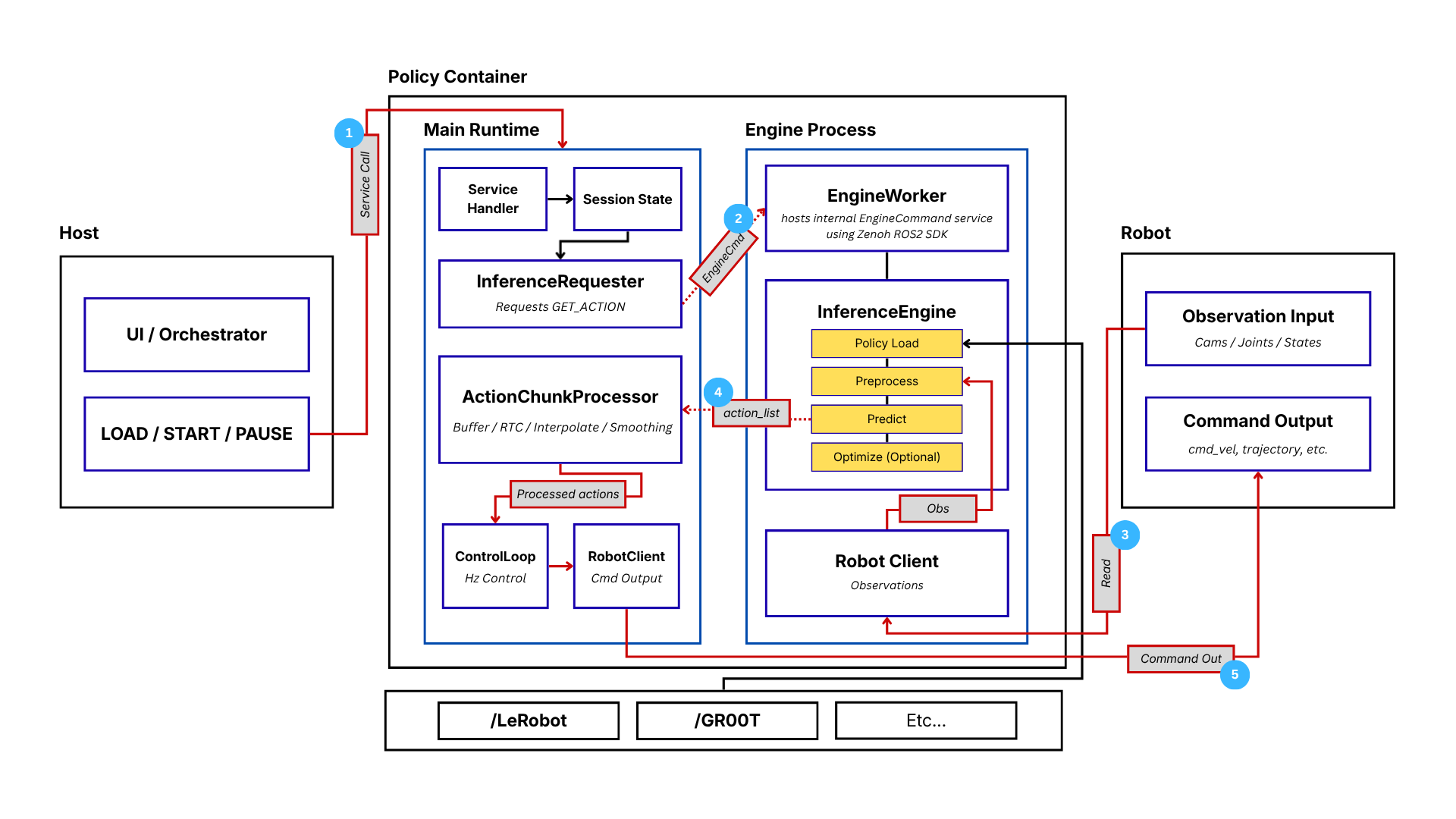
- Service Call — the host sends
LOAD/START/PAUSEinto Main Runtime. - EngineCmd —
InferenceRequesterasks theEngineWorkerfor an action. - Read — the engine's
Robot Clientreads observations from the robot. - action_list — the
InferenceEnginereturns predicted actions toActionChunkProcessor. - Command Out —
RobotClientpublishes the commands to the robot.
Inference Workflow
Use 3D Sim Deploy first to run one action chunk from the current robot state in simulation. This helps check whether the first policy motion is normal before sending commands to the real robot.

Inference Page
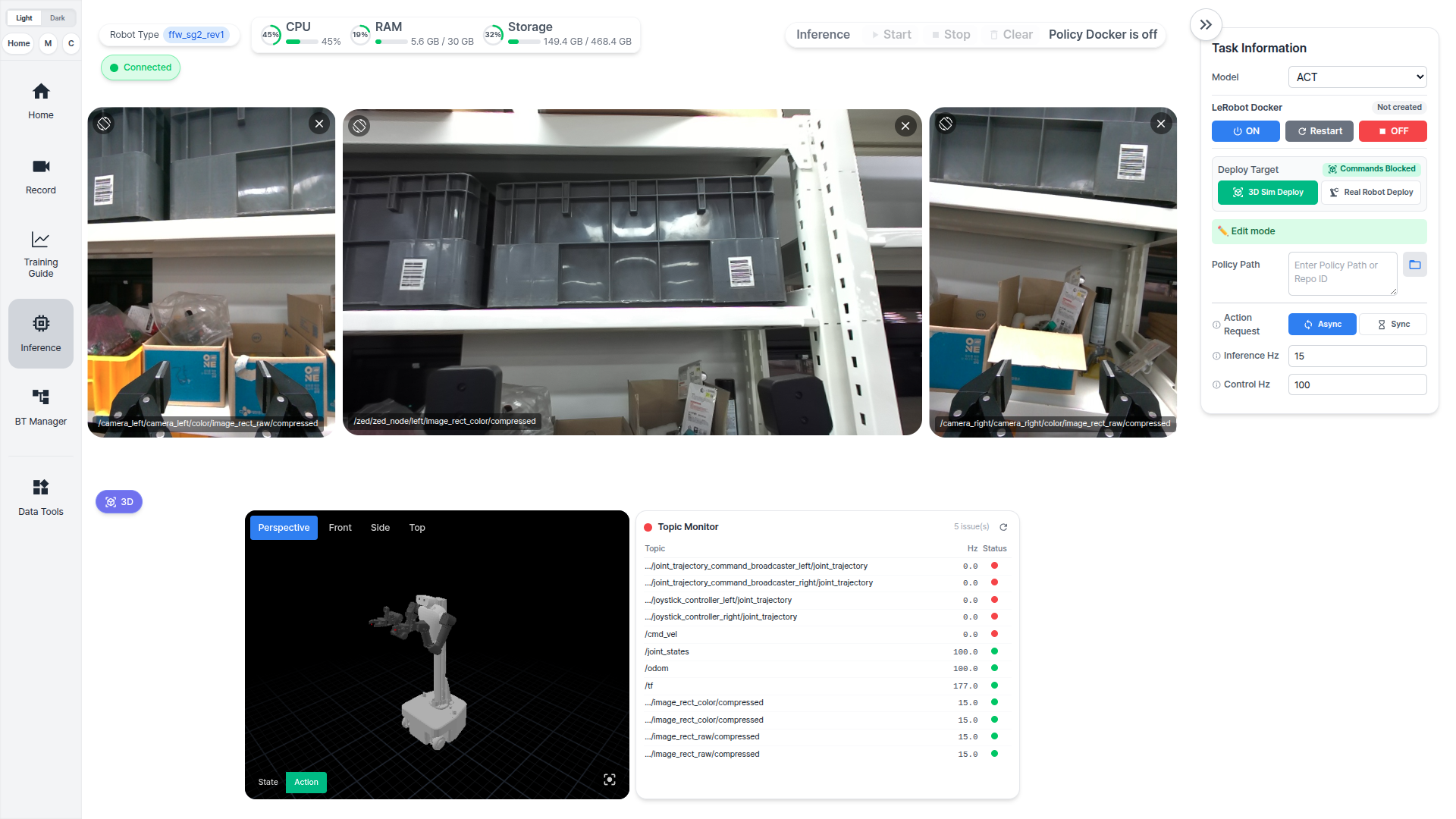
Before running inference on the real robot, stop the teleoperation node or any leader-follower bringup used during data recording. Teleoperation and model inference should not command the robot at the same time.
Then launch the robot follower bringup from AI Worker Follower Bringup for Inference before using Real Robot Deploy.
Inference Settings
Select The Model And Pull Its Image
Start by choosing the model you trained. Selecting the model also decides which policy backend has to run, and the panel then tells you whether that backend's Docker image is already on the machine.
When the selected policy Docker image has not been downloaded yet, the backend panel shows Image missing. Click Pull to download the policy Docker image that matches the selected model.
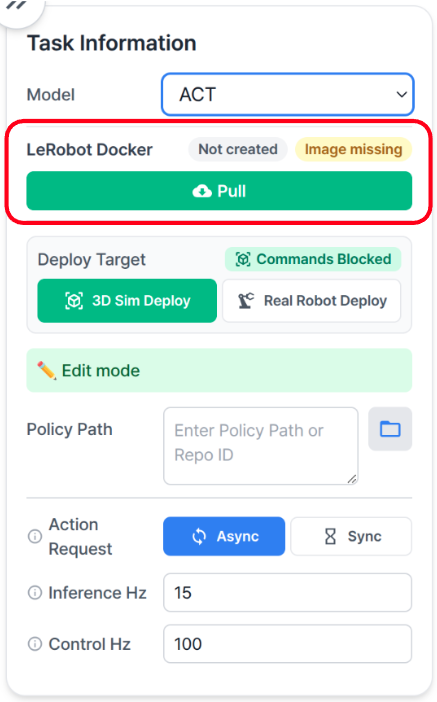
Pre-built ACT and GR00T policy Docker images are supported only on Blackwell-based amd64 or arm64 environments. If the host environment is not supported, use a compatible machine or prepare a policy backend image that matches the target hardware.
Deploy Target
| Target | What it does |
|---|---|
3D Sim Deploy |
|
Real Robot Deploy |
|
Action Request
| Mode | Use when |
|---|---|
Async |
|
Sync |
|
Rates
| Setting | What it controls |
|---|---|
Inference Hz |
|
Control Hz |
|
LeRobot Inference
LeRobot inference supports multiple policy families, including ACT, Diffusion, SmolVLA, XVLA, Pi0, and Pi0.5.
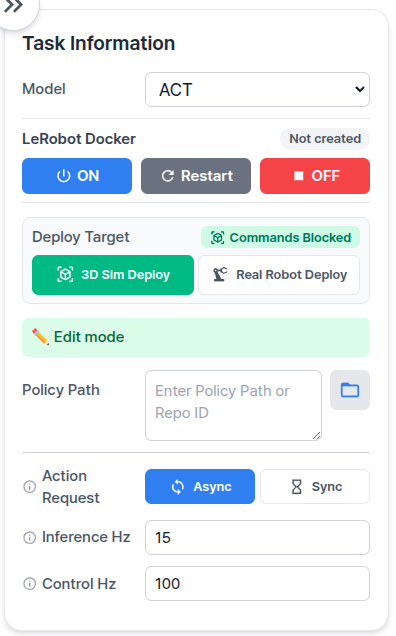
Use this panel when the selected model belongs to the LeRobot group. The main input is Policy Path. If the selected policy uses language conditioning, also enter Task Instruction.
For LeRobot checkpoints, select the exported pretrained_model directory:
/workspace/model/lerobot/<run_name>/checkpoints/<step>/pretrained_model
GR00T N1.7 Inference
GR00T N1.7 uses a task instruction and can optionally use TensorRT acceleration.
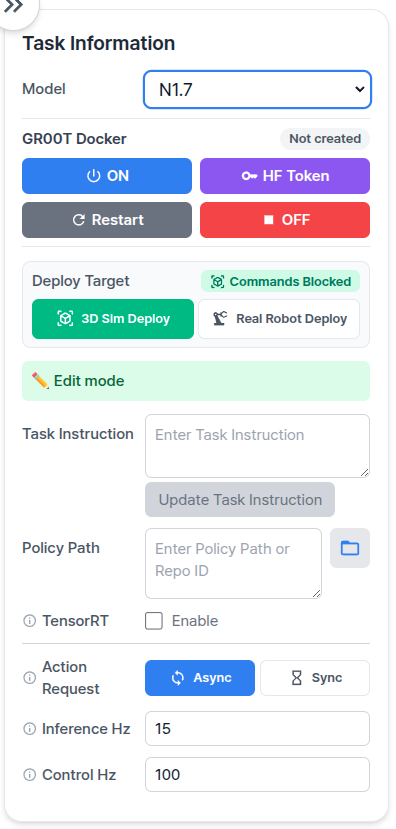
Use this panel for GR00T N1.7 checkpoints. GR00T uses Task Instruction as part of the inference input, so enter the task instruction before starting inference. Enable TensorRT only when using a TensorRT engine for the selected checkpoint.
For GR00T checkpoints, select the checkpoint folder:
/workspace/model/groot/<run_name>/checkpoint-<step>
Docker Backend Control
After selecting a model, the matching Docker backend control appears in the right panel.
| Button | Behavior |
|---|---|
| ON | Creates or starts the matching policy container. |
| Restart | Restarts the policy container after model-load failures or stale runtime state. |
| OFF | Stops the policy container. |
If Start is disabled, check the backend status first. Common causes are Policy Docker is off, Not created, Warming up, Main Down, or Engine Down.