Data Recording
Use Data Recording to collect robot demonstrations as rosbag2 episodes. After recording, the dataset can be reviewed, edited, merged, converted, or uploaded from Data Tools.
Cyclo Data Workflow
Select a step for details.
Robot Preparation
Before recording, make sure the robot operation and camera nodes are running. Cyclo Intelligence records the robot, joint, and camera topics that are already being published on the robot network.
For robot operation and camera setup, follow the AI Worker Teleoperation guide. After the robot is ready, return to this page and check the Camera Views and Topic Monitor.
Home Page
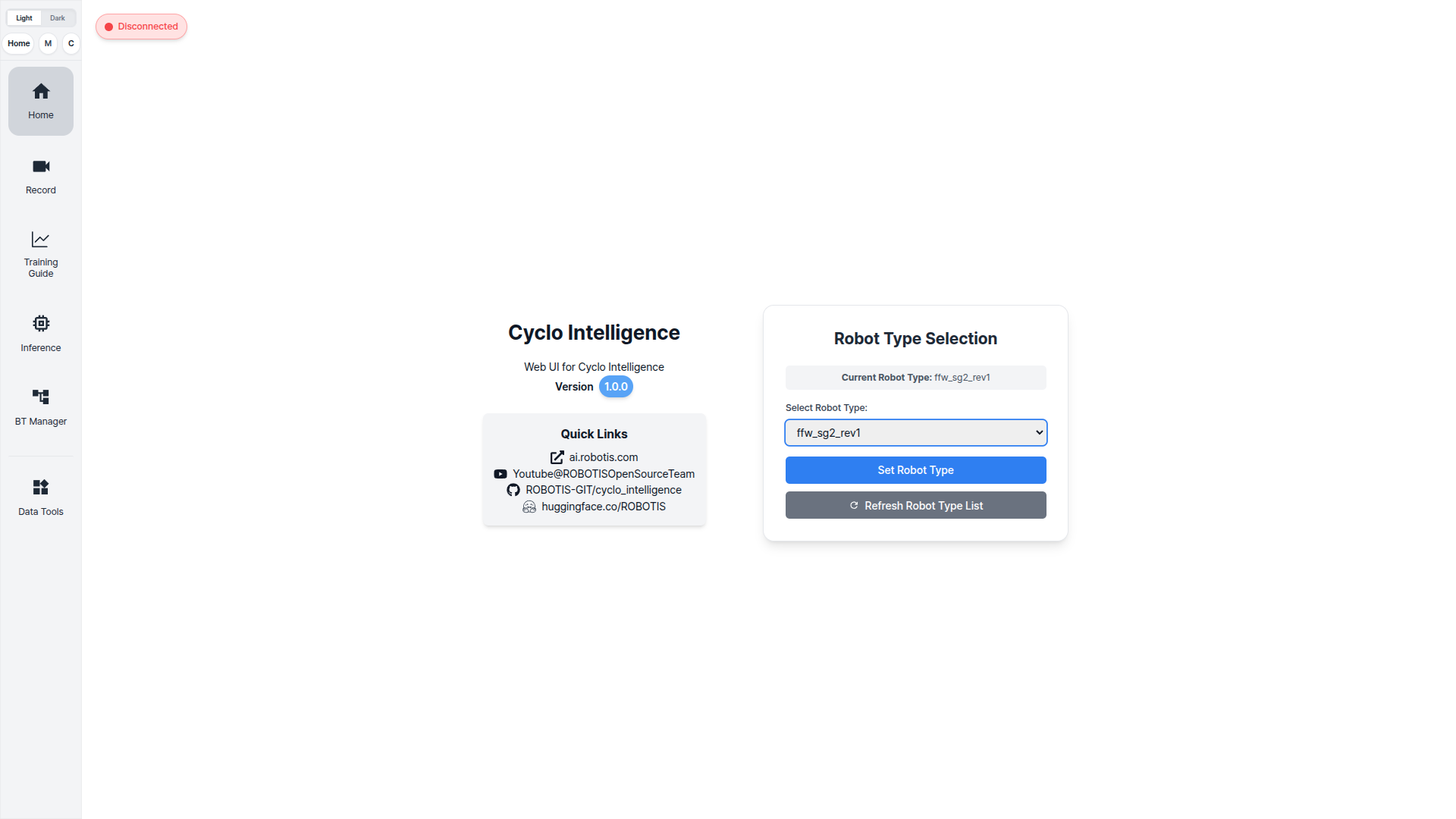
Before opening the Record page, select the robot type from the Home page.
Only robot types with a config file under cyclo_intelligence/shared/shared/robot_configs appear in this list.
Change Collected Data
Cyclo Intelligence records only the topics listed in the robot config. A topic missing from it is not collected, even while it is being published.
There is one config per robot type. Open the matching one:
cd ~/cyclo_intelligence/shared/shared/robot_configs
ls
nano <your_robot>_config.yaml
Each camera is one named entry under observation.images. To add a second, copy the block and change the name and topic:
observation:
  images:
    camera1:
      topic: /camera1/image_raw/compressed
      msg_type: sensor_msgs/msg/CompressedImage
    camera2:
      topic: /camera2/image_raw/compressed
      msg_type: sensor_msgs/msg/CompressedImage
      rotation_deg: 270
camera2— any name you choose. It becomes the observation key in the dataset.topic— an image topic the robot already publishes.msg_type—sensor_msgs/msg/CompressedImagefor compressed topics.rotation_deg— optional. Only0,90,180, or270.
Record Page
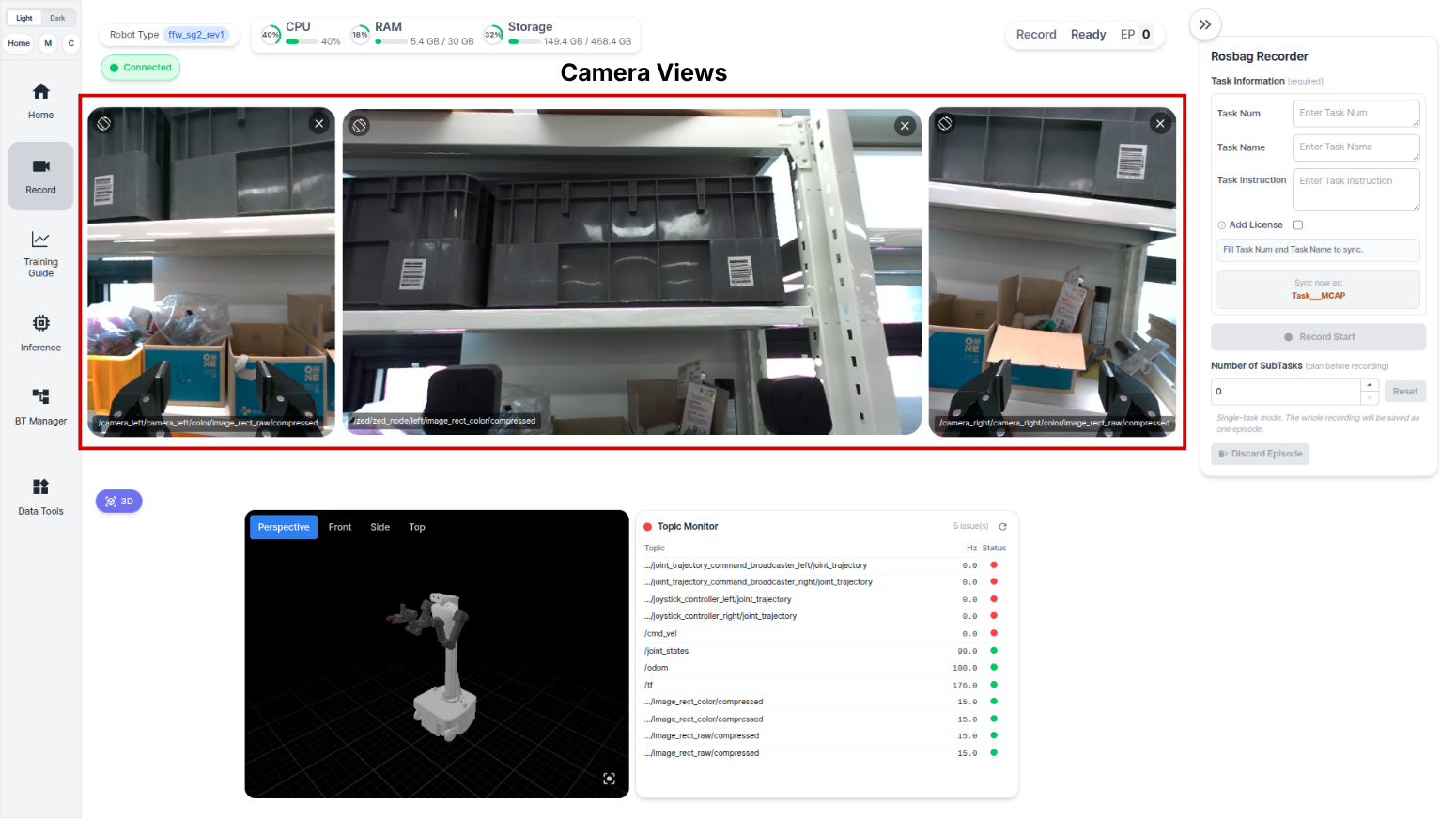
Use the Record page to collect robot demonstrations as rosbag2 episodes. Select an area to see what it is for:
Check the scene and the selected image topics before recording. This is how you confirm the robot can see the task scene.
Rosbag Recorder Panel
Use the Rosbag Recorder panel to enter the recording information before starting data collection.
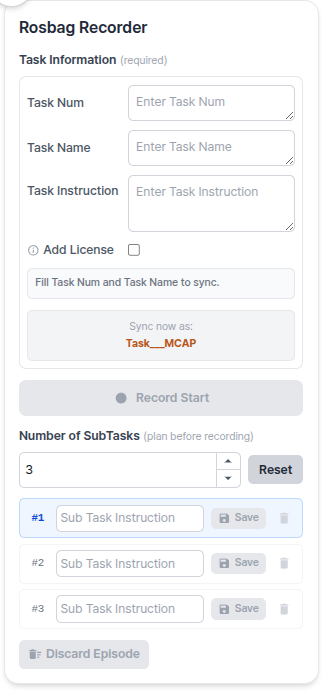
| Field | Description |
|---|---|
| Task Num | Task number or identifier for the dataset. |
| Task Name | Short task name used to identify the dataset. |
| Task Instruction | Natural-language instruction that describes the demonstration. |
| Add License | Adds ROBOTIS dataset license information. Leave it unchecked for normal recording. |
| Number of SubTasks | Set this to 0 when the episode does not need subtasks. |
| Sub Task Instruction | Fill this in for each subtask when Number of SubTasks is greater than 0. |
After entering the required information, click Record Start to begin recording.
When to use Number of SubTasks
Leave Number of SubTasks at 0 for a single continuous demonstration. The whole recording is saved as one episode under one instruction.
Set it to the number of stages when one demonstration has distinct steps you want labelled separately — for example picking up a cup, then placing it in a bin. The episode is then recorded one stage at a time: record a subtask, save it, record the next, and so on. The episode is only complete once every subtask has been saved.
03Task Instruction compared with Sub Task Instruction
| Field | What it describes | When you fill it in |
|---|---|---|
Task Instruction | The demonstration as a whole. | Always. |
Sub Task Instruction | One stage within that demonstration. | Only when Number of SubTasks is greater than 0, once per subtask. |
Plan the count before you start. Number of SubTasks is set before recording, and the episode expects that many subtasks.
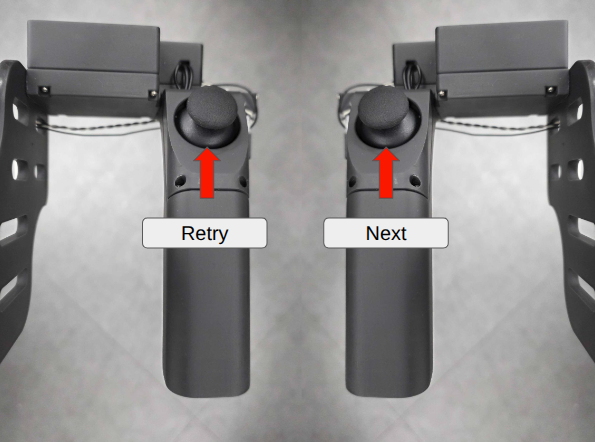
AI Worker Leader Button Controls
When both hands are needed to operate the wearable skeletal leader device, use the leader buttons to control the recording state.
- Left button press: Cancel the current episode.
- Right button press: Start recording or save the current episode.
Recording Sequence
- In the
Rosbag Recorderpanel, fill inTask Num,Task Name,Task Instruction, and subtask information if needed. Then clickRecord Start.
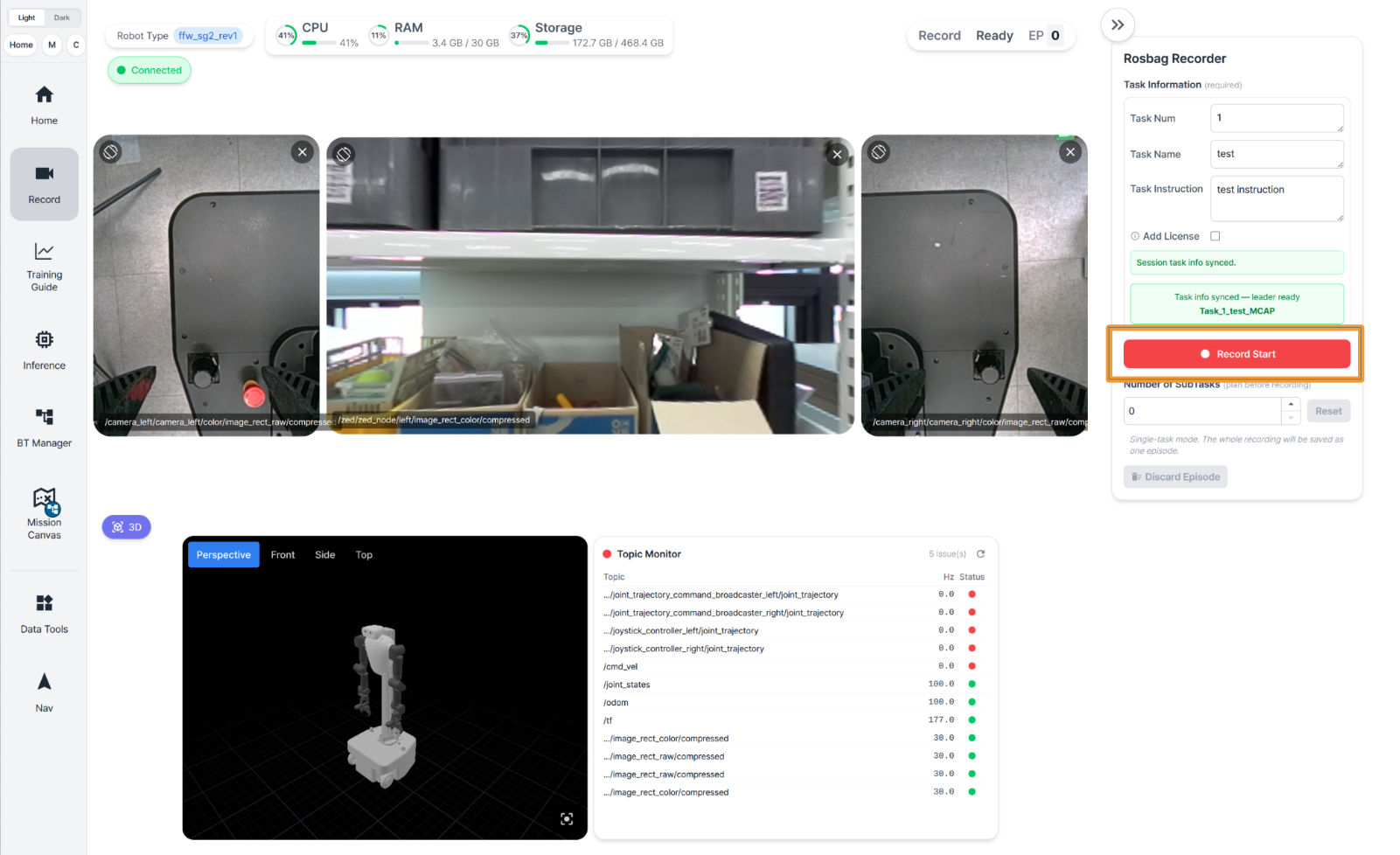
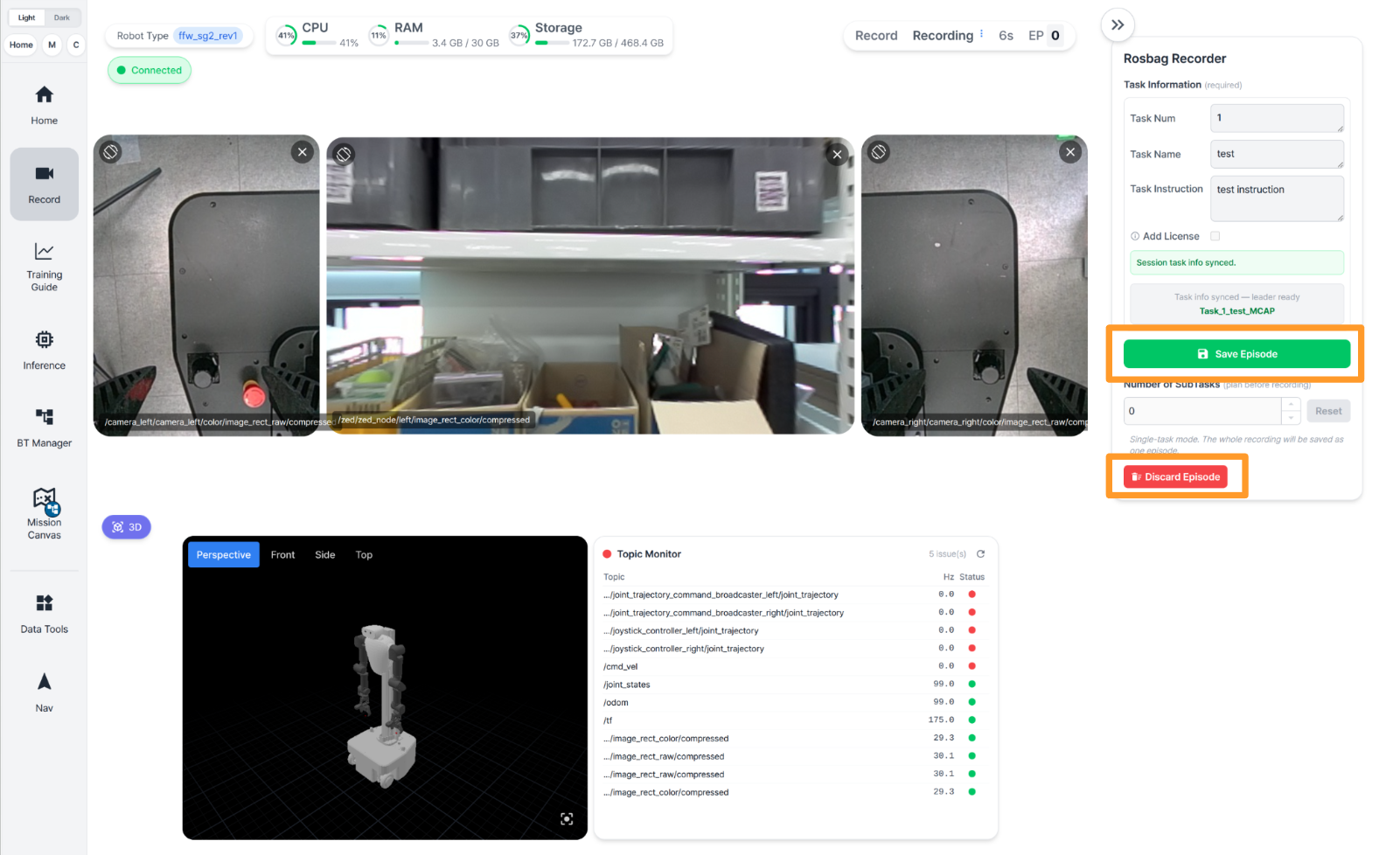
- To save the episode being recorded, click the green
Save Episodebutton. To cancel the episode being recorded, clickDiscard Episode.
Recorded Dataset Location
Recorded rosbag2 datasets are stored under /workspace/rosbag2 inside the Cyclo Intelligence container.
Container path:
/workspace/rosbag2/<dataset_name>/<episode_index>/
Host path:
$HOME/cyclo_intelligence/docker/workspace/rosbag2/<dataset_name>/<episode_index>/
Example:
/workspace/rosbag2/Task_000081_RecycleBlackPlasticCup_MCAP/0/
Each episode folder contains the recorded MCAP file, task metadata, camera videos, timestamp files, and camera calibration snapshots.
| File or folder | Purpose |
|---|---|
metadata.yaml | rosbag2 metadata for the recorded episode. |
episode_info.json | Task information and recording details. |
*.mcap | Recorded ROS 2 data. |
videos/ | Camera videos and per-camera timestamp files. |
camera_info/ | Camera calibration files captured with the episode. |