Miscellaneous
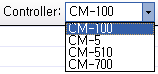
Select Controller
The commands and parameters that can be used in RoboPlus Task depend on the controller. Therefore, a controller must be selected before creating a program.
-
If you change the controller while you are writing a program for another controller, errors may be raised during the "rule check" process.
-
To use a program designed for another controller, the incompatible commands and parameters must be changed accordingly.
Rule Check
Rule check is the process to verify that the task code has been written appropriately according to the rules. RoboPlus Task has a function that checks for grammatical errors and prints the causes and locations of errors. An example of a grammatical error and its location is shown below.
=== Sentence Check(ollo_bug_product_en) ===
Line:13 Please select a device or number.
=== Total Error: 1 ===
Double-click on the error message to move to the location of the error.
Errors
The following is a list of grammatical errors
- Select the number or device
- Block beginning doesn't exist
- A block must be designated
- Only 1 "Start Program" is permitted
- "Start Program" cannot be defined in a block
- A function cannot be defined in a block
- A command to execute the designated block does not exist
- This line should be included in a block
- The start and end of the block are not paired
- "Start Program" does not exist
- A function with the same name already exists
- "Restoration" can only be used in a function
- A label with same name already exists
- A function cannot call itself
- "If/If else" has been used improperly
- There is no loop to end
- A block must consist of at least one command
- A jump to another block is not permitted
- The called function does not exist
- Only 1 callback function may exist
- A callback function cannot be defined in a block
- This command cannot be used in a callback function
- This device cannot be used in a callback function
- This command cannot be used with the selected controller
- There is a device which cannot be used with the selected controller
Solutions
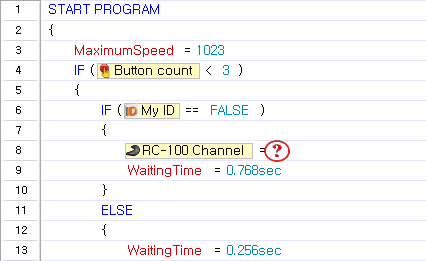
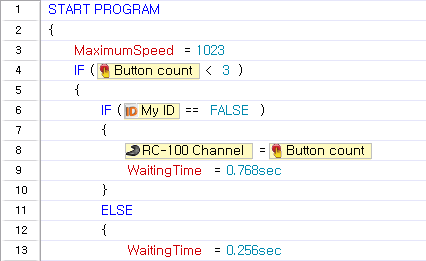
- Select the number or device
| Cause of Error | Solution |
|---|---|
| The parameter has not been set | Properly set to a unset parameter |
 |  |
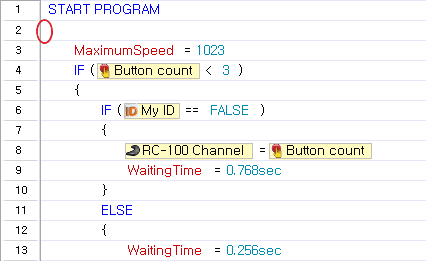
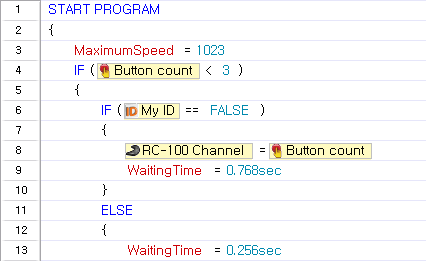
- Block beginning doesn't exist
| Cause of Error | Solution |
|---|---|
| A block does not exist in a command line | Properly set the block |
 |  |
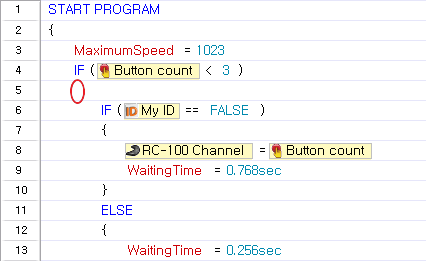
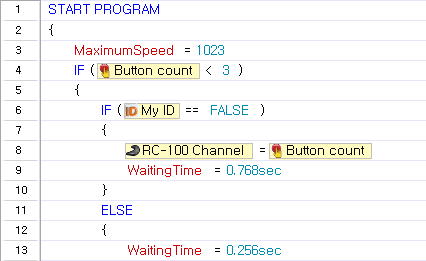
- A block must be designated
| Cause of Error | Solution |
|---|---|
| A duplicate block without a command line | Properly set the block |
 |  |
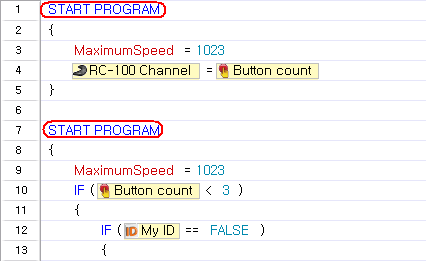
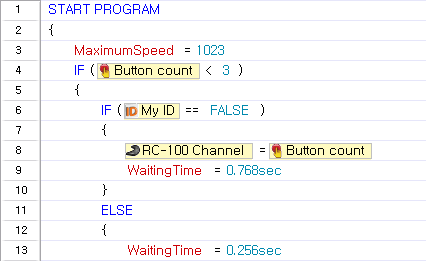
- Only 1 "Start Program" is permitted
| Cause of Error | Solution |
|---|---|
| Two or more “Start Program” exists | Create only one “Start Program” |
 |  |
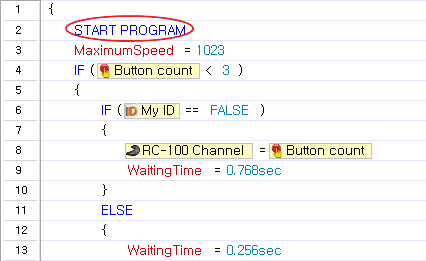
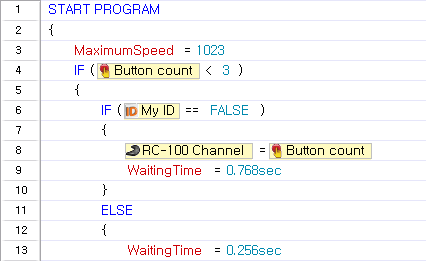
- "Start Program" cannot be defined in a block
| Cause of Error | Solution |
|---|---|
| “Start Program” exists in the block | Remove the block from the “Start Program” |
 |  |
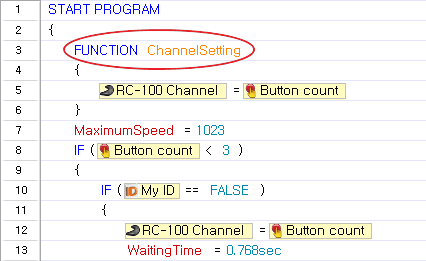
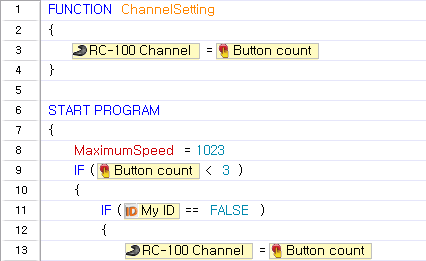
- A function cannot be defined in a block
| Cause of Error | Solution |
|---|---|
| Function is located within a block | Remove the function from the block |
 |  |
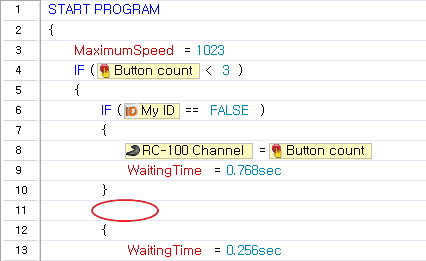
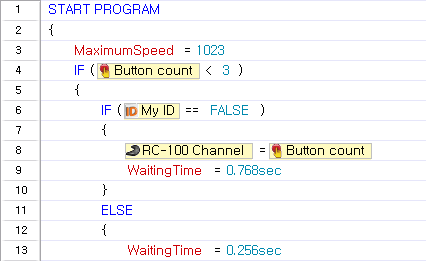
- A command to execute the designated block does not exist
| Cause of Error | Solution |
|---|---|
| Block exists without a command or condition line | Added the omitted command or delete |
 |  |
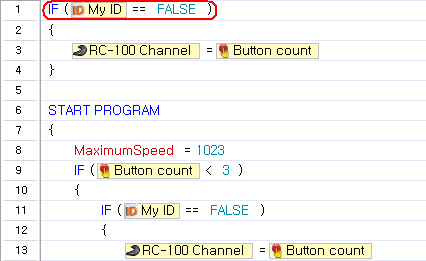
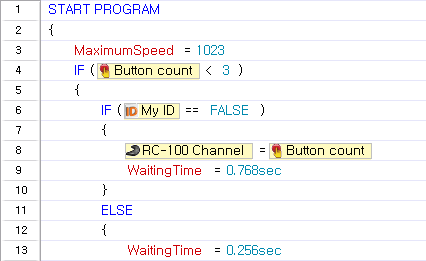
- This line should be included in a block
| Cause of Error | Solution |
|---|---|
| A command without a block is located outermost | Move the command to a proper location or delete |
 |  |
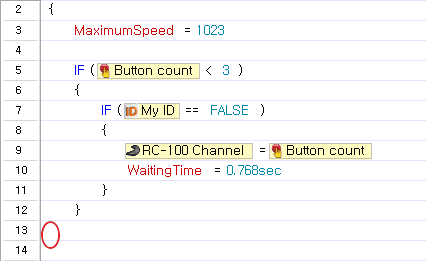
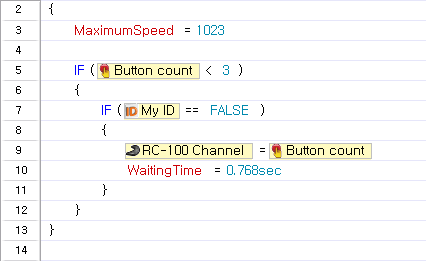
- The start and end of the block are not paired
| Cause of Error | Solution |
|---|---|
| The start and end of the block are not paired | Please set the area properly |
 |  |
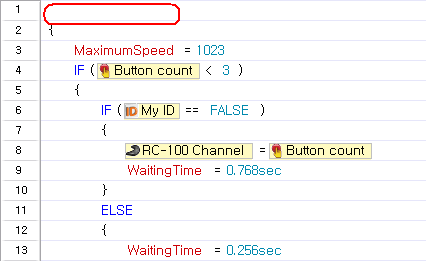
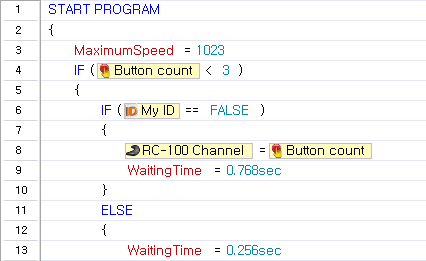
- "Start Program" does not exist
| Cause of Error | Solution |
|---|---|
| “Start Program” does not exist | Create a “Start Program” |
 |  |
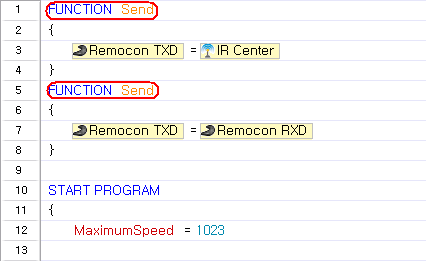
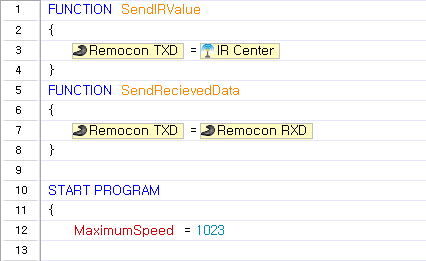
- A function with the same name already exists
| Cause of Error | Solution |
|---|---|
| A label with the same name already exists | Change duplicate function name or delete |
 |  |
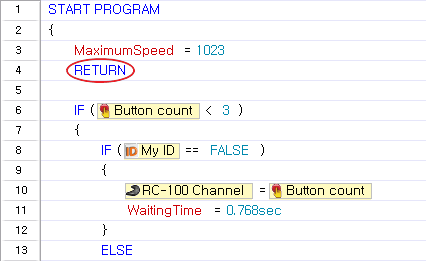
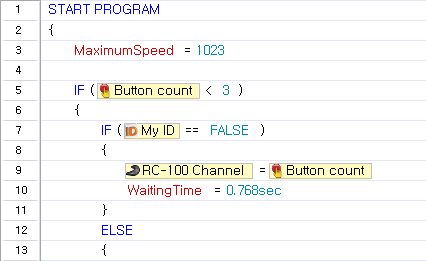
- "Restoration" can only be used in a function
| Cause of Error | Solution |
|---|---|
| The restoration command is used in a location other than a function | Create a restoration command within a function or delete |
 |  |
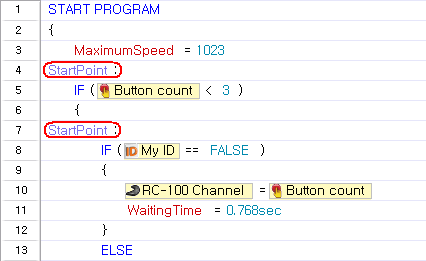
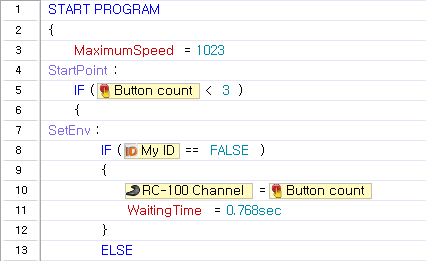
- A label with same name already exists
| Cause of Error | Solution |
|---|---|
| Duplicate label name exists | Set to a different name or delete |
 |  |
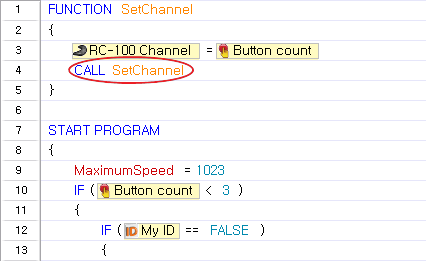
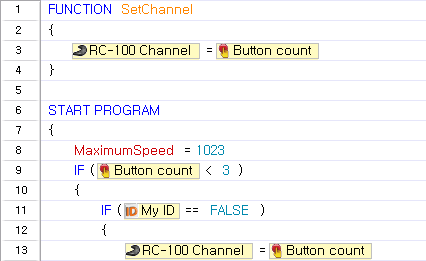
- A function cannot call itself
| Cause of Error | Solution |
|---|---|
| The function is called within the function | Replace with a proper command or delete |
 |  |
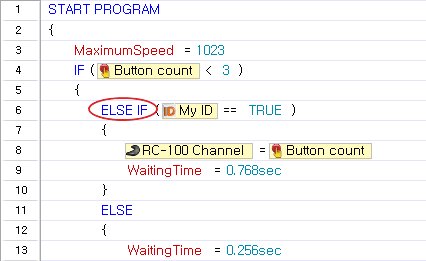
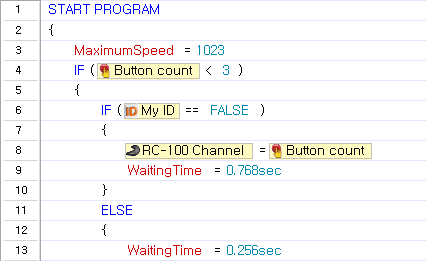
- "If/If else" has been used improperly
| Cause of Error | Solution |
|---|---|
| If else/ If has been used without Else | Revised according to usage If, Else If, Either |
 |  |
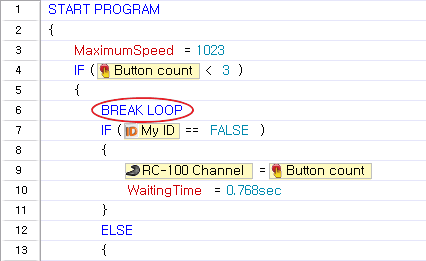
- There is no loop to end
| Cause of Error | Solution |
|---|---|
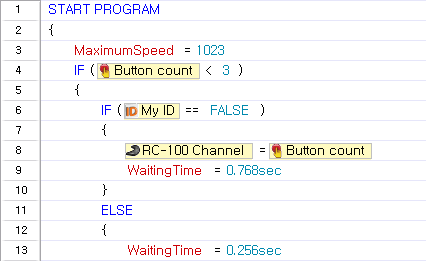
| The "End Repeat" command is used at a location other than a loop | End Repeat command can only be used within the loop, delete if unnecessary |
 |  |
- A block must consist of at least one command
| Cause of Error | Solution |
|---|---|
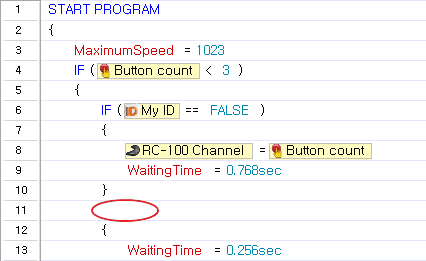
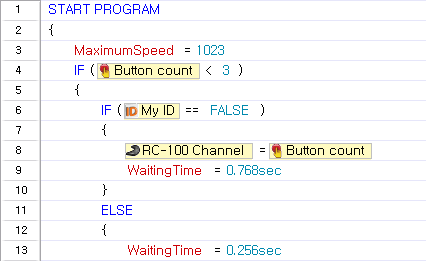
| A line does not exist behind a command that is required by a block | Add a line required behind the command or delete |
 |  |
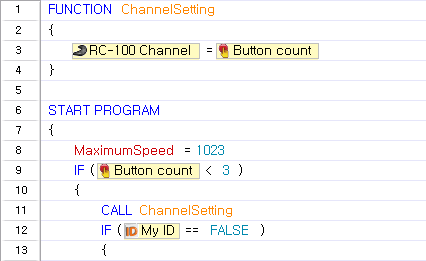
- A jump to another block is not permitted
| Cause of Error | Solution |
|---|---|
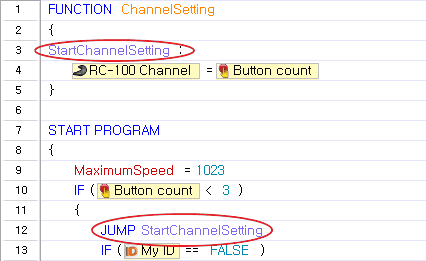
| The label you wish to jump to is unavailable in the function | Jump to a label within a function or delete |
 |  |
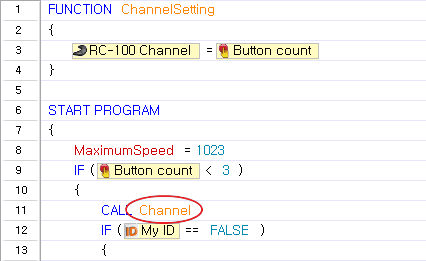
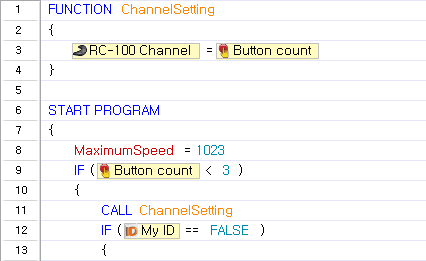
- The called function does not exist
| Cause of Error | Solution |
|---|---|
| The called function does not exist | Create a function or delete |
 |  |
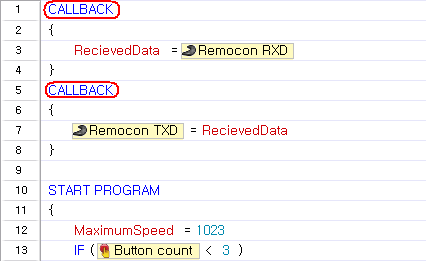
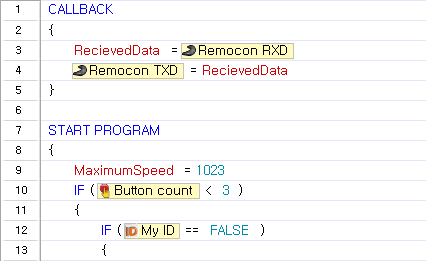
- Only 1 callback function may exist
| Cause of Error | Solution |
|---|---|
| Two or more callback functions exist | Create only one callback function |
 |  |
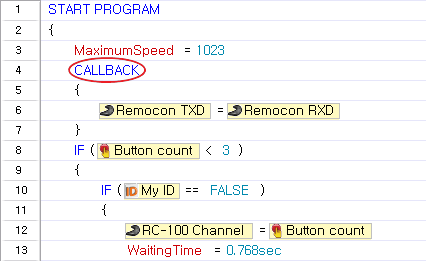
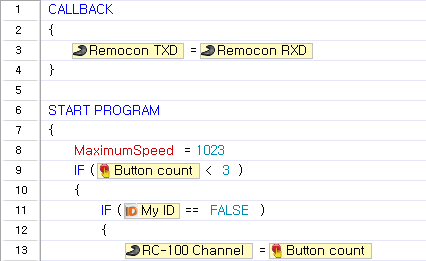
- A callback function cannot be defined in a block
| Cause of Error | Solution |
|---|---|
| Callback located in the block | Remove callback from block |
 |  |
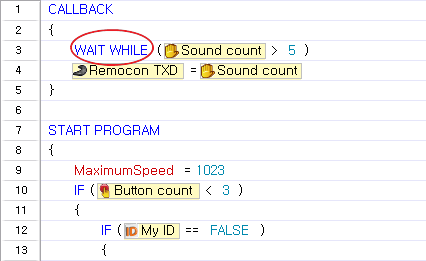
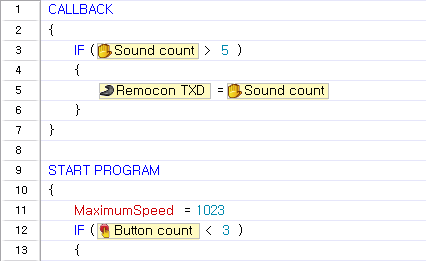
- This command cannot be used in a callback function
| Cause of Error | Solution |
|---|---|
| Improper command located in callback | The corresponding command has been deleted |
 |  |
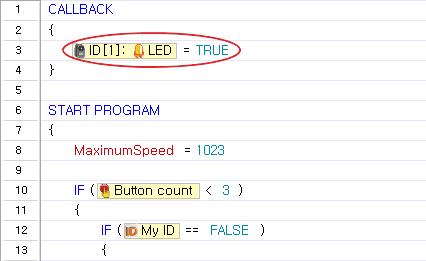
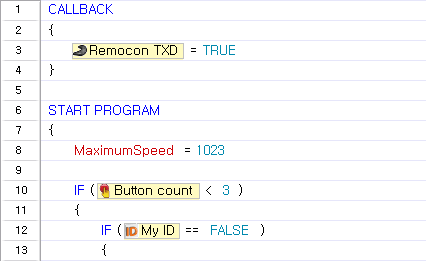
- This device cannot be used in a callback function
| Cause of Error | Solution |
|---|---|
| An unusable parameter located in callback | Delete corresponding parameter |
 |  |
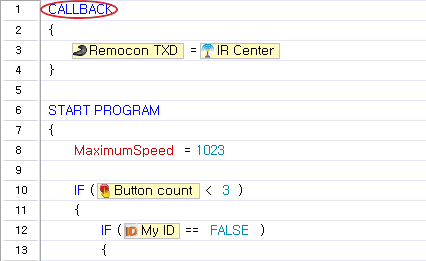
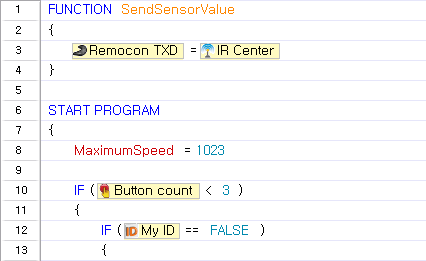
- This command cannot be used with the selected controller
| Cause of Error | Solution |
|---|---|
| Unsupported command being used in the current controller | Delete corresponding command or set to supported controller |
 |  |
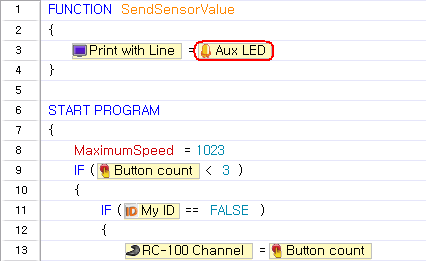
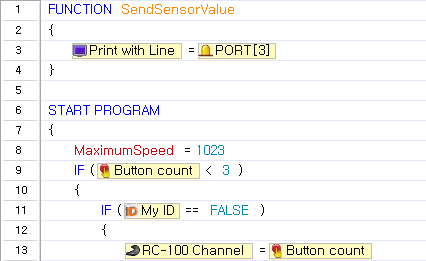
- There is a device which cannot be used with the selected controller
| Cause of Error | Solution |
|---|---|
| Unusable parameter being used in the controller | Either deleted the corresponding parameter or set to a controller which is supported |
 |  |
Error Messages
The following table provides a list of errors you may see while writing codes and printing the output on the screen with RoboPlus Task.
| Error Code | Description | Output Example |
|---|---|---|
| 8100 | Trying to communicate with an unconnected DYNAMIXEL ID.<br>If it is connected, please check the cable again. | {[ERROR:8100:0005:03]}<br>8100 : Error Code<br>0005 : The DYNAMIXEL ID<br>03 : Confidential Information |
| 0009 | Too many consecutive function calls. (More than 6 times) | {[ERROR:0009:0033:06]}<br>0009 : Error Code<br>0033 :Confidential Information<br>06 : Confidential Information |
| 8001 | Attempting to read an address of the controller designated as "write only". | {[ERROR:8001:000C:02]}<br>8001 : Error Code<br>000C : Confidential Information<br>02 : Confidential Information |
| 8002 | Attempting to write at an address of the controller designated as "read only". | {[ERROR:8002:0009:02]}<br>8002 : Error Code<br>0009 : Confidential Information<br>02 : Confidential Information |
| None | Motion page to execute does not exist. | [Invalid Page Read:00FE]<br>00FE : Motion page number (hexadecimal) |