- Linux
- Windows
- Mac
Compiler and Builder

Function Reference
-
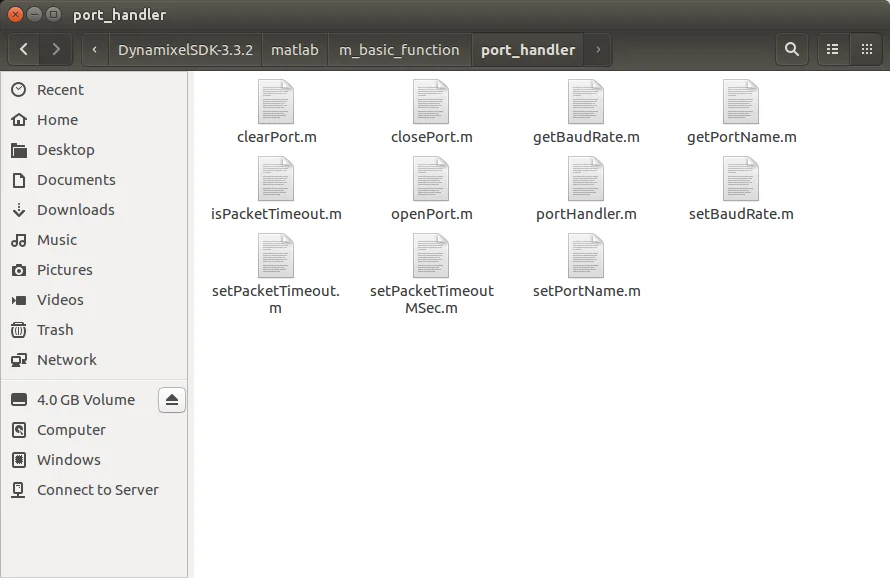
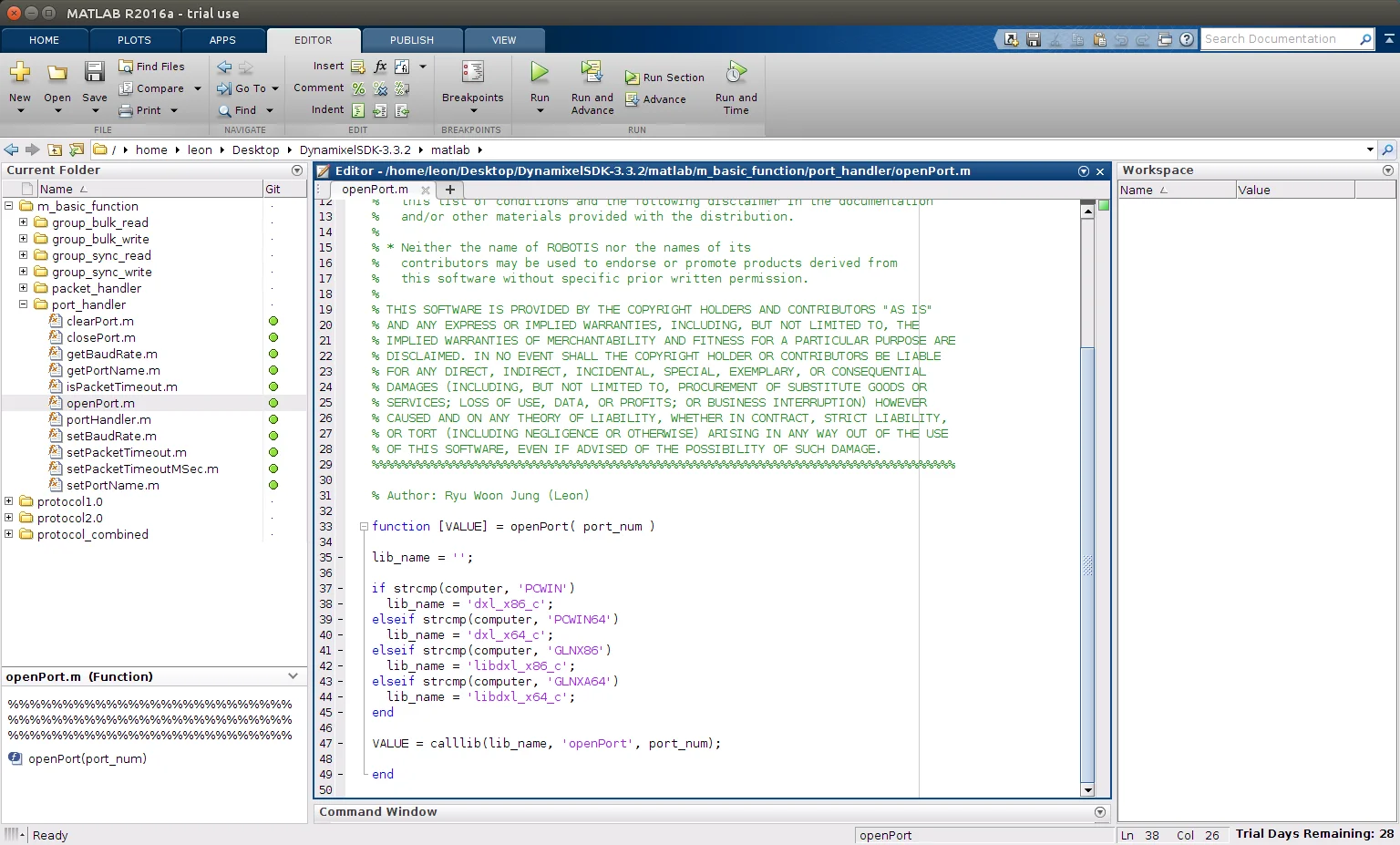
The function reference file is located in
[DynamixelSDK folder]/matlab/m_basic_function/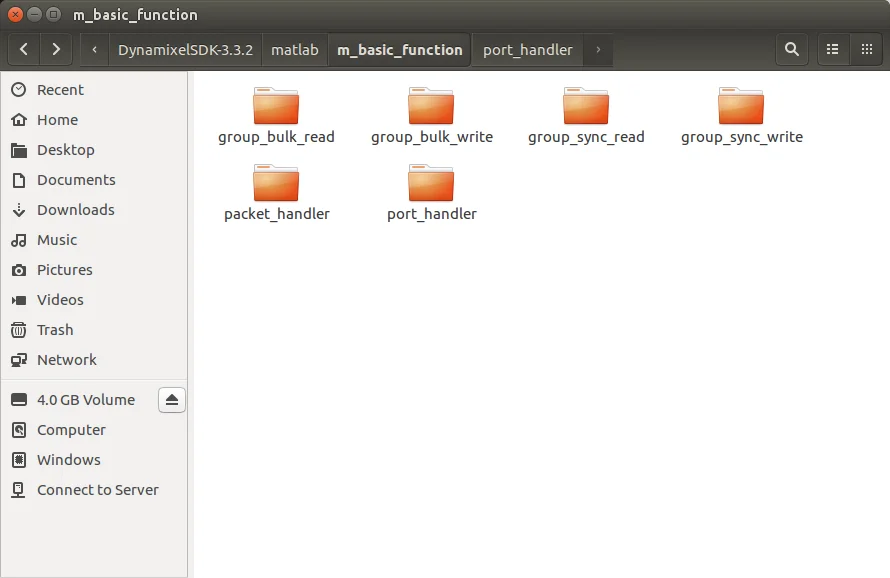
Building and Running the Sample Code
DYNAMIXEL SDK example code for Python uses the library files(.so for Linux) built in C language.
Each released DYNAMIXEL SDK have latest library files in [DynamixelSDK folder]/c/build/[linuxXX]/libdxl_xYY_c.so which should be built by its own source code.
Import libraries
-
Click
Set Path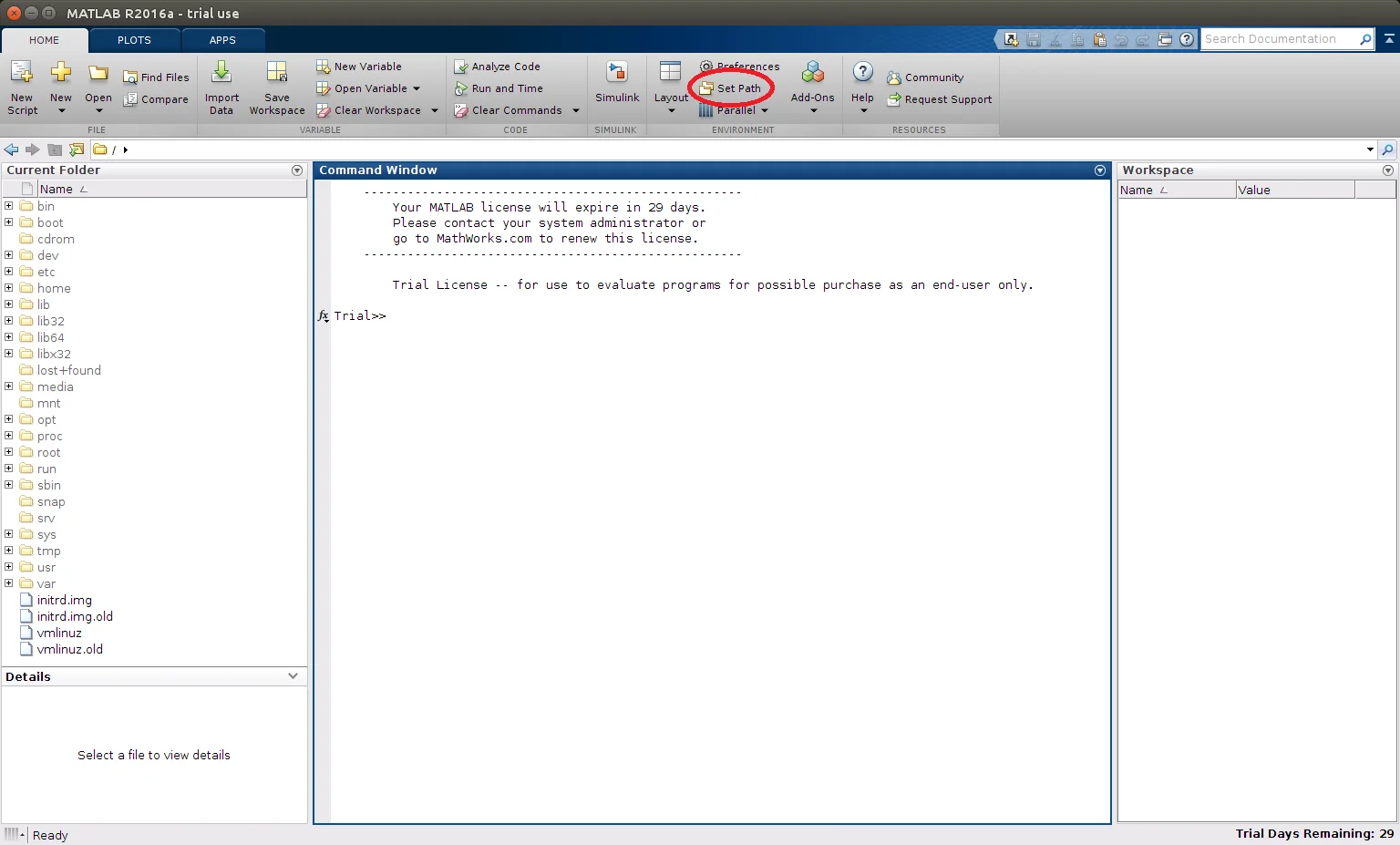
-
Click
Add with Subfolders...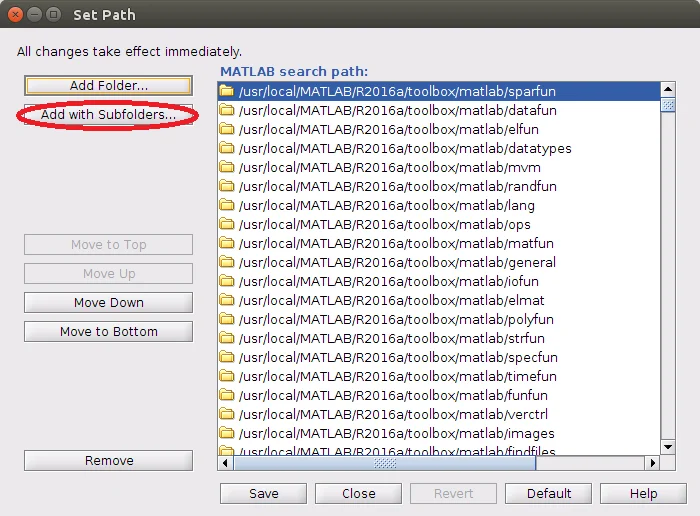
-
Select
[DynamixelSDK folder]/c/include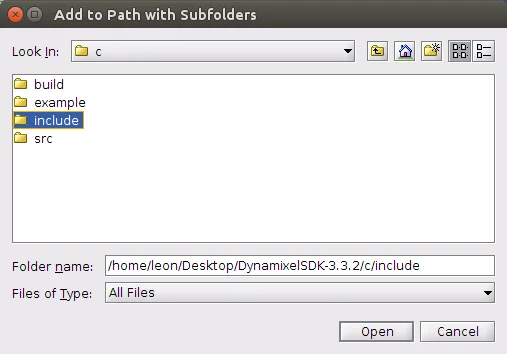
-
Click
Add Folder...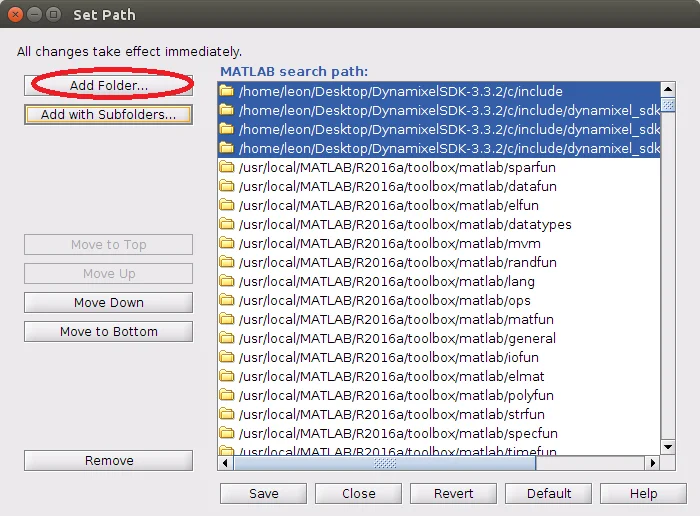
-
Select
[DynamixelSDK folder]/c/build/linux64
(for x86 platform, select[DynamixelSDK folder]/c/build/linux32)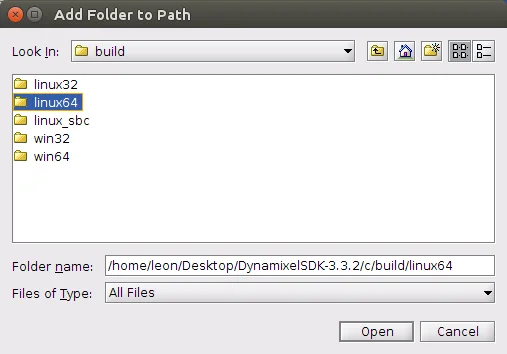
Import function reference
-
Click
Add with Subfolders...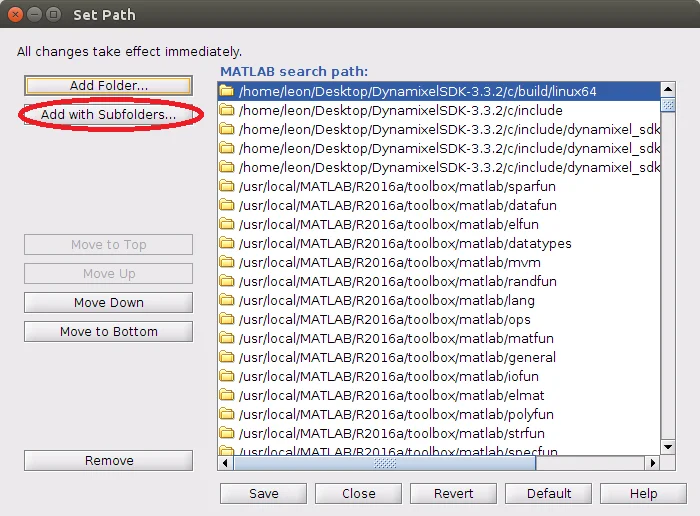
-
Select
[DynamixelSDK folder]/matlab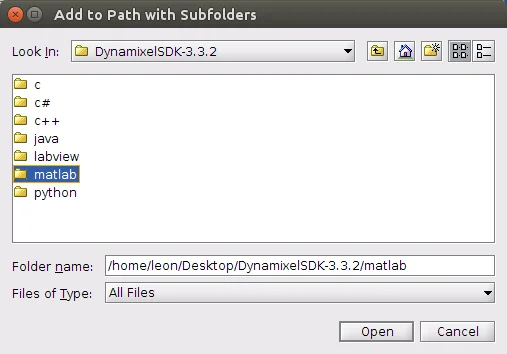
-
Click
Saveand thenClose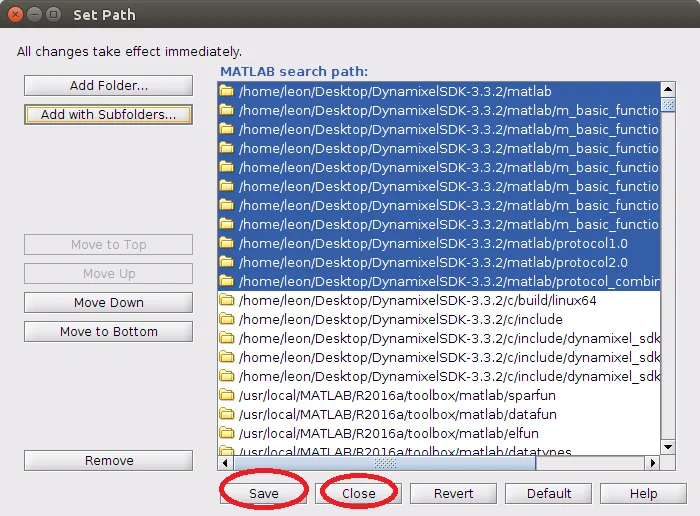
Run example
- Make the port be able to be used
$ sudo chmod a+rw /dev/ttyUSB0

-
Click
Browse for folder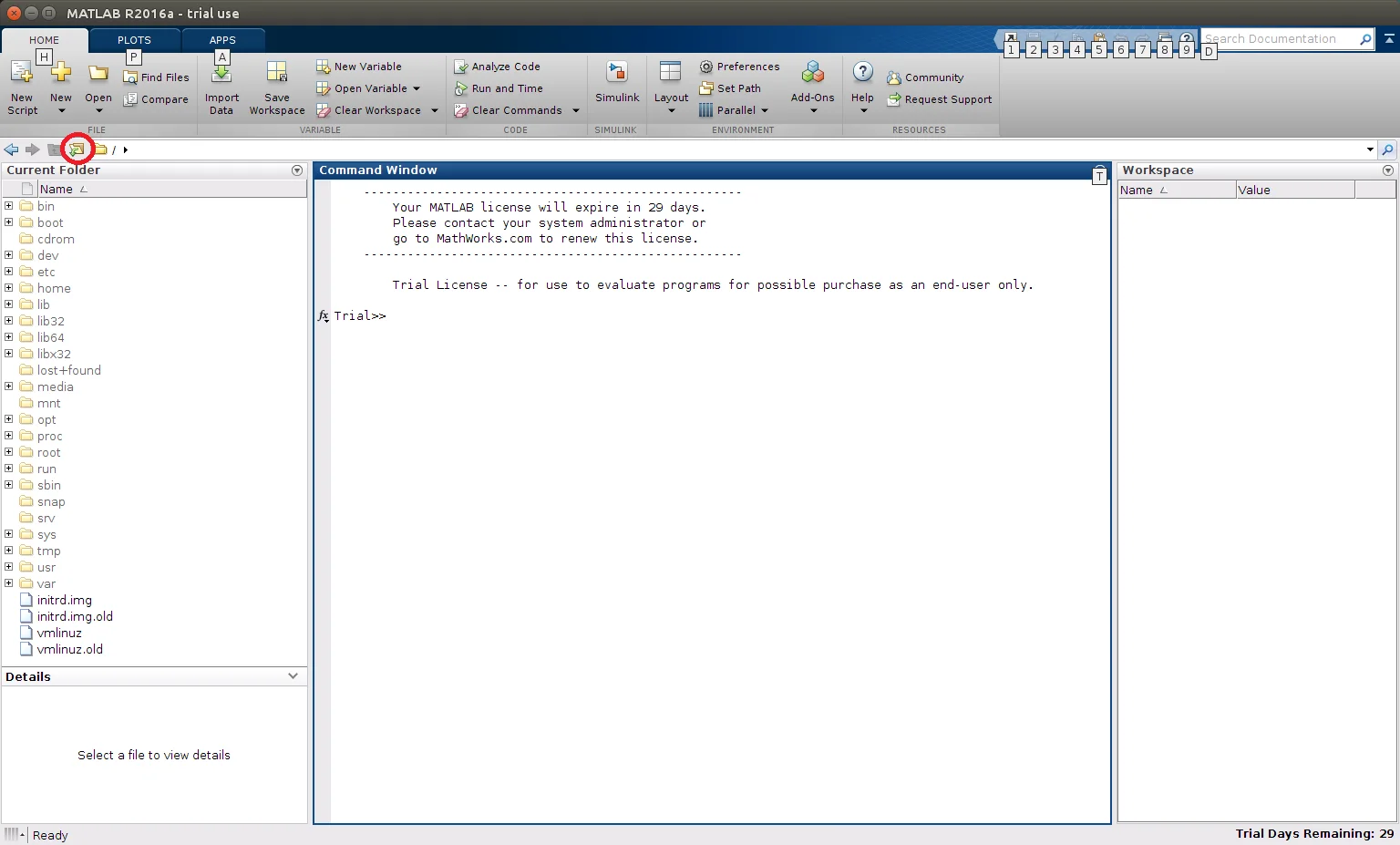
-
Select
[DynamixelSDK folder]/matlab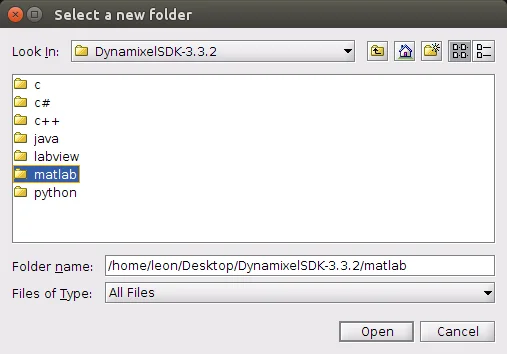
-
Double click
read_write.m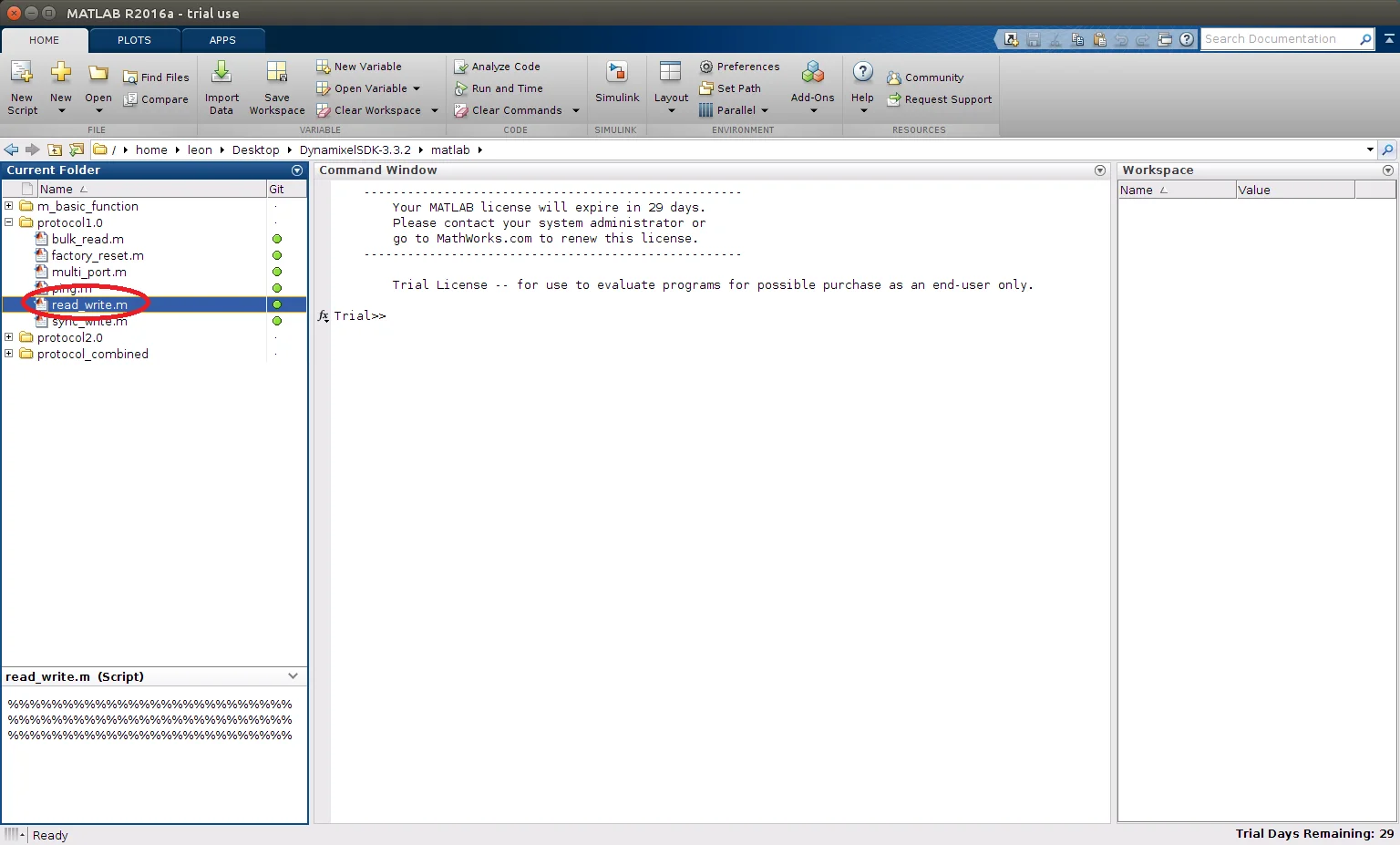
-
Adjust the values surrounded with red circle to proper value as shown in the comment. Then click
Runin the Eclipse toolbox above.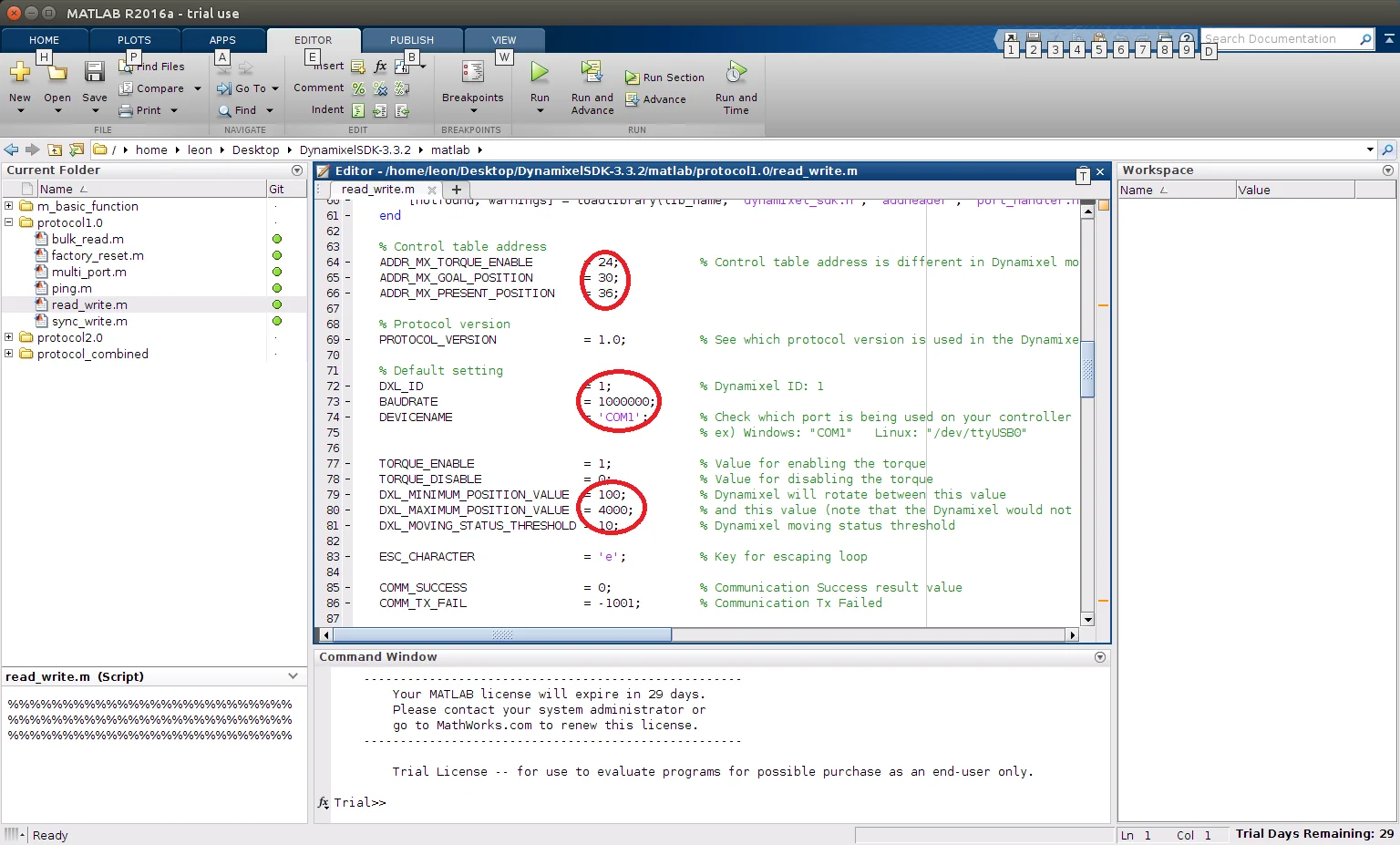
-
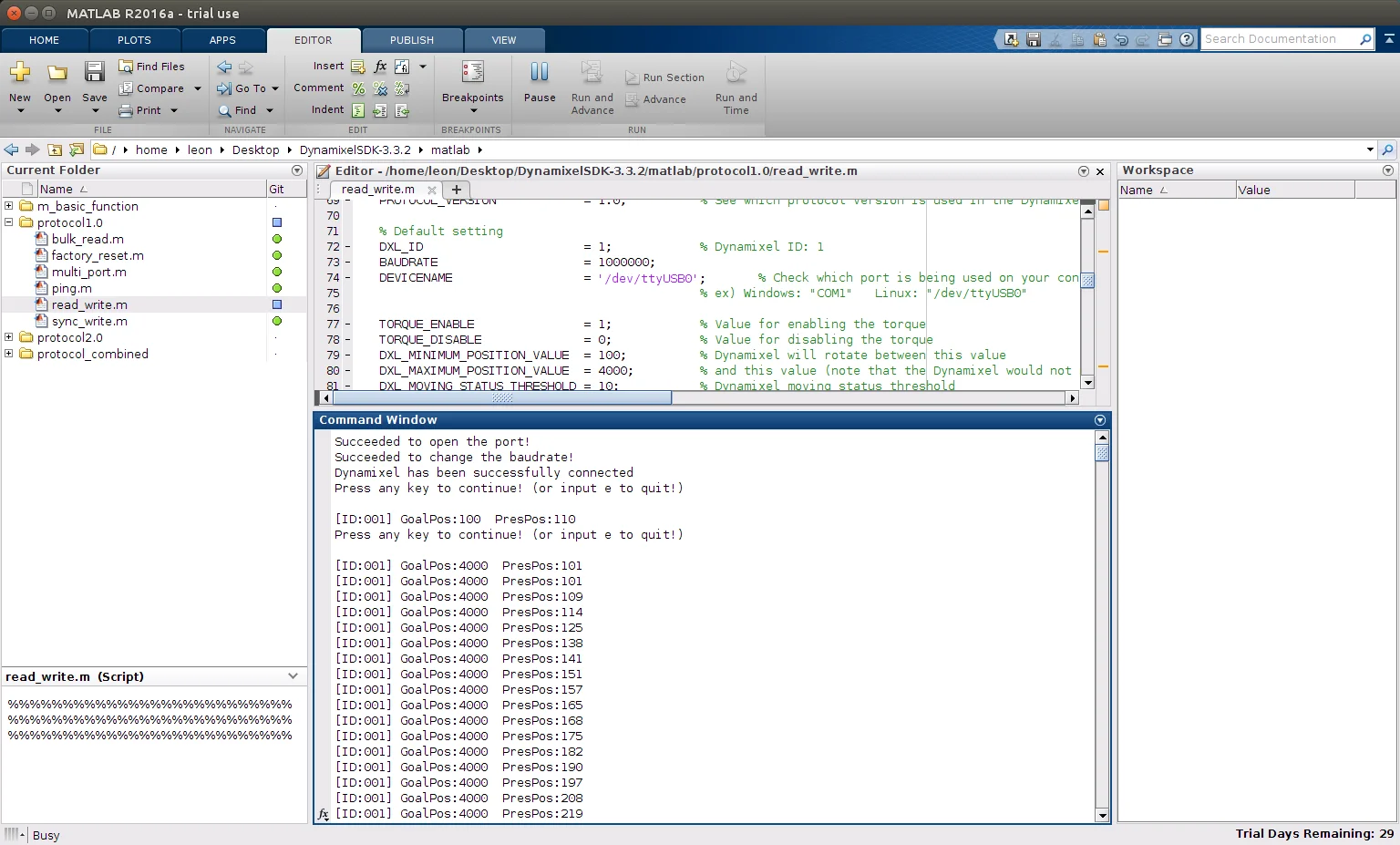
Console window will show the results
Compiler and Builder
Function Reference
WARNING:
When some error that are related with .dll file version is higher than the MATLAB's version is appeared, the .dll file should be rebuilt in lower version Visual Studio.
-
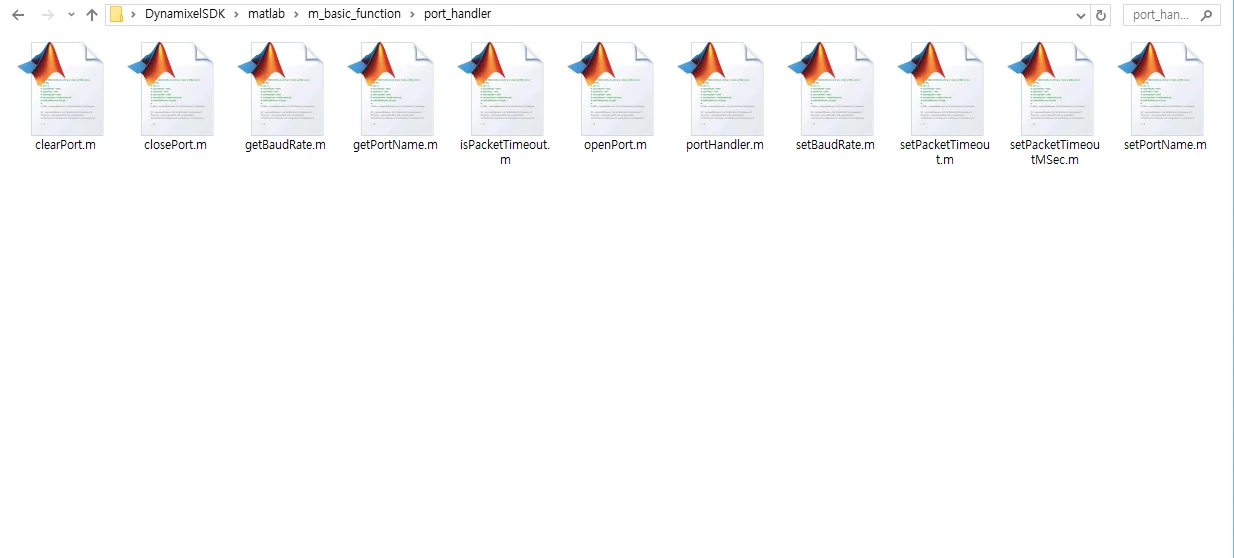
The function reference file is located in
[DynamixelSDK folder]/matlab/m_basic_function/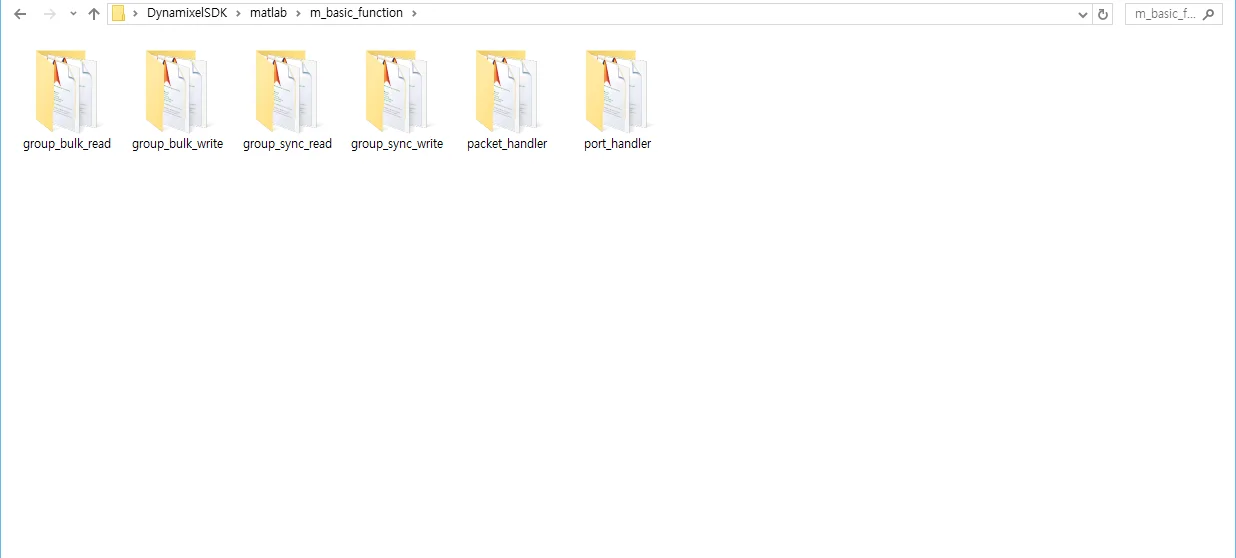
Building and Running the Sample Code
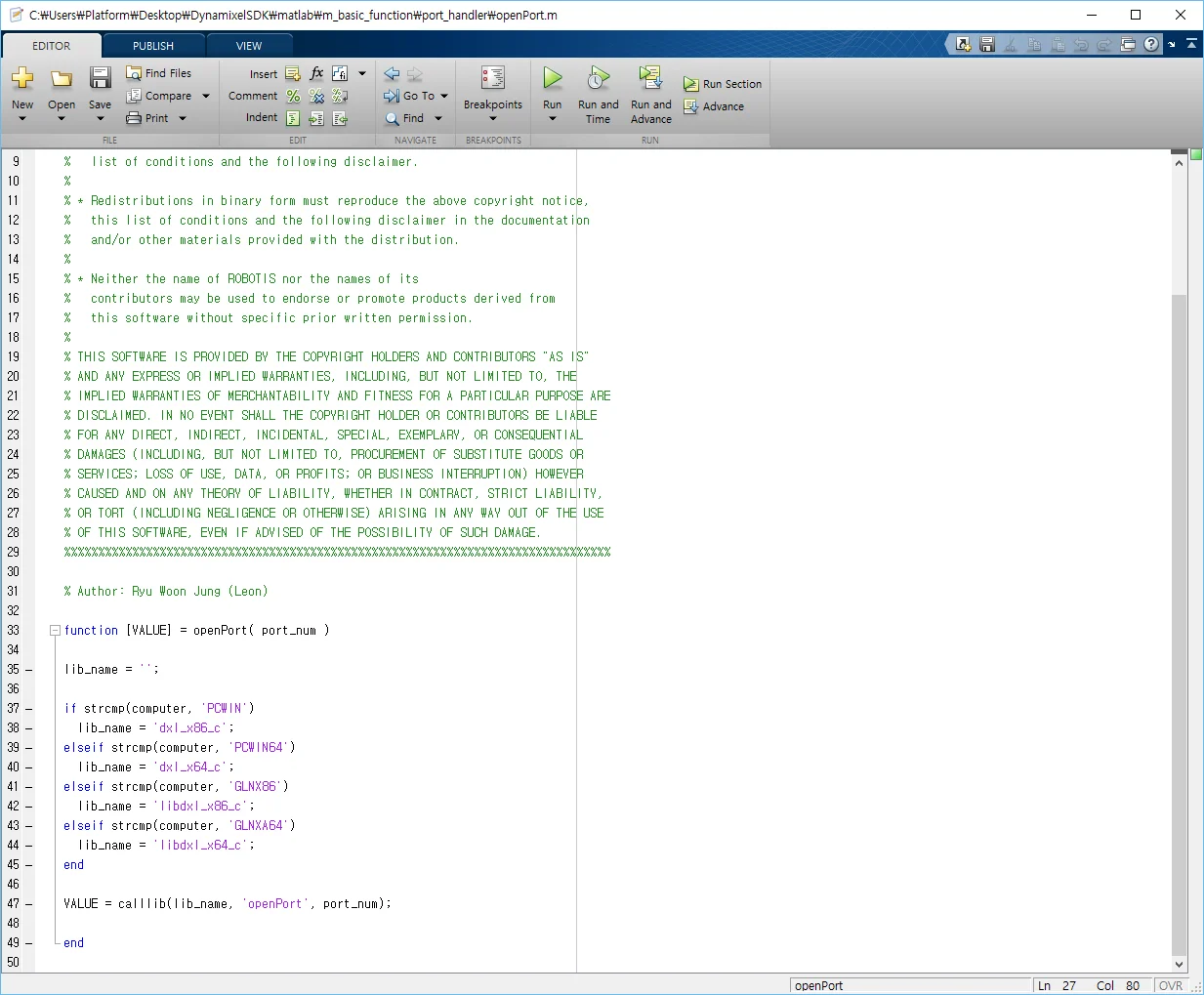
DYNAMIXEL SDK example code for MATLAB uses the library files(.dll for Windows) built in C language.
Each released DYNAMIXEL SDK have latest library files in [DynamixelSDK folder]/c/build/[winXX]/output/dxl_xYY_c.dll which were built by its own source code.
Import libraries
-
Click
Set Path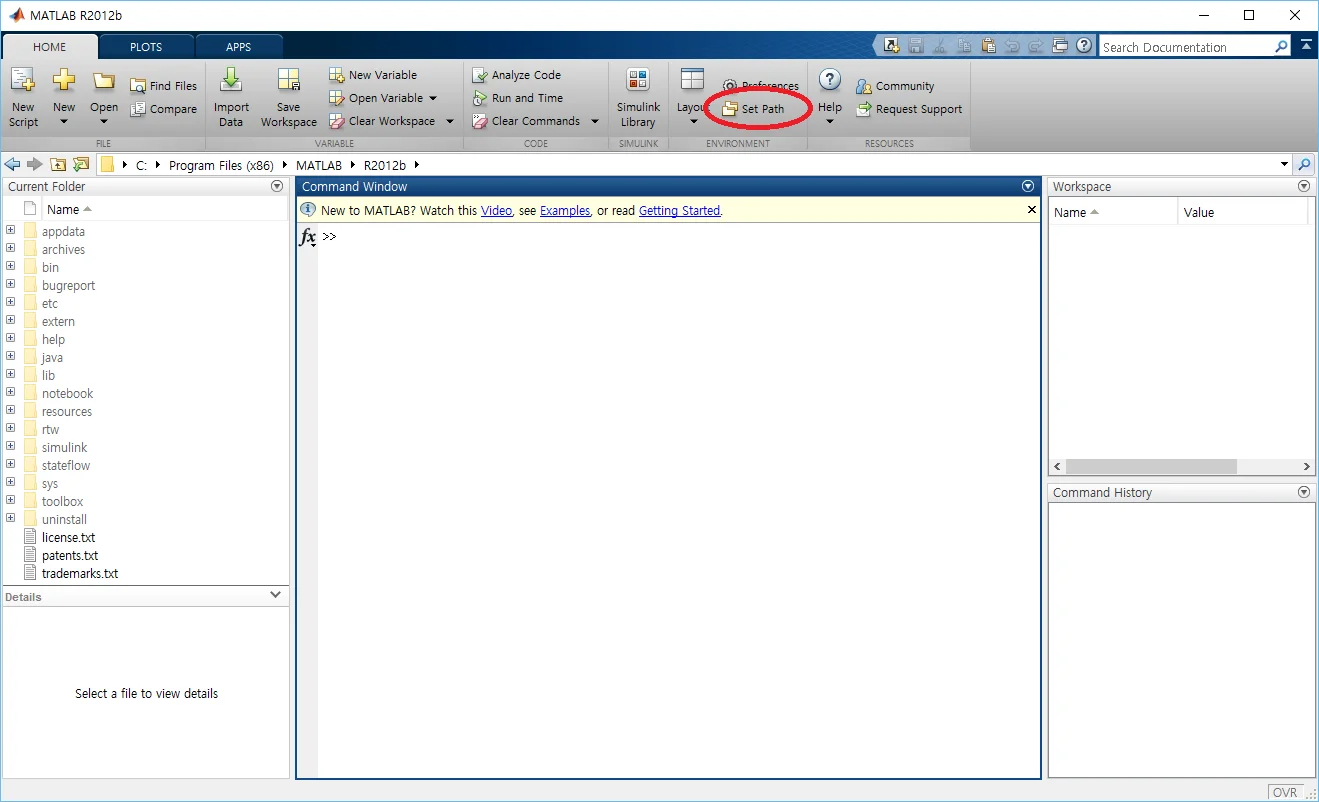
-
Click
Add with Subfolders...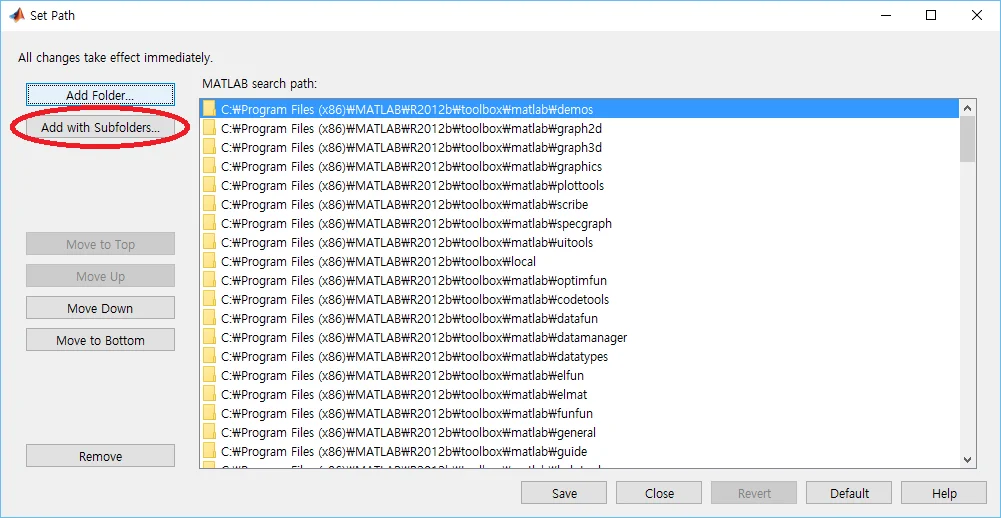
-
Select
[DynamixelSDK folder]/c/include
-
Click
Add Folder...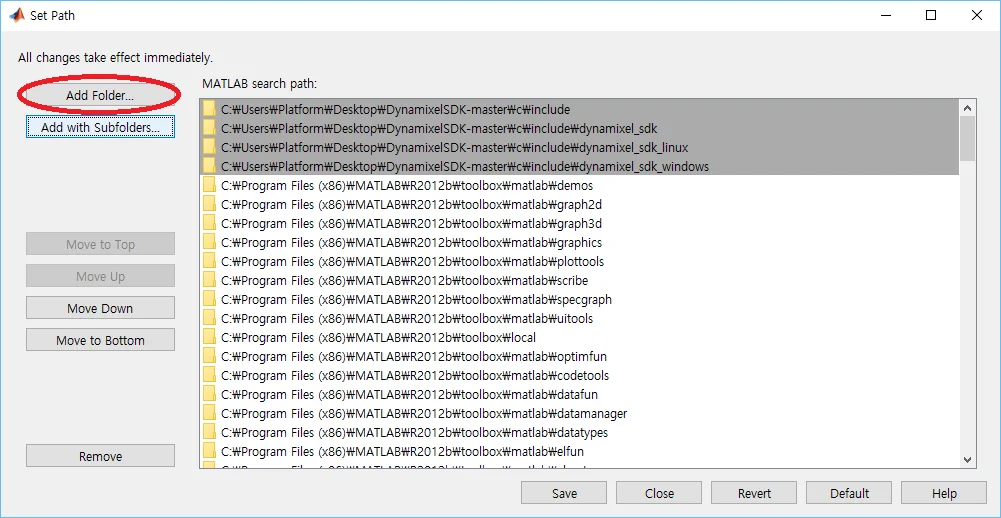
-
Select
[DynamixelSDK folder]/c/build/win32/output
Import function reference
-
Click
Add with Subfolders...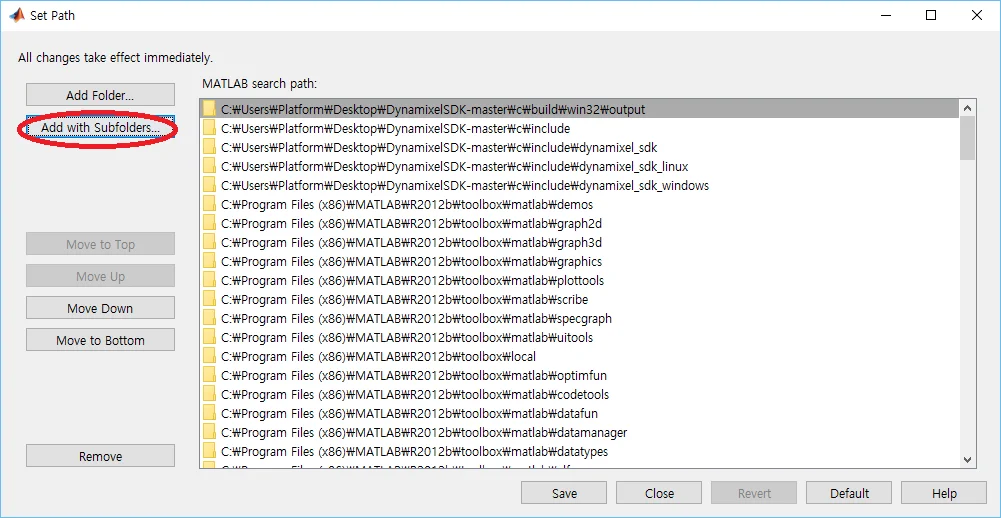
-
Select
[DynamixelSDK folder]/matlab
-
Click
Saveand thenClose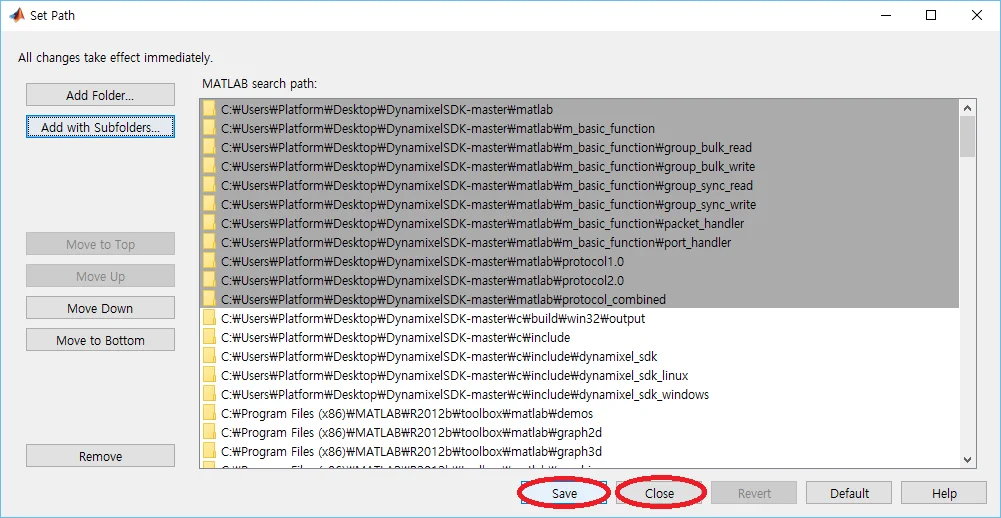
Run example
-
Click
Browse for folder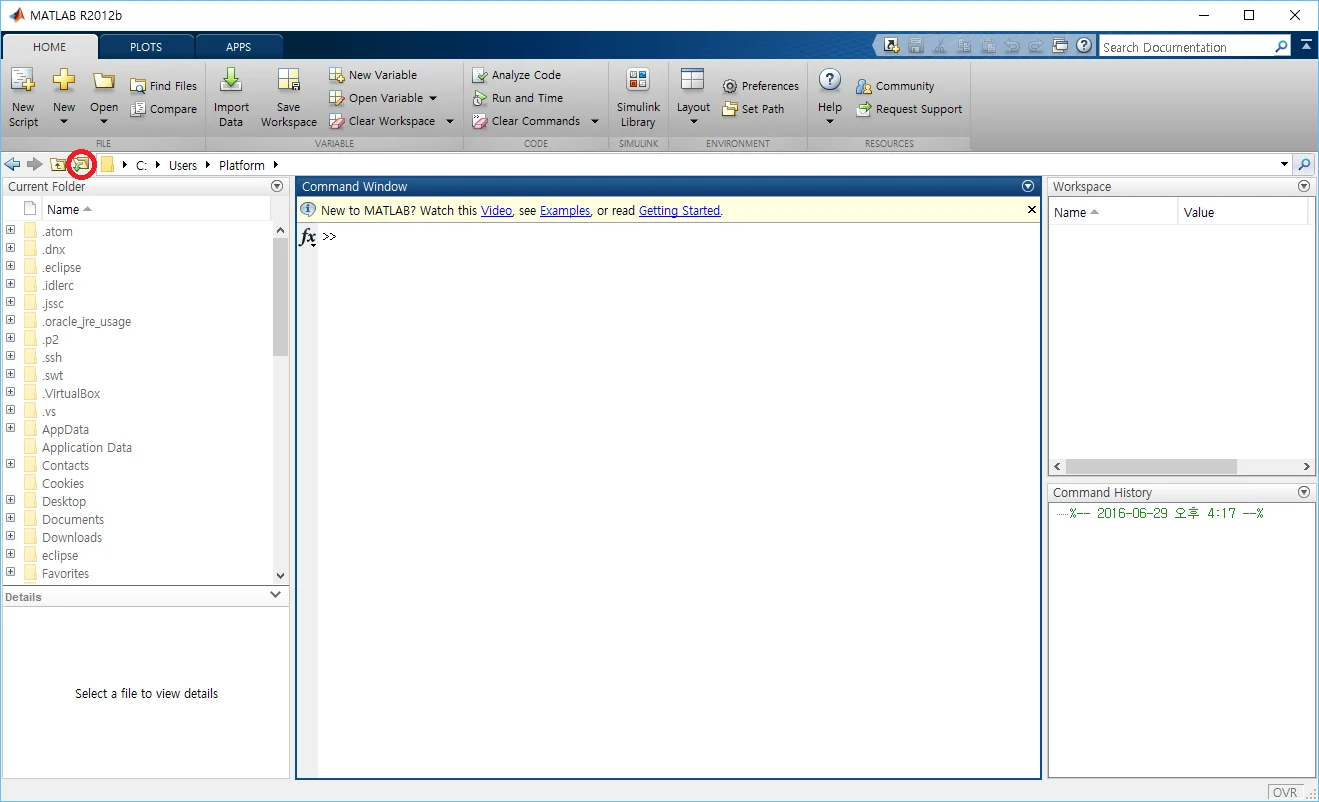
-
Select
[DynamixelSDK folder]/matlab
-
Double click
read_write.m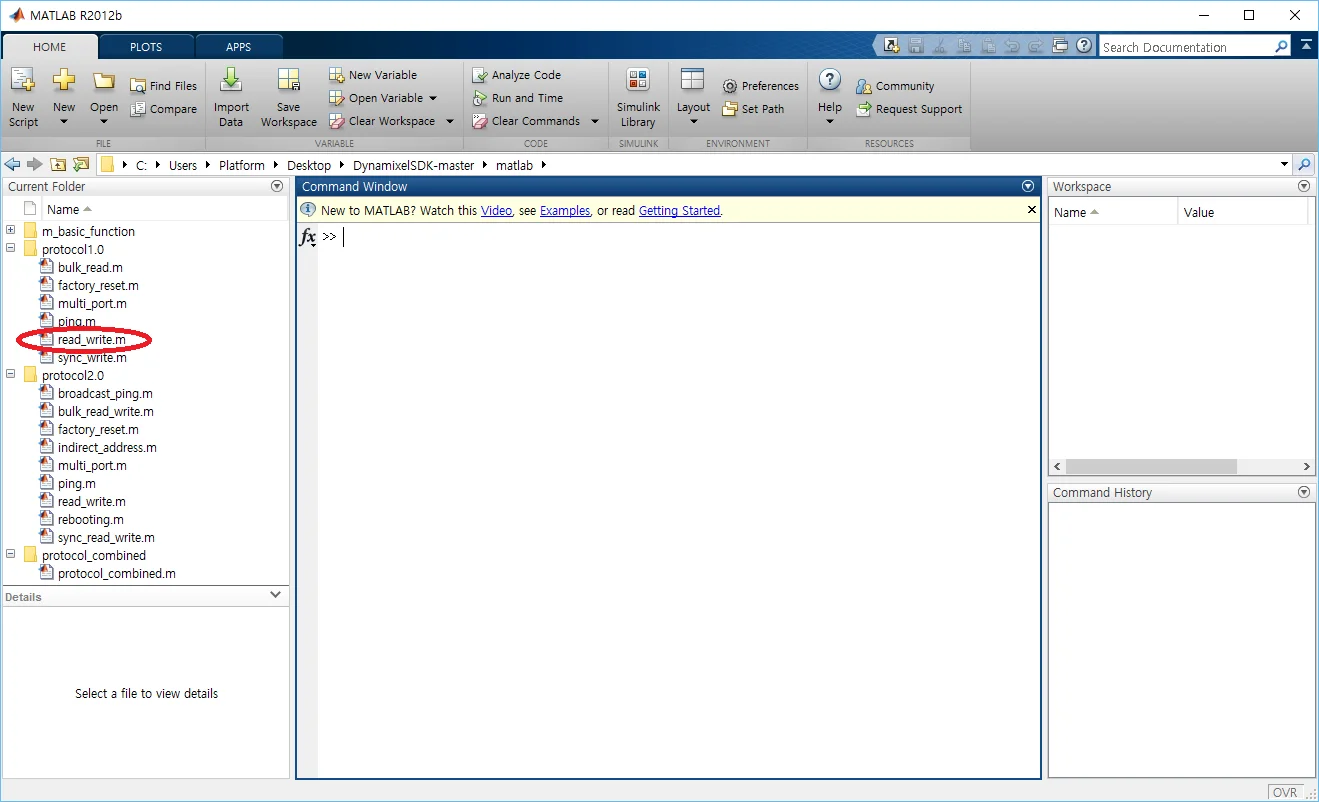
-
Adjust the values surrounded with red circle to proper value as shown in the comment. Then click
Runin the Eclipse toolbox above.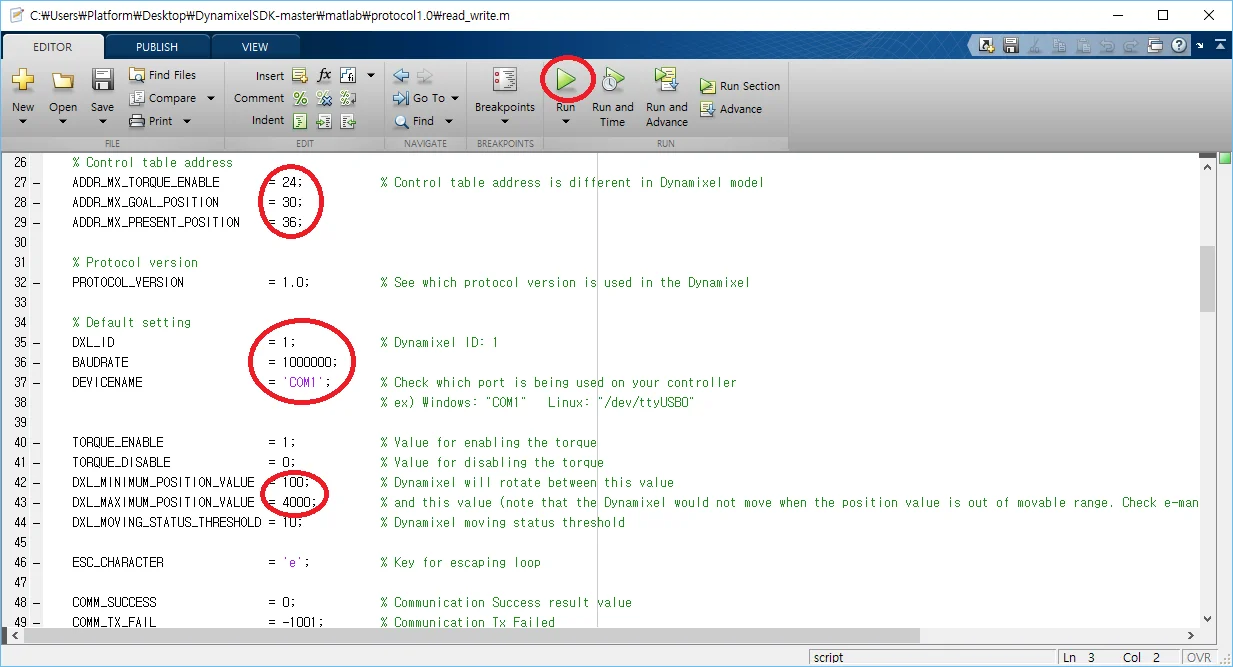
-
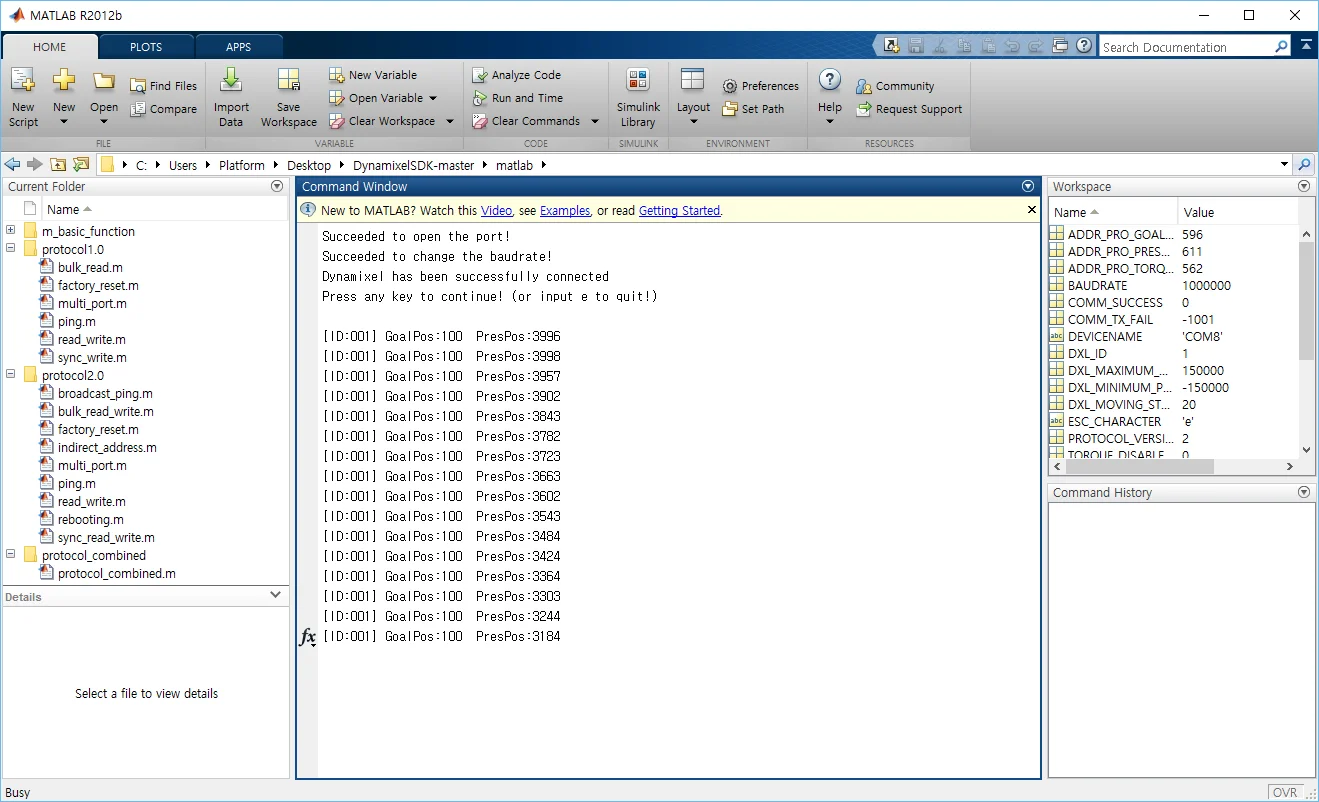
Console window will show the results
Maintenance is in progress. We apologize for your inconvenience. The manual is available in the near future.