System
Use System to start and stop robot services and inspect their status. Controls and available models depend on the selected container and installed software.
System Overview
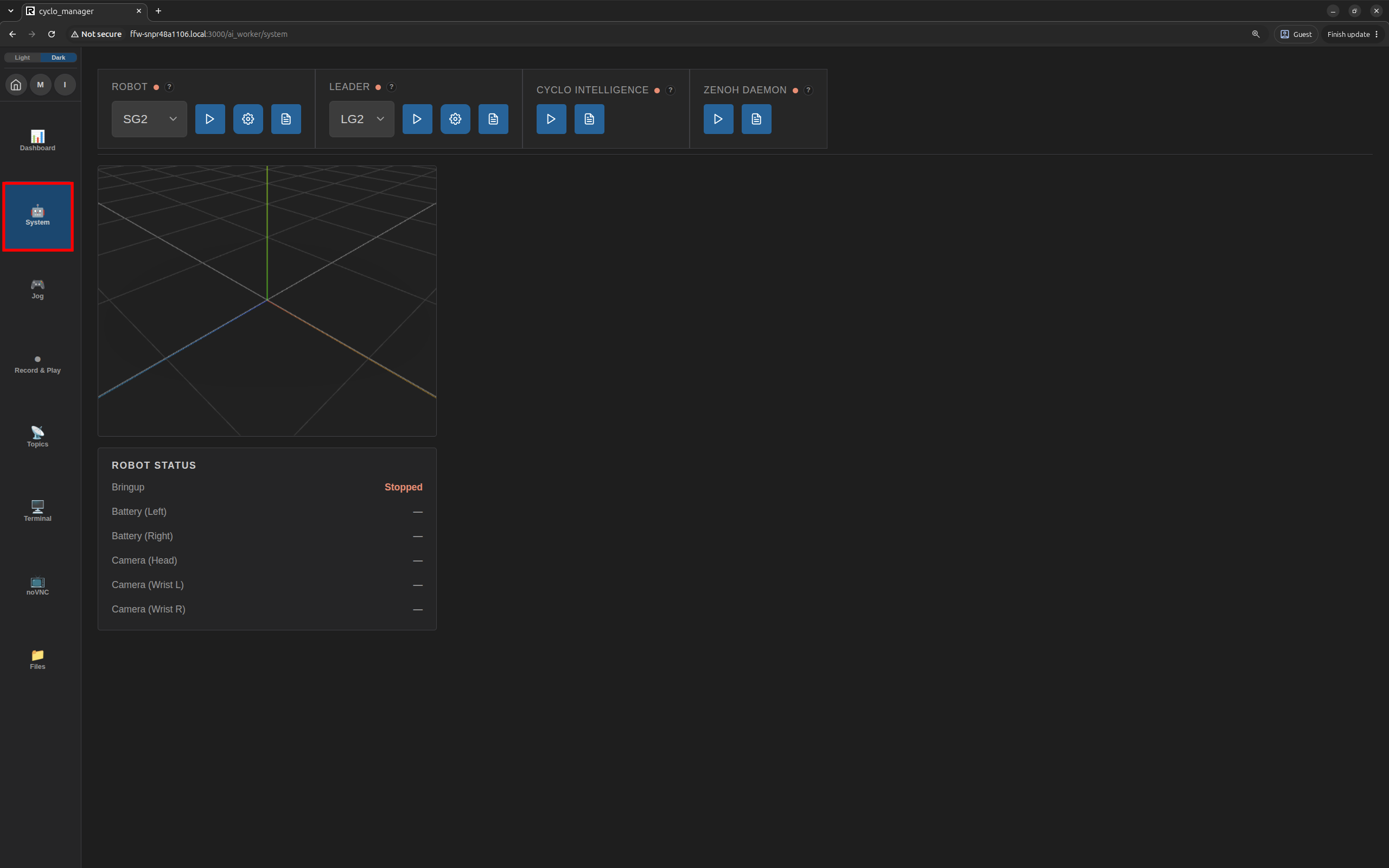
Select System in the navigation. If prompted, choose a running robot container. The page displays service controls, a 3D robot view, robot status, and a log panel.
Service Management
Use the Robot, Leader, and Cyclo Intelligence controls to start or stop their services and check their status. Select the robot or leader model before starting its service. The available controls depend on the selected robot and installed software.
How Service Management Works

Supported robot and Cyclo Intelligence containers run an s6 agent inside the container. Cyclo Manager communicates with each agent through a Unix domain socket. When you start or stop a service in the System page, the agent uses s6-overlay to control the corresponding service inside that container. The agent also reports service status and provides access to logs.
Starting a service is separate from starting its Docker container: the relevant container and its agent must be running before Cyclo Manager can manage the service. The Zenoh Daemon control manages its Docker container separately.
Service Controls
Select a type when available, then start or stop the service. The status indicator shows whether the service is running. Use the log button to view service logs and the settings button to configure launch arguments when available.

Service Logs
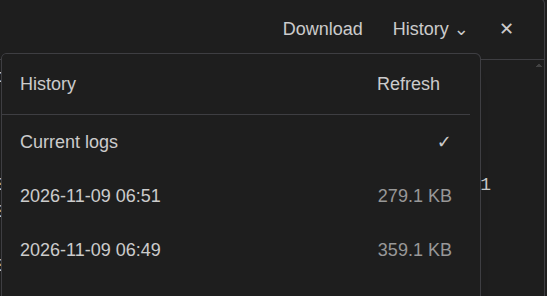
Click the log icon on a service control to open its log panel. For Robot and Leader, use History to inspect earlier executions and Download to save the selected log. Logs are separated by service and execution.
Launch Arguments
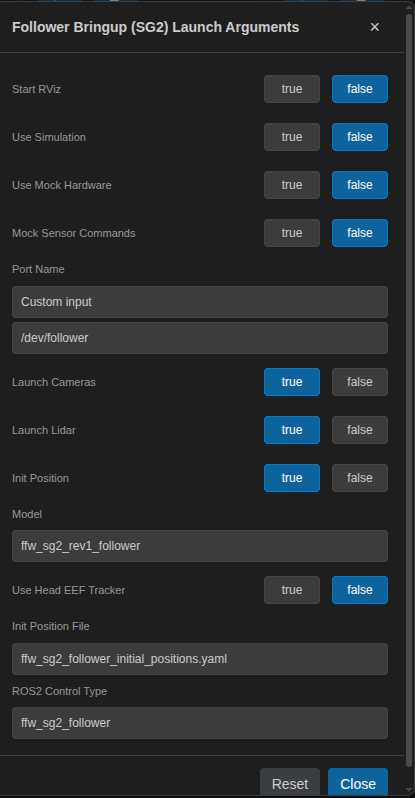
Before starting Robot or Leader, use the available gear button to review launch arguments. Options depend on the selected model and installed software. Selected values are stored in the browser and sent when the service starts.
Zenoh Daemon
Use Zenoh Daemon to start or stop the Zenoh router Docker container. Its status indicator and log button show the container state and logs. Unlike the service controls above, this control manages a container directly.
