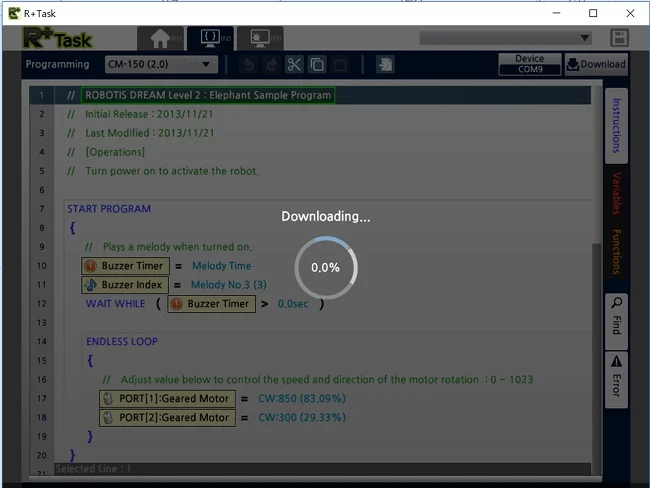
Preparation
-
R+Task 2.0 software must be installed on the PC.
R+Task 2.0 Download -
Open the Task Code file(*.tsk) from R+Task 2.0.
-
Connect the battery(LB-041) to the controller(CM-150) and turn on the controller.
-
Connect the controller(CM-150) and the PC using a micro USB cable.
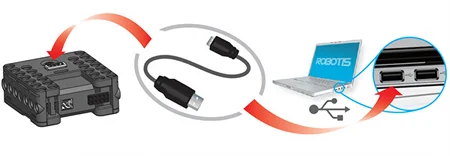
Download
-
Check if PC and the controller are connected with a micro USB cable.
-
Check if the Controller(CM-150) is powered on.
-
Select Device
1as shown below.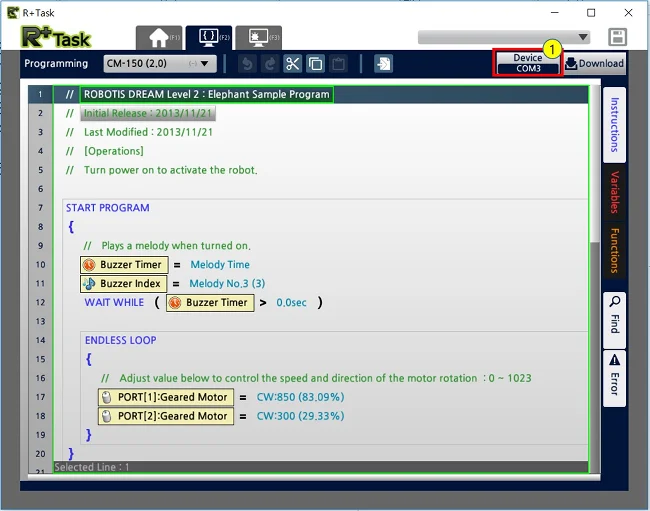
-
Select discovered device
2from the list and click3confirm button.
-
If the device does not appear in the list, check step 1 and 2.
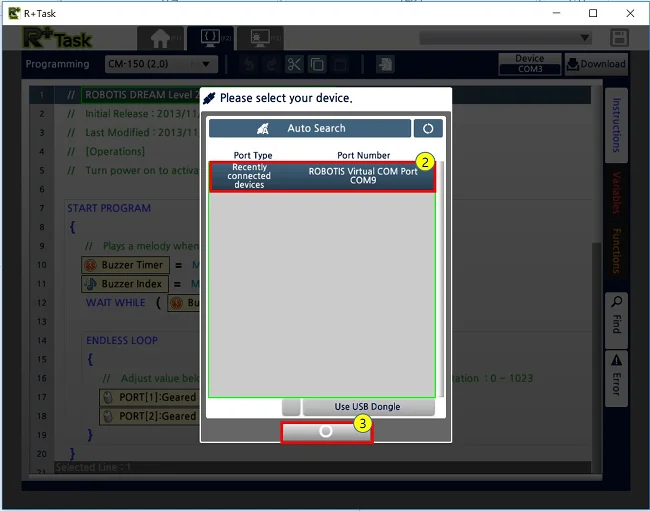
-
Select Download
4as shown below.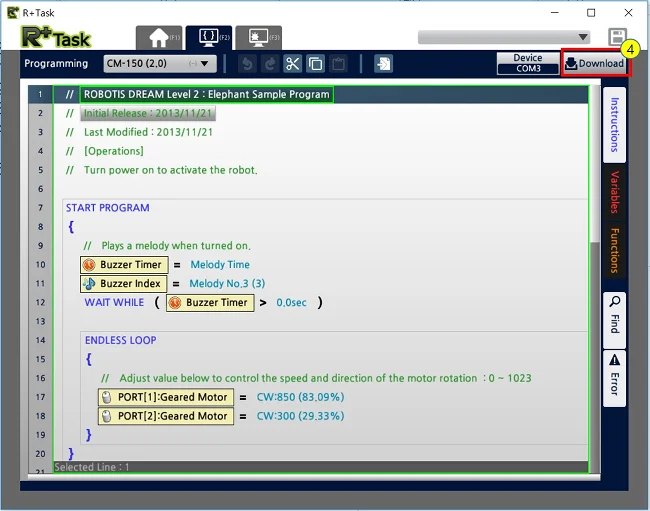
-
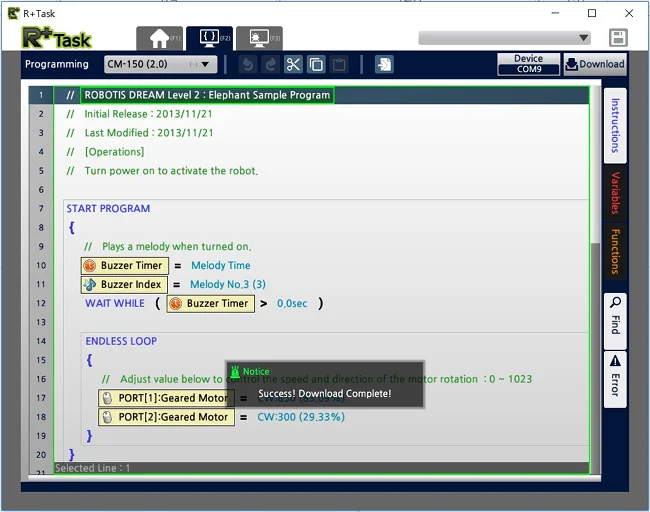
When task code download is completed, a success message will appear.