CM-100 Task Code Download Guide
Preparation
- Please open a task code file(*.tsk) to download from RoboPlus Task.
- You can open it by double-clicking.
- You can open it by using the open a file function of RoboPlus Task.
- You can open it with drag & drop in the RoboPlus task.
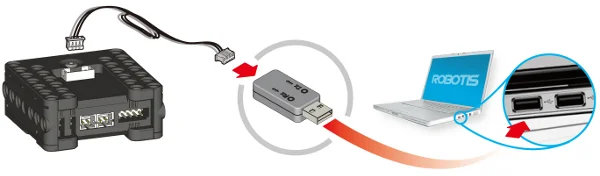
- Connect the controller([CM-100]) with your PC by using a [USB Downloader(LN-101)].
- Connect 2 double AA batteries then turn the power for the controller (CM-100) on.
Download
-
Connect the controller before downloading the task code. To download the task code, the controller must be connected to the PC. (Please refer to controller information for information on how to connect the controller to the PC.)
-
Select the correct COM port (if you know) or else use the "Automatic Search" function to easily find out the appropriate port.
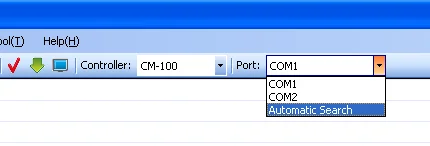
If RoboPlus Task is unable to find a controller, the following error message will be shown.
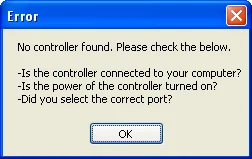
- Check if the controller is connected to the PC.
- Check if the controller is turned on.
- Check if the correct communication port was chosen.
-
Select the download menu.

If the program has an error, you must find the error and correct it. (See rule check error messages)
-
Download the program.
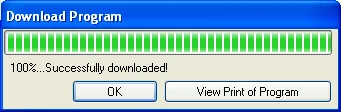
If the downloading fails, it will automatically try again from the beginning.
-
Execute the task code -> Your robot will move. Turn on the controller and execute the downloaded task code.