The CM-550 can be connected to the PC via Micro USB port to download task(.tsk3) and motion(.mtn3) files.
-
Connect USB cable to PC.
-
Connect the other side of Micro USB cable to CM-550 controller. The controller will be powered by USB and turned on automatically.
-
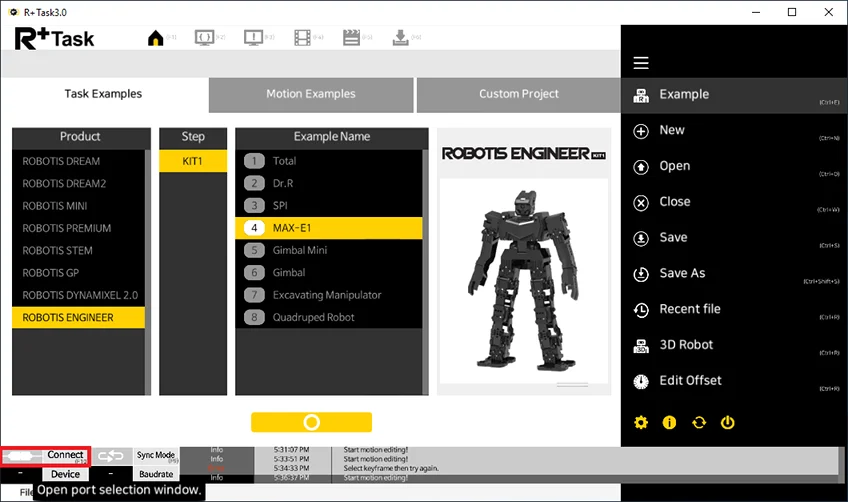
Luanch R+ Task 3.0 and press the
Connecticon on the bottom left corner.
-
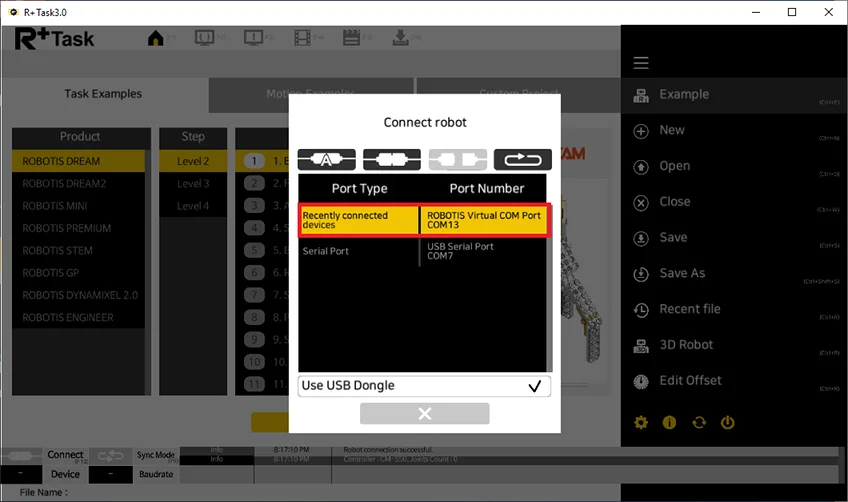
Select the serial port to use.
-
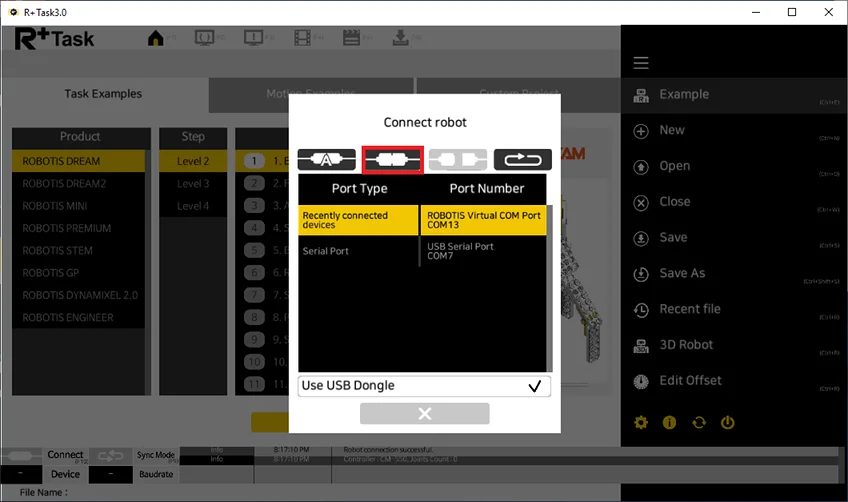
Press the
Connecticon.
-
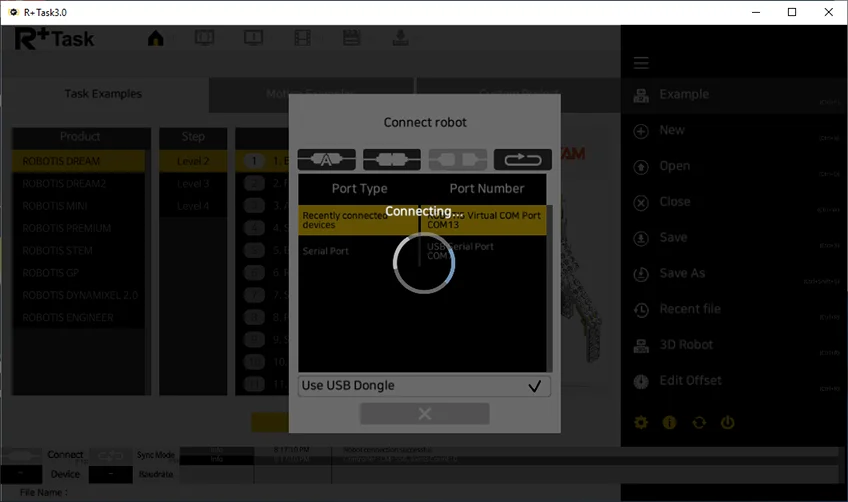
CM-550 will be connected to the PC with 3 beeps.
Pairing Bluetooth
The BLE module in CM-550 can be also paired with BT-410 Dongle to connect the PC, but wireless connection will be slower than wired connection when downloading.
-
Turn on the CM-550.
-
Connect BT-410 Dongle to the USB port of the PC.
-
Bring the
MODEbutton of CM-550 closer to the BT-410 Dongle to pair automatically. -
Luanch R+ Task 3.0 and press the
Connecticon on the bottom left corner.
-
Make sure to check on
Use USB Dongleoption when using BT-410 Dongle.
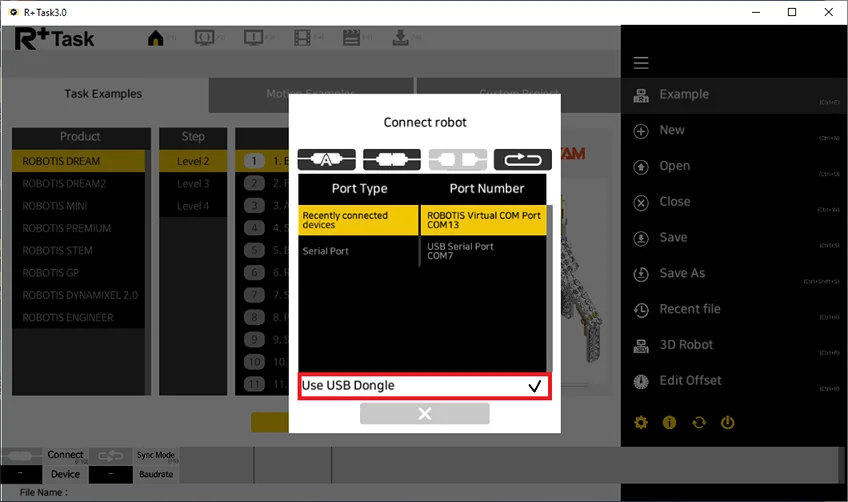
-
Select the serial port to use.
-
Press the
Connecticon.
-
CM-550 will be connected to the PC with 3 beeps.
NOTE :
- Bring the
MODEbutton of CM-550 closer to the BT-410 Dongle to pair automatically. - Once BT-410 Dongle is paired successfully, the connection will be maintained within the range of Bluetooth signal.
- Once BT-410 Dongle is paired successfully, paired device will be automatically connected within the range of Bluetooth signal.